The Infinity Cable: Connecting EcoFlow DELTA Pro 3 to Smart Home Panel 3
- Why Smart Integration Matters for Home Backup Power
- What Is the EcoFlow Infinity Cable?
- How the Infinity Cable Connects DELTA Pro 3 to Smart Home Panel 3
- Smarter Energy Control Through the EcoFlow App
- The Benefits of Connecting DELTA Pro 3 with the Infinity Cable
- Frequently Asked Questions
- Final Thoughts
Having a powerful backup battery like the EcoFlow DELTA Pro 3 is a game-changer for reliability. This powerful battery is great on its own, but it’s even more useful when it works seamlessly with your home.
That’s exactly where the EcoFlow Infinity Cable comes in. This simple connector combines your backup battery and EcoFlow Smart Home Panel 3 into one system, providing backup power to up to 10 circuits. Learn why more homeowners are integrating backups with their circuits and how you can connect the EcoFlow DELTA Pro 3 with the EcoFlow Infinity Cable.
Why Smart Integration Matters for Home Backup Power
Backup energy is helpful in a blackout. But having backup energy that actually works with your house is a whole different level. That’s why smart integration matters. A connected setup makes backup less of a last-minute dash to power your house and more like a normal part of your routine.
For many homeowners, whole-home generator integration is the ideal setup. It offers the most seamless backup experience and can keep critical systems powered with less manual effort during an outage.
But that kind of setup isn’t realistic for everyone. Maybe you rent. Maybe you’re not ready for a more permanent installation. Maybe you want serious backup power at home, but you also want the flexibility to use it somewhere else.
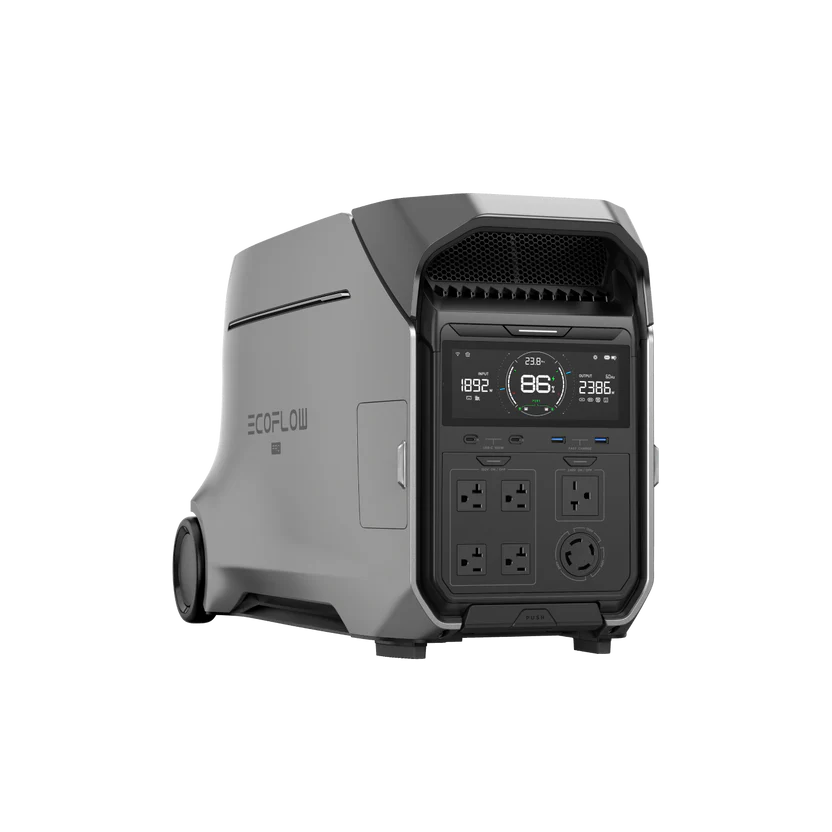
That’s where EcoFlow DELTA Pro 3 fits in. It provides heavy-duty backup power for essential needs, while still being mobile enough to go where you need it. While it’s great for on-the-go power, integrating it with your EcoFlow Smart Home Panel 3 helps you:
Keep essential appliances and circuits running more smoothly
Avoid the mess of cords and constant plug swapping
Use available backup power more efficiently
Make outages less chaotic
What Is the EcoFlow Infinity Cable?
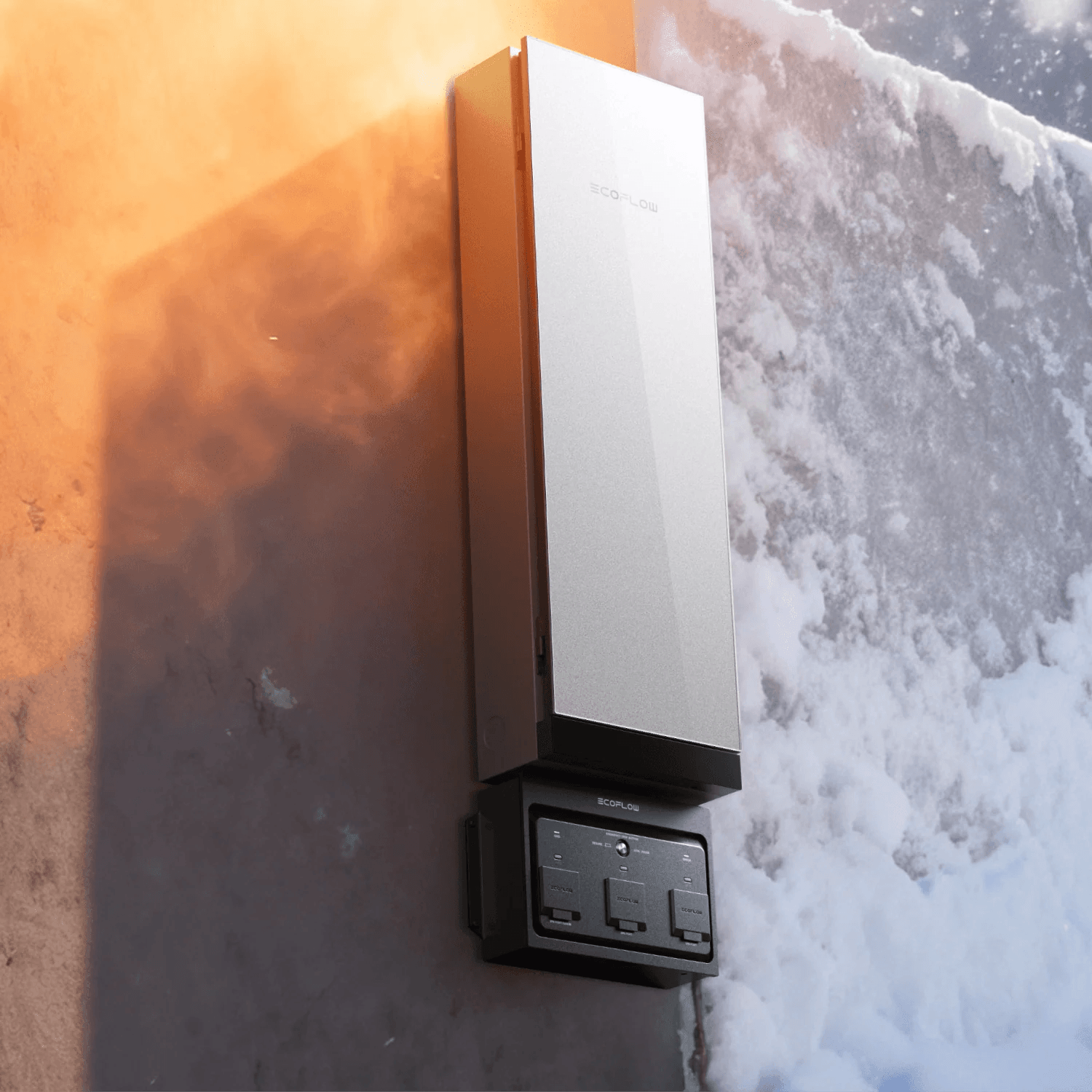
The EcoFlow Infinity Cable is the link that turns the EcoFlow DELTA Pro 3 into a more integrated backup solution.
When you connect DELTA Pro to the EcoFlow Smart Home Panel 3 with the EcoFlow Infinity Cable, you can do a lot of useful things, including:
Connect your battery directly to the panel
Power selected circuits during an outage
Recharge the power station from the grid through the panel
Control your battery backup setup in the EcoFlow app
Unplug and use the battery elsewhere when you need portability
Unlike some battery systems that are essentially locked in place, the EcoFlow Infinity Cable gives the EcoFlow DELTA Pro 3 more flexibility. You can connect it to your home for backup power, then disconnect it when you want portable power elsewhere.
How the Infinity Cable Connects DELTA Pro 3 to Smart Home Panel 3
The EcoFlow Infinity Cable makes the EcoFlow DELTA Pro 3 less of a standalone backup option and more of an integrated part of your home. When connected to the EcoFlow Smart Home Panel 3, the EcoFlow DELTA Pro 3 can work with multiple circuits instead of powering appliances one by one. That means backup power can go straight to things like wall outlets, lights, and other essentials you’ve chosen ahead of time.
Still, this setup can sound intimidating, so it’s no wonder there are a lot of frequently asked questions about the EcoFlow DELTA Pro 3 integration. Fortunately, it’s pretty easy. Here’s how the process works:
Use the cable to connect the power station to your EcoFlow Smart Home Panel 3.
The panel routes backup energy to up to ten circuits.
You monitor and control the setup in your EcoFlow app.
The EcoFlow Smart Home Panel 3 supports up to 25kWh of stored energy, which is enough capacity for a serious home backup setup. That can include multiple EcoFlow DELTA Pro units, extra batteries, and EcoFlow Smart Generators, depending on your system.
Smarter Energy Control Through the EcoFlow App
You don’t need to make a special trip to the breaker box to monitor your energy usage or battery capacity. With the EcoFlow app, you can track performance, adjust energy usage, and manage your setup from the comfort of your couch.
With just a few taps, you can:
Schedule energy use, so your system works around your routine instead of the other way around
Recharge batteries from the grid when you need a reliable top-up
Monitor battery levels in real time, so you know how much backup power you actually have
View energy usage trends over time
Manage connected circuits remotely
Automate charging and discharging around utility rates with the Time-of-Use feature, which can help charge during cheaper off-peak periods
Instead of treating your home’s power as a black box that’s hard to understand, the EcoFlow Smart Home Panel 3 makes smart home energy management as easy as opening an app.
The Benefits of Connecting DELTA Pro 3 with the Infinity Cable
Connecting the EcoFlow DELTA Pro 3 with the EcoFlow Infinity Cable does more than physically link your backup power to the smart panel. It gives you a smarter, more flexible way to run home backup without locking yourself into a rigid setup.
There’s a lot to love about a connected system, including perks like:
Reliable backup power: Instead of plugging appliances in one by one, the EcoFlow Smart Home Panel 3 manages how electricity flows through your home and can control power at the circuit level.
Personalized priorities: The EcoFlow Smart Home Panel 3 is built for whole-home energy management and supports circuit-level control, so your backup setup can prioritize the parts of the house you care about most during an outage.
Room to grow: The EcoFlow Smart Home Panel 3 is designed to scale with bigger home energy needs, including support for up to 32 circuits, battery integration, solar, generators, and EV charging.
Frequently Asked Questions
What does the Infinity Cable do for DELTA Pro 3?
The EcoFlow Infinity Cable connects the EcoFlow DELTA Pro 3 to the EcoFlow Smart Home Panel 3, which allows the battery to work with selected home circuits instead of acting like a standalone power station. Once you connect the two systems, you can also control both via the EcoFlow app.
Do you need the Infinity Cable to connect to the Smart Home Panel 3?
Yes. If you want to connect the EcoFlow DELTA Pro 3 to the EcoFlow Smart Home Panel 3, you need an EcoFlow Infinity Cable. This isn’t a software thing; it requires a physical connection, so the cord is a must-have. But if you don’t have the cable, you can still use the EcoFlow DELTA Pro 3 as a powerful portable power station; it just won’t work with your panel.
Final Thoughts
Connected, flexible backup power makes a big difference for your home. If you want to enjoy the best of both battery power and the convenience of the grid, connecting the EcoFlow DELTA Pro 3 to the EcoFlow Smart Home Panel will put you in charge of your energy use.
All you need is the right connection to enjoy app-based access, personalized energy alerts, and more. Add an EcoFlow Infinity Cable to your setup for smart, seamless power.
For press requests or interview opportunities, reach out to our media team
media.na@ecoflow.com