How to Make Phone Video Calls While Charging
- How Camera Lenses Distort Your Face
- Why Charging Ruins Your Shot
- How Wireless Power Solves the Problem
- How to Handle Calls on the Go
- How Lighting Changes Your Appearance
- How to Choose the Right App
- How Different Phones Connect
- Why Audio Quality Matters Too
- How to Create a Professional Background
- Why Heat Management is Vital
- How to Look Natural on Camera
- Master Your Mobile Meeting Setup
Communication has changed completely in just a few years. We rarely utilize a simple voice connection anymore. Instead, we connect through screens. Professional interviews, doctor appointments, and chats with family happen in virtual rooms. Your face on that screen is your new handshake. It is your first impression. If the image is dark or distorted, people might think you are unprofessional or unprepared. The visual quality of a video meeting determines how people perceive you. You want to appear competent and trustworthy.
However, looking good is not easy. Smartphones have amazing cameras, yet human error often ruins the shot. A lens placed too low looks up your nose. A light behind you turns your face into a dark shadow. You need to understand how the camera sees the world.
How Camera Lenses Distort Your Face
Smartphone cameras use wide lenses. Such lenses are excellent for taking pictures of landscapes, but they are terrible for close-up portraits. Wide lenses stretch objects that are close to the sensor. If you hold your phone below your chin, your chin looks huge. Your forehead looks tiny. The proportions of your face warp.
To fix the distortion, you must raise the camera. The lens should be at eye level or slightly higher. When the lens aligns with your eyes, your face looks natural. The features remain balanced. You look like you are sitting across the table from the other person. Eye contact feels real.
Many people struggle to find a phone call video angle that works. They prop their phones against coffee mugs or piles of books. Such makeshift stands rarely work well. The phone slips. The angle is too low. The viewer ends up looking at the ceiling. A stable, elevated position is essential for a professional look.
Why Charging Ruins Your Shot
Video calls drain batteries very fast. Your screen stays on. The processor works hard to encode video. The Wi-Fi radio transmits data constantly. A full battery can die in an hour of high-definition calling.
When the power drops, you must plug in a cable. The wire changes everything. It adds weight to the bottom of the phone. It creates tension. If you try to prop the phone up while it is plugged in, the cable pulls it down. The phone slides flat onto the table. You lose your perfect angle.
You end up holding the phone. Your arm gets tired. The camera shakes. A shaky camera makes the viewer feel motion sickness. It looks messy. You need a way to keep the power flowing without fighting a stiff wire.
How Wireless Power Solves the Problem
Wireless charging removes the physical tether. You do not need to plug a cable into the port. Energy flows through induction. However, old wireless chargers were slow. They could not keep up with the power drain of a video call. The phone would die even while sitting on the charger.
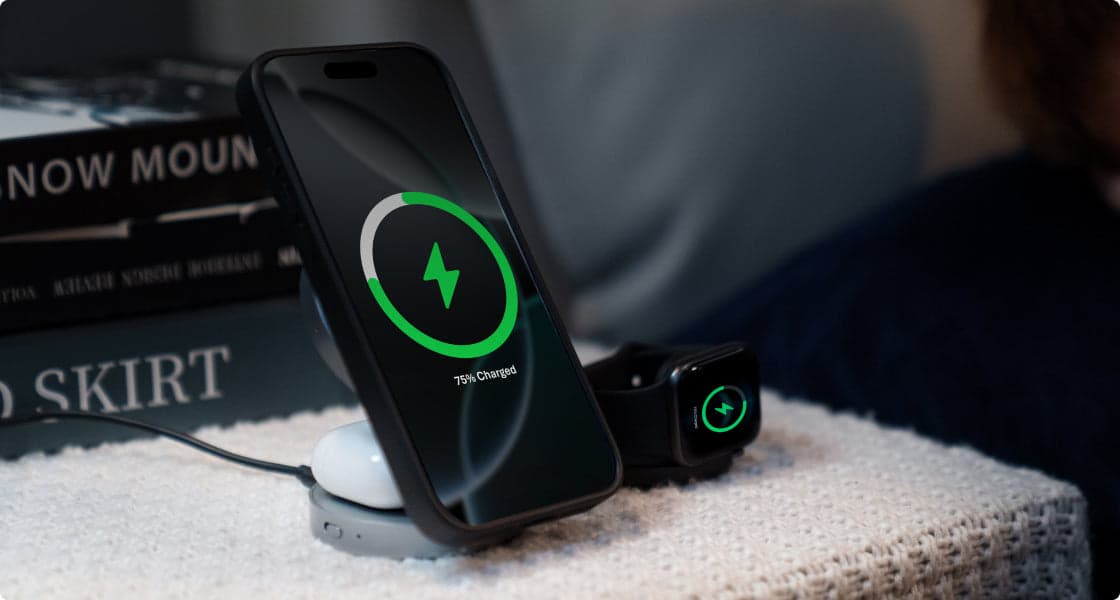
New technology changes the situation. Magnetic alignment guarantees perfect efficiency. The magnets snap the coils into place. Energy transfers quickly. You can continue your video call online without losing power. The phone stays cool, and the battery stays full.
A Wireless Charging Station for Your Desk
You need a dedicated spot for your phone on your desk. A flat charger is useless for video calls because the camera points at the ceiling. You need a stand that lifts the phone up.
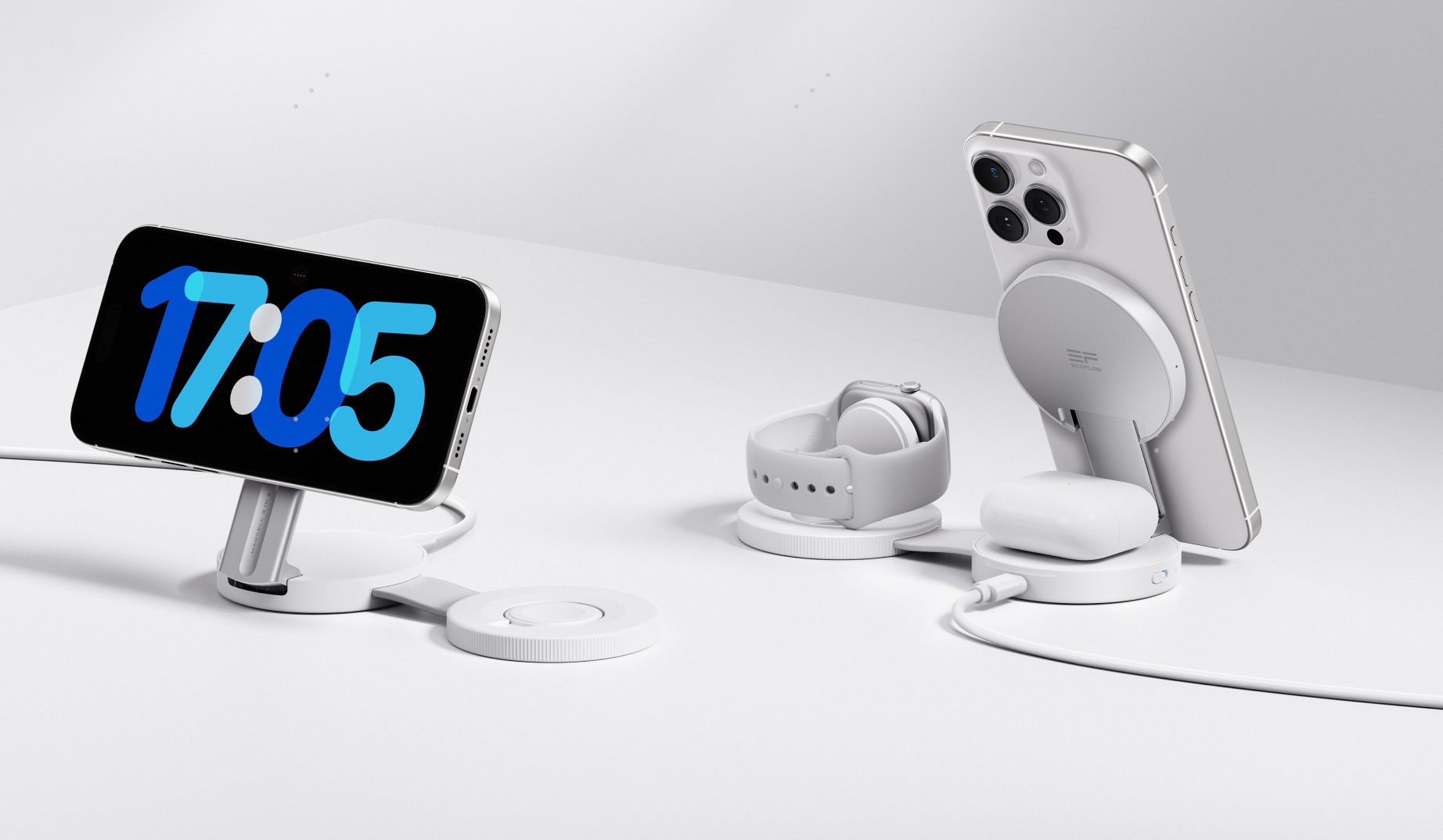
The EcoFlow RAPID Mag Qi2.2 Wireless Charging Station (3-in-1 Foldable) is the perfect tool for the job. It charges your phone at high speeds while holding it securely. You can adjust the tilt from 0 to 65 degrees to find the perfect eye-level shot without worrying about cables pulling the device down.
The station also keeps your desk clean. It has spots for your earbuds and smartwatch. A tidy desk helps you focus. You can rotate your phone from portrait to landscape instantly. The magnets hold it tight. You get the stability of a tripod with the convenience of wireless power.
How to Handle Calls on the Go
We do not always work from a desk. Sometimes you need to take a call from a coffee shop, a train station, or a park. Finding a wall outlet is often impossible. You still need to look professional. Holding the phone in your hand is not a good option. The angle is bad, and the video shakes.
You need portable power that doubles as a stand. Most power banks are just heavy bricks. They charge the phone but offer no ergonomic help. You end up trying to balance the phone and the battery pack on a wobbly table.
A Power Bank with a Brain
There is a better way to manage mobile power. You need a device that attaches to the phone and holds it up for you.
The EcoFlow RAPID Mag Qi2 Magnetic Power Bank (10,000mAh, 15W) solves the support issue. It features an adjustable capsule-shaped kickstand with a smart central cutout. The stand, when opened, has an angle of 15-85 degrees, which is more conducive to everyday use.
The kickstand lets you set the phone on any flat surface. You can adjust the tilt to point the camera at your face. The 10,000mAh capacity gives you hours of talk time. You can have a long 1v1 video call without fear of a dead battery.
How Lighting Changes Your Appearance
Even the best angle cannot fix bad lighting. Cameras need light to work. If the room is dark, the video looks grainy. The sensor tries to boost the signal and creates digital noise.
The position of the light is critical. Never sit with a bright window behind you. The camera will adjust for the bright window. Your face will become a black silhouette. People will not see your expressions.
Face the window instead. Natural light is soft and flattering. It fills in wrinkles and makes your skin look healthy. If you do not have a window, put a lamp behind the camera. The light should hit your face from the front.
The adjustable stands mentioned earlier help you face the light. You are not tied to a wall outlet. You can turn the whole setup to face the window. Freedom of movement improves your image quality.
How to Choose the Right App
There are many tools available for communication. Choosing the right one depends on your device and your needs. There are numerous apps for free video calls that work on all platforms.
If you are in a business setting, you might use Zoom or Microsoft Teams. Such apps usually work best in landscape mode. You want your phone sideways to fill the screen. The magnetic stands hold the phone securely in landscape orientation.
For personal chats, people often use FaceTime or WhatsApp. These apps favor portrait mode. You hold the phone vertically. The magnetic connection allows you to switch between these modes instantly. You just rotate the phone.
How Different Phones Connect
An iPhone user can create a FaceTime link and send it to an Android user. The Android user opens the link in a browser. They join the call without downloading a new app. Google Meet works the same way in reverse. You send a link and anyone can join.
Regardless of the phone you use, power and stability remain the key issues. A stable video feed looks professional on any operating system.
Why Audio Quality Matters Too
Visuals are only half of the experience. Sound is the other half. If your phone is lying flat on a table, the microphone picks up vibrations. Every time you tap the table, the other person hears a loud thud.
Lifting the phone improves audio. The microphone is up in the air. It is closer to your mouth. The sound is clearer. Wireless earbuds also help. They isolate your voice from background noise. The charging station mentioned earlier has a dedicated spot to keep your earbuds charged. You are always ready to talk.
How to Create a Professional Background
The camera sees everything behind you. A messy room looks bad. It suggests you are disorganized. A blank white wall looks like a mugshot. It is boring.
You want a background with some depth. A bookshelf, a plant, or a piece of art works well. It shows personality.
The angle of the camera dictates the background. A low angle shows the ceiling fan. A high angle shows the floor. An eye-level angle shows the room at a natural perspective. Using a proper stand gives you control over what is in the frame. You can curate your background to look your best.
Why Heat Management is Vital
Phones get hot during video calls. The processor generates heat. Charging generates heat. If the phone gets too hot, it slows down. The video gets choppy. The screen dims.
Heat damages batteries over time. You want to keep your device cool. High-quality wireless chargers manage heat better. They use advanced cooling tech to keep temperatures safe.
The EcoFlow gadgets use specific cooling systems. They monitor the temperature continuously. If it gets too warm, they adjust the power flow. Your phone stays safe. You can stay on the call for hours without overheating.
How to Look Natural on Camera
Looking at a screen feels unnatural at first. We want to look at the person's eyes on the display. But the other person sees you looking down.
To make eye contact, you must look at the camera lens. It feels weird, but it looks right to the viewer. Place the camera at eye level. It is easier to look at the lens when it is straight in front of you.
Sit up straight. Good posture conveys confidence. Leaning back looks lazy. Leaning too far forward creates distortion. Find a comfortable, upright position. The kickstand on the power bank helps you maintain such a position anywhere. You do not have to hunch over a phone on a table.
Master Your Mobile Meeting Setup
Video calls are here to stay. We must adapt to the medium. Looking good on camera is a skill you can learn. It starts with the basics: get the camera up, get the light right, and keep the power flowing.
Wireless charging with magnetic features or creative stands is the modern solution. It eliminates the frustration of cables. It gives you the freedom to position your phone perfectly. Whether you are at your desk with a wireless charging station or at a cafe with a magnetic power bank, you can control your image.
Do not let a dead battery or a bad angle ruin your connection. Take control of your setup. Present the best version of yourself to the world.
For press requests or interview opportunities, reach out to our media team
media.na@ecoflow.com