How to Protect Your iPhone’s Battery Health While You Sleep
Overnight charging has gotten a bad rep over the years. However, the issue isn’t when your iPhone charges, but rather what happens during the charging process. Modern iPhones feature built-in mechanisms that stop charging once they reach full charge, allowing you to leave them plugged in for long hours without worry.
Many overnight chargers wake up with a 100% battery yet lose capacity over time without understanding the habits that lead to the decline. Keep reading to learn practical ways to protect your iPhone’s battery at night and still wake up with a full charge.
Turn On Sleep Focus
Screen notifications can drain battery life as the notification process runs and your screen lights up. Instead of altering notification alert settings daily, you can set up Sleep Focus.
In the Sleep Focus settings, set a bedtime and wake up time to automatically silence calls, messages, and app notifications. This prevents the screen from lighting up, eliminates app processing, and lowers overnight background activity. If you’re worried about missing certain calls or messages, you can allow priority contacts to override Sleep Focus.
The purpose of this setting is to promote less distracted sleep, but it can also help conserve your phone's battery. With fewer pop-ups and wake cycles, charging is more efficient, and the battery avoids unnecessary power draws.
Avoid Extreme Temperatures
Heat is one of the fastest causes of lithium-ion degradation. Charging under pillows, blankets, or on soft surfaces can block airflow, trap heat, and increase the risk of fire hazards. Combined, you’ll notice your battery health deteriorating.
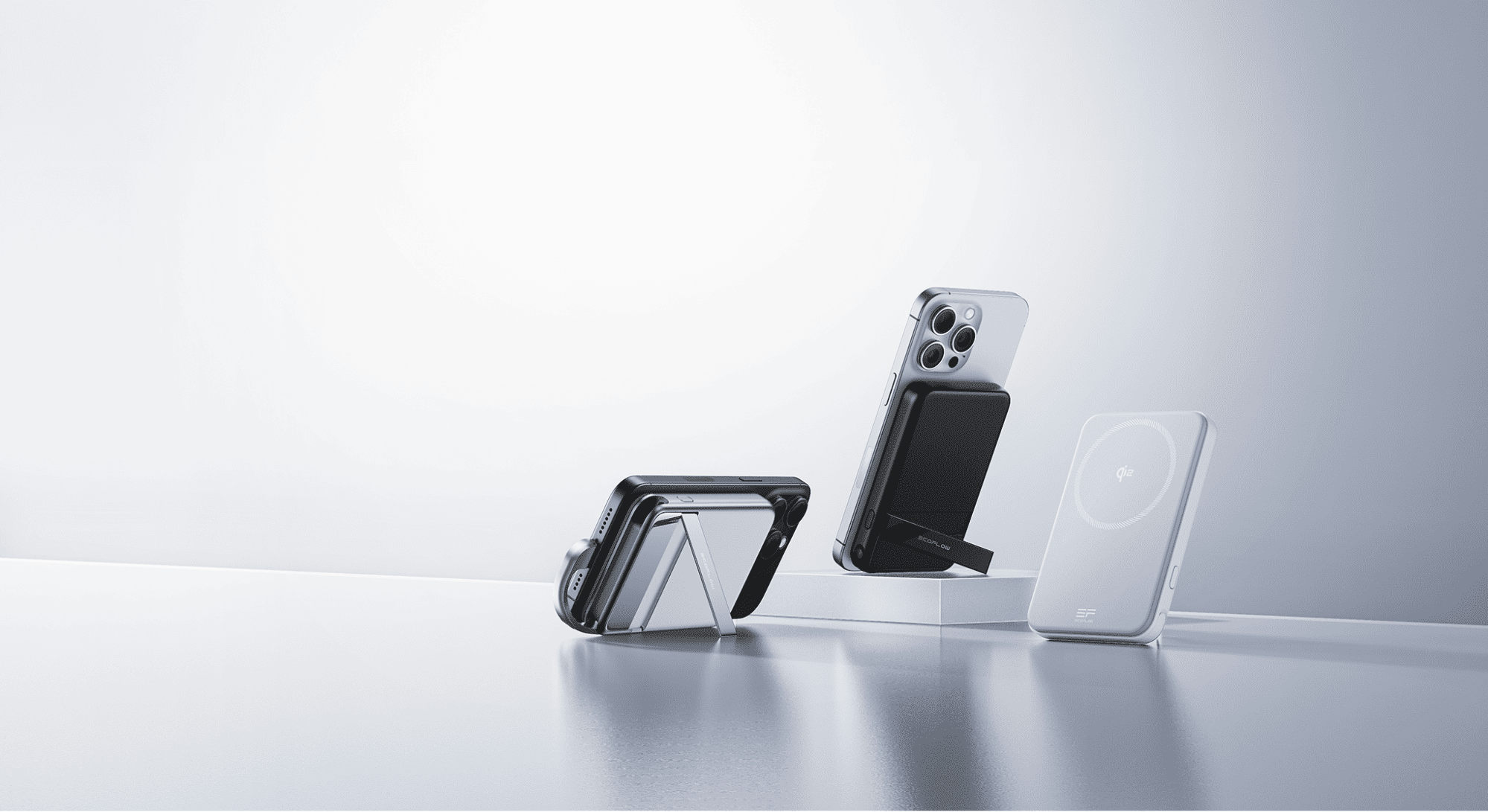
You can easily address many of these issues with overheating through wireless charging. A wireless charger must be used on a hard, flat surface, essentially confining your iPhone to the nightstand. There’s no way to lose your phone underneath your pillow or between blankets, where airflow is minimal.
If your phone does approach a high temperature while charging, the EcoFlow RAPID Mag Wireless Charging Station (3-in-1 Foldable) will slow down or stop the charge until it cools down. Integrated thermal monitoring technology allows this Qi 2.2-certified charger to detect the phone’s temperature and adjust accordingly.
Turn Off Background App Refresh
Setting sleep focus prevents notifications, but apps still process data unless Background App Refresh is turned off. Disable this feature in the Settings app to prevent non-essential apps from syncing overnight, pulling location data, and performing data updates. All these processes drain power in small increments, putting unnecessary wear on the battery. It also creates heat. Both of these influences are bad for long-term battery stability.
Optimized Battery Charging
Smartphones’ lithium-ion batteries function best when they are between 20% and 80% charged. In this range, the battery charging components aren’t under stress. It’s great to have a 100% charge, but getting to 100% requires higher voltages and accelerates chemical wear, especially when the battery is left at full capacity for extended periods.
In iPhones, you automatically reduce this by enabling Optimized Battery Charging. Go to Settings > Battery > Charging. Select the setting to turn on optimized charging. When able, the phone charges to about 80%, pauses, then completes the final 20% shortly before your alarm. This minimizes heat exposure and prevents long periods at max charge. You’ll see high battery health percentages for years with this simple change.
Top Up During the Day
If your battery starts dropping during the day, don’t wait until it’s nearly dead to charge it. Plug it in when you can, even if it’s only for a few minutes. Lithium-ion batteries age less when charged in small, frequent intervals rather than being drained to 0% and then charged to 100%
A quick 10-15 minute top-up during lunch or during your commute helps keep your phone within its ideal charge window. Use a portable power station for an easy mid-day top-up, whether you’re at home or away.
Frequently Asked Questions
Will Charging My iPhone Overnight Damage the Battery?
Charging your iPhone overnight won’t instantly damage the battery. There are many ways to prevent unnecessary wear and tear on your phone during overnight charging. Utilize Sleep Focus to prevent background activity, use optimized battery charging settings, and place it on your nightstand for optimal sleep.
Can I Use My iPhone While Its Optimized Battery Charging Is Active?
Yes, you can use your iPhone normally when Optimized Battery Charging is active. This charging feature only manages charging speed, especially overnight. It does not block touchscreen use, applications, or slow performance. However, heavy use during charging generates heat, which is detrimental to battery health over time.
How Often Should I Check the Battery Health of My iPhone?
You can check the battery health at any time, but there’s no need to do so daily. The recommendation is to check it every month or every other month. If you notice the capacity dropping, adjust your charging habits to prevent further damage. Regular monitoring helps you catch problems before it’s too late.
Does Turning off Background App Refresh Really Extend Battery Lifespan?
Yes, turning this feature off can help extend battery lifespan. Background App refresh runs app processes overnight or when the phone is idle. When this is reduced, your iPhone generates less heat and draws less power. You can turn this feature off for all apps or leave the essential ones on.
Smart Charging Habits Preserve iPhone Battery Health
Maintaining a healthy iPhone battery doesn’t mean you have to avoid overnight charging. You can wake up with a fully charged iPhone, ready for the day, and still have a long-lived, healthy phone. Before going to bed, set your phone to Sleep Focus, turn on Optimized Battery Charging, and place it on your nightstand to charge. Turn off background app refresh during the day and at night, and top off your phone’s battery during the day to reduce deep cycles of the lithium-ion battery. For easy, on-the-go charging, snap up the EcoFlow RAPID Mag Qi2.2 Wireless Charging Station (3-in-1 Foldable) to juice up your device safely while you sleep.
If you're thinking bout taking energy management even further, consider exploring EcoFlow’s whole-home backup power solutions for smarter charging and more reliable power.
For press requests or interview opportunities, reach out to our media team
media.na@ecoflow.com