Hybrid Work Essentials: Transitioning Between Home and Office
The nine-to-five office grind is fading into history. Today’s working generations are re-riting the rulebook, dividing their hours between kitchen tables and conference rooms. It’s not, after all, about where you happen to work, but about being an expert in living in those ‘two worlds.’ Whether you’re juggling webinars from home, or meeting in person in the city, it’s about having the right tools to succeed.
What Is Hybrid Work? Understanding the Modern Work Model
Hybrid work is a flexible mode of working, in which employees work divided hours, alternating between working remotely, mostly from their homes, and working from a traditional workplace environment. Hybrid work opportunities differ from other remote job opportunities in that employees are required to physically report to their workplace on scheduled days.
A typical hybrid work schedule varies by company. Some employees work three days in the office and two days at home, while others might do the reverse. Many organizations mandate specific office days to ensure team overlap, while others give employees complete autonomy to choose when they come in. The flexibility allows workers to handle focused tasks at home while reserving office days for collaboration, meetings, and team-building activities.
Benefits of Hybrid Work for Employees and Employers
The hybrid model offers compelling advantages that traditional office-only arrangements simply can't match. Understanding these benefits of hybrid work helps explain why this approach has become the new standard.
For Employees:
Time savings: Eliminate hours spent commuting several days per week
Cost reduction: Less money on gas, parking, public transportation, and work attire
Better work-life balance: Flexibility to handle personal tasks without requesting time off
Reduced stress: Skip rush hour traffic and crowded trains on remote days
Health improvements: More time for exercise, meal preparation, and self-care
For Employers:
Higher productivity: Employees choose optimal environments for different task types
Improved retention: Workers report higher job satisfaction with schedule flexibility
Lower overhead costs: Reduced need for large office spaces and utilities
Wider talent pool: Recruit from broader geographic areas
Decreased burnout: Flexible arrangements lead to happier, more engaged teams
Hybrid work leverages the strengths of both environments. Home offices provide quiet spaces for deep concentration, perfect for writing reports or analyzing data without interruption. Office days facilitate spontaneous conversations, team bonding, and collaborative problem-solving that video calls can't fully replicate.

Key Differences between Hybrid and Remote Work
While hybrid and remote work both offer location flexibility, they're distinct models with different implications. Figuring out hybrid vs remote work helps you navigate either arrangement successfully.
Key Distinctions:
Aspect | Hybrid Work | Remote Work |
Office presence | Required on scheduled days | Optional or never |
Geographic freedom | Must live within commuting distance | Can live anywhere |
Team interaction | Regular face-to-face contact | Entirely digital |
Structure | Built-in schedule boundaries | Requires self-imposed boundaries |
Company culture | Easier to maintain through in-person time | Maintained purely through virtual channels |
The defining feature of hybrid work is regular in-person contact with colleagues. This maintains company culture, strengthens team relationships, and facilitates spontaneous collaboration. Remote work operates entirely through digital channels—employees may never meet coworkers face-to-face.
For new employees, hybrid arrangements offer valuable mentorship opportunities and easier onboarding. Observing experienced colleagues and asking quick questions in person accelerates learning in ways that scheduled video calls cannot match. However, remote work provides ultimate flexibility—the freedom to relocate to different cities or even countries without changing jobs.
Essential Tech Setup for Seamless Transitions
Success in hybrid work demands more than just a laptop and good intentions. Strategic technology choices eliminate friction when moving between locations.
Core Equipment Considerations
Laptops: Your primary mobile device that travels with you
Dual peripherals: Consider keeping keyboards, mice, and monitors at both locations
Cloud storage: Essential for accessing files anywhere (Google Drive, Dropbox, OneDrive)
Reliable internet: Invest in quality routers for your home office
Noise-canceling headphones: Critical for video calls in either environment
Webcam and microphone: Ensure professional video presence from home
The constant packing and unpacking of equipment gets old fast. Determine which items should remain at each location versus what travels with you. While your laptop obviously moves between spaces, duplicating frequently used peripherals eliminates daily setup hassles.
Smart Power Management Solutions
Power reliability often gets overlooked until you're scrambling during a critical video call. Home offices need backup plans for unexpected outages—nothing derails productivity faster than losing power mid-presentation.
For comprehensive home office power needs, EcoFlow DELTA Pro Portable Power Station provide peace of mind. These devices keep multiple pieces of equipment running during outages and offer the flexibility to work from anywhere in your home, even outdoor spaces. The right power solution ensures your monitors, laptop, router, and phone stay charged regardless of electrical disruptions.
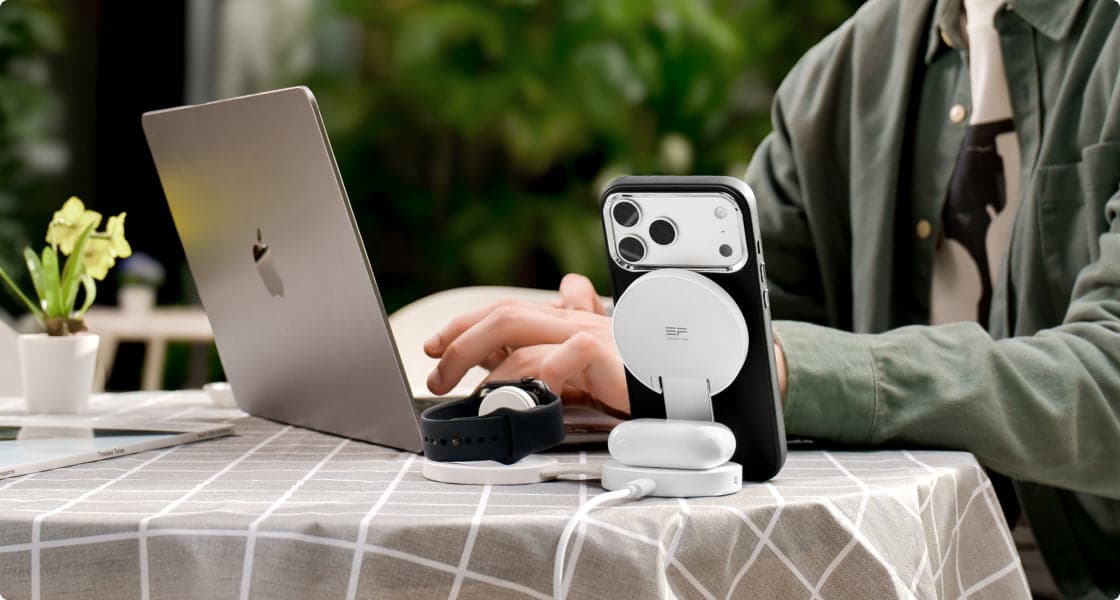
Equally important is minimizing cable chaos across both locations. EcoFlow RAPID Mag Wireless Charging Station (3-in-1 Foldable) eliminates the tangle of cords that accumulates around desks. Compact, foldable charging stations that handle multiple devices simultaneously—like your phone, wireless earbuds, and smartwatch—reduce clutter while ensuring everything's powered up. Look for options designed for portability so you can easily transport them between home and office without hassle.
Optimizing Your Hybrid Work Routine
Having the right equipment is just the starting point. True hybrid work success comes from developing habits and systems that work seamlessly across both environments.
Productivity Habits That Work Anywhere
- Morning rituals: Start each day the same way regardless of location
- Time-blocking: Designate specific hours for focused work, meetings, and admin tasks
- Calendar transparency: Update your location daily so colleagues know where you are
- Consistent workspace: Create dedicated work zones at home to signal "work mode" to your brain
- End-of-day shutdown: Develop closing rituals that mentally separate work from personal time
Transition Preparation Checklist
- Charge all devices the night before office days
- Pack necessary cables and accessories in advance
- Review your calendar to identify what materials you'll need
- Organize digital files in consistent folder structures across devices
- Test VPN connections and software access before you desperately need them
- Update messaging status to reflect your availability and location
Communication clarity prevents misunderstandings. Let teammates know if you're heads-down on a project or available for spontaneous collaboration. Set up virtual private networks (VPN) and ensure all necessary software works on both your home and office networks. These small signals create smoother workflows for everyone.
The night before an office day, prepare like you're packing for a trip. This five-minute investment prevents frantic morning searches and ensures you arrive ready to work.
FAQs
Q1. How Do I Manage Meetings When Some Team Members Are Remote and Others Are In-Office?
Start "remote-first" meeting habits, whether some team members are meeting in person or not. Rather than having some team members gather in front of a conference-room camera, each person joins from their own device. It's crucial to include remote members in the action, preventing them from becoming second-class citizens. Utilize shared documents for note-taking to keep all participants engaged.
Q2. What's the Best Way to Handle Childcare With a Hybrid Work Schedule?
Hybrid days working from home have to be treated like days in the office with respect to childcare—you require dedicated care on those days too. It’s beneficial for pick-ups from school, sick days, and other emergencies, but it’s not feasible to get any meaningful work done while taking care of children. Parents have to arrange for care through partners or part-time childcare.
Q3. How Do I Maintain Career Visibility When I'm Not Always in the Office?
Document your work consistently through project updates, email summaries, and shared progress reports. Speak up proactively in virtual meetings and volunteer for visible projects. Schedule regular one-on-ones with your manager to discuss accomplishments and goals. The key is making your contributions obvious through communication, not just physical presence. Remote work days shouldn't mean you're out of sight, out of mind.
Q4. What Technology Issues Should I Troubleshoot Before Starting Hybrid Work?
Test your home internet speed and VPN connectivity before your first virtual day at work. Make sure you have connectivity to all networks, files, and applications from each location. Implement multi-factor security. Test your virtual meeting functionality for optimal audio, lighting, and other features. Make backups for critical hardware, such as a portable internet connection in case your internet isn't working or charging cables for hardware tools. These are some areas to resolve before problems crop up in critical meetings.
Conclusion
Hybrid work represents the future of professional life. But to thrive in hybrid work, it's essential to understand what hybrid work means, its importance, and crucial to empower yourself with intelligent tools. Invest in efficient power management and charging infrastructures for use in multiple locations. Establishing efficient habits in communication patterns is necessary. Begin with balancing your present work environment by analyzing areas needing correction in your transitions.
For press requests or interview opportunities, reach out to our media team
media.na@ecoflow.com