Why Is My Apple Watch Battery Draining So Fast?
Your Apple Watch battery shouldn't die before dinner. If it does, something's wrong. Common culprits include the always-on display, background apps, or an aging battery. Most Apple Watches should last 18 hours on a single charge. This guide helps you identify why your watch is dying early and what you can do to extend your Apple Watch battery life.
How Do You Check the Battery on an Apple Watch?
Before fixing the problem, you need to understand what's actually happening with your battery. Checking your Apple Watch battery life involves more than just glancing at the percentage.
Checking Current Battery Level
Swipe up from the watch face to open Control Center. The battery icon shows up at the top with a percentage. If you don't see it, tap the battery icon once.
Want constant visibility? Add a battery complication to your watch face. Press and hold your watch face, tap Edit, then add the battery complication to any available slot.
You can also check from your iPhone. Open the Watch app, and you'll see your watch's current battery level at the top of the My Watch tab.
Apple Watch Battery Health Monitoring
Battery health matters more than the current charge level. On your watch, go to Settings > Battery > Battery Health & Charging. You'll see "Maximum Capacity" listed as a percentage.
This number tells you how much charge your battery can hold compared to when it was brand new. A new Apple Watch starts at 100%. Apple considers batteries healthy down to 80%—below that, you should think about replacement.
If your maximum capacity sits at 85%, your watch holds 85% of its original charge. But if you're down to 75% or lower, that explains why your watch dies so fast.
Apple Watch Battery Usage Statistics
Open the Watch app on your iPhone and tap Battery. Here you'll see which apps and features drain the most power. Look at both "Last 24 Hours" and "Last 10 Days" views.
If one app consistently shows up at the top using a much larger share of your battery than any other app, that's your problem. Delete it or restrict its background activity.
Apple Watch Battery Life Comparison
Here's what Apple officially promises:
| Apple Watch Model | Standard Battery Life | Low Power Mode |
| Apple Watch Series 10 | Up to 18 hours | Up to 36 hours |
| Apple Watch Ultra 2 | Up to 36 hours | Up to 72 hours |
| Apple Watch SE (2nd gen) | Up to 18 hours | Low Power Mode supported (runtime varies with use) |
| Apple Watch Series 9 | Up to 18 hours | Up to 36 hours |
These numbers assume typical use: 90 time checks, 90 notifications, 45 minutes of app use, and a 60-minute workout. Heavy users get less; light users get more.
Real-world performance varies. If you stream music, use GPS constantly, or have cellular on all day, expect noticeably shorter runtime than the figures above, especially if you're pushing GPS, streaming, or cellular all day.
Why Is My Apple Watch Battery Draining So Fast?
Now, we shall identify the real reasons why your watch dies prematurely. There are usually several reasons.
Display & Brightness Controls
Your screen draws the most power. The Always-on feature, in the Series 5 and later models, keeps your watch face on all the time, which means you’ll lose some battery life compared with keeping it turned off.
The screen brightness needs to be turned up to the highest setting. Reducing the brightness from the highest setting and using a medium brightness setting can provide some extra battery power.
Raise-to-Wake sensitivity also has its relevance here. The fact that your watch turns on each time you raise your arm means there are scores of unnecessary screen wakings each day.

Connectivity and Location Features
GPS has high power consumption. When you begin your exercise routine with GPS tracking, your battery power consumption increases. An exercise routine using GPS location can quickly drain your battery.
The battery drains quickly when using the cellular network. Your iPhone needs to be in the vicinity, and your watch should rely on Bluetooth. However, this does not always work.
The location tracking performed in the background by third-party apps simply adds up. There are weather apps, fitness apps, and mapping apps that all need location access all the time.
App and Notification Overload
Background App Refresh enables apps to refresh their content even when you’re not using the apps. However, each refresh consumes the battery.
These notifications light up your screen, cause haptics, and, in some cases, open apps. When you are receiving hundreds of notifications a day, this means your watch is waking up hundreds of times a day.
Streaming audio on your watch quickly drains the battery because your watch will be constantly connected to wireless headphones and performing audio processing.
Hardware and Software Problems
Degradation in the battery is expected. When you've had your watch for 2-3 years, and the battery health goes below 80%, then the problem isn't the setting; it's age.
Bugs in software, particularly after an update, may cause battery issues. The first 24-48 hours after a major watchOS update typically experience heavier battery use during the indexing process.
Batteries are affected by extreme temperatures. Using your watch above 95°F (35°C) and below 32°F (0°C) reduces battery life.
Sudden Battery Drain Situations
If your watch has suddenly become power-hungry, check your recent changes. Did you install a new app, upgrade watchOS, or enable sleep tracking?
An infected application could become stuck in a loop, running in the background all the time. See the Battery usage stats—if an application has used an unusually large percentage compared to all others, this is the problem.
How Can You Extend Your Apple Watch Battery Life?
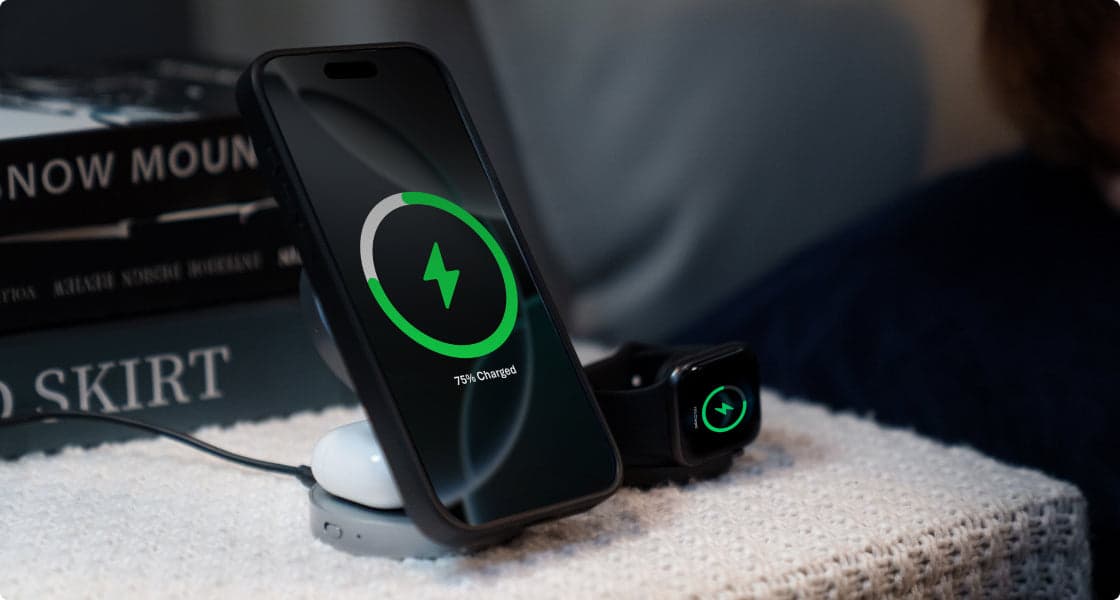
Let's fix the problem with practical adjustments you can make right now. These tips work together—combining several gives the best results. If you charge your watch next to your phone every night, using a compact 3-in-1 stand such as EcoFlow RAPID Mag Wireless Charging Station (3-in-1 Foldable) can simplify the routine by topping up your Apple Watch, iPhone, and AirPods in one place, making it easier to keep the battery in a healthy day-to-day range.
Display Optimization
Turn off Always-On Display by going to Settings > Display & Brightness > Always On and toggling it off. This single change can make a noticeable difference to how long your watch lasts.
Lower screen brightness to 40-50%. You'll adjust to it quickly.
Reduce screen wake time. Go to Settings > Display & Brightness > Wake Duration and choose 15 seconds instead of 70 seconds.
Use simpler watch faces. Faces with many complications or animations use more power. Basic analog faces with 2-3 complications use the least battery.
Connectivity Management
Switch to Airplane Mode when you don't need connectivity. Going for a non-GPS walk? Airplane Mode uses minimal battery.
Turn off cellular when your iPhone is nearby. Save cellular for times when you actually leave your phone behind.
Disable background App refresh for non-essential apps. Keep it on for fitness apps you actually use, turn it off for everything else.
Feature Adjustments
Reduce haptic feedback strength. Settings > Sounds & Haptics > Haptic Strength—set it to 1 or 2 instead of 3.
Turn off Raise to Wake if you can live without it. You'll tap the screen to wake your watch, but you'll save significant battery.
Use GPS sparingly. For indoor workouts, skip GPS tracking. For outdoor runs, use your iPhone's GPS instead.
Smart Charging Practices and Solutions
Charge your watch every night. Lithium-ion batteries prefer frequent top-ups. Avoid letting your battery sit at 0% or 100% for long stretches; keeping it in a middle range tends to extend its overall lifespan.
Avoid extreme temperatures while charging. Don't leave your watch charging in direct sunlight or in a hot car.
Use Low Power Mode for extended battery life. Swipe up to Control Center, tap the battery percentage, and turn on Low Power Mode. This can roughly double your battery life on supported models.
For convenient daily charging, consider the EcoFlow RAPID Mag Wireless Charging Station (3-in-1 Foldable). It charges your Apple Watch, iPhone, and AirPods simultaneously using Qi2.2 fast wireless charging. The foldable design makes it perfect for travel, and keeping all devices in one spot helps maintain consistent charging habits.
When Battery Replacement Makes Sense
Apple typically charges around $99 for out-of-warranty battery replacement on most recent Apple Watch models in the U.S., with some older models costing a bit less. If you have AppleCare+, replacement is free once your capacity drops below 80%.
Signs you need replacement: watch shuts down even though it still shows plenty of charge left, experiences unexpected shutdowns, takes much longer than it used to to charge, or gets hot during normal use.
Quick Fixes for Apple Watch Battery Life Problems
In some cases, you’ll need relief now. Here's your playbook.
Instant Battery Savers
The quick fix would then be to enable the “Low Power Mode” and turn off the “Always-On Display” feature. Doing this would help the battery last longer by quite a noticeable extent.
Lower the screen brightness to 30%, and the “Raise to Wake” setting should be turned off.
Software Troubleshooting
Restart your watch. Use the side button and turn it off by selecting Power Off, then turn the watch back on with the side button.
Install the most up-to-date watchOS. In the Watch app, go to General > Software Update. Bug fixes usually solve the battery issue.
And, to be on the safe side, if nothing else works, then the next thing you need to do is unpair and re-pair the watch.
FAQ
Q1. Can I Refurbish My Apple Watch Battery?
No, you don't want to try the DIY process. The reason why you shouldn't change the battery in your Apple Watch on your own and why you need to consider a professional service, whether through an Apple store, a third-party service, or even an electronics repair store, has to do with its water-tight sealing. The Apple Watches come with batteries that are glued and soldered to other components inside. The process involved in trying to open the watch could damage the water seals. The service fee offered by the company would cost approximately $99. However, under the AppleCare+ protection, you don't have to pay when the capacity reduces below 80%, making the process
Q2. What Happens When I Close Facebook on My iPhone?
There isn't. The watchOS takes care of the apps running in the background quite efficiently—they are in a suspended state, using up little power when you find them in the carousel. The only exception here would be apps that are running in the background, such as when you are using directions and listening to music.
Q3. Why Does My Apple Watch Drain Overnight When Not in Use?
If there's unusually high overnight usage, such as noticing a large amount of your battery use when you're sleeping, this typically means that background apps are running. Sleep tracking monitors heart rate, activity, and the stages of your nighttime sleep. The use of the battery in sleep tracking occurs throughout the night. Oximetry operates on a schedule, too. Poor iPhone connectivity contributes, since your watch keeps trying to connect.
Make Your Apple Watch Battery Last
Your Apple Watch battery can last all day with the right adjustments. Check battery health first, then turn off Always-On Display, lower brightness, and cut notifications. If capacity is below 80%, consider replacement. Combine these fixes with smart charging habits, and your watch will keep up with you from morning to night.
If you also want a simple way to keep your whole Apple setup topped up, a 3-in-1 dock like EcoFlow RAPID Mag Wireless Charging Station (3-in-1 Foldable) can give your Apple Watch, iPhone, and AirPods a safe, fast nightly charge so your watch keeps up with you from morning to night.
For press requests or interview opportunities, reach out to our media team
media.na@ecoflow.com