Does Better Noise Cancellation on AirPods Drain the Battery Faster?
Yes. Active Noise Cancellation (ANC) on your AirPods will always drain the battery faster than listening in "Off" mode. Whether you are using the latest AirPods 4 ANC or the high-end AirPods Pro, on average, you can expect a 20% to 25% reduction in listening time when ANC is active.
While Apple's engineering has become incredibly efficient, the laws of physics and signal processing remain the same: doing more work requires more energy. For the average commuter or traveler, this means that while your environment becomes quieter, your window of listening time becomes shorter.
How Does ANC Drain Battery?
Active Noise Cancellation isn't a passive barrier; it is a constant, "live" performance by the hardware.
Active Noise Cancellation works by using external microphones to "listen" to the sounds around you. The integrated H1 or H2 chip then analyzes these sound waves and generates an inverted "anti-noise" wave. This inverted wave is played through the speakers to cancel out the ambient noise before it reaches your eardrum.
Why this consumes more power:
Always-On Microphones: When ANC is on, multiple microphones per earbud are constantly powered up to monitor external and internal sounds.
Real-Time Processing: The silicon inside the AirPods (like the H2 chip) must perform billions of operations per second to calculate the exact anti-noise frequency needed. This processing power is also responsible for features like Adaptive Audio, which constantly blends modes based on your environment—adding even more strain to the battery.
Increased Driver Workload: The speaker driver isn't just playing your music; it is simultaneously vibrating to produce the anti-noise waves. This "extra work" for the driver requires more current from the battery.
In contrast, when you turn ANC off, the microphones stop monitoring the environment, and the processor focuses solely on streaming your audio, leading to a much longer AirPods battery life.
Real-World Battery Life With ANC
The impact of AirPods Pro ANC and AirPods 4 ANC becomes clear in real-world testing. Based on official specs and field testing:
Battery Performance Comparison Table
| AirPods Model | ANC OFF (Listening Time) | ANC ON (Listening Time) | Battery "Tax" |
| AirPods 4 (with ANC) | ~5 hours | ~4 hours | 20% |
| AirPods Pro (2nd Gen) | ~7 hours | ~6 hours | 14% |
| AirPods Pro (1st Gen) | ~5 hours | ~4.5 hours | 10% |
| AirPods Max | ~20+ hours | ~20 hours | Negligible* |
Note: For the AirPods Max, the much larger battery makes the ANC drain less noticeable in daily percentages, though it still exists.
The Long-Term View: AirPods Battery Health
Using ANC frequently doesn't just drain the current charge—it accelerates battery aging. Because ANC requires more frequent charging cycles, your AirPods battery health may decline faster over two or three years compared to a user who rarely uses noise cancellation. To mitigate this, many users are now turning to optimized charging habits and keeping portable power nearby to avoid "deep discharging" their AirPods to 0%.
Tips to Save Battery on AirPods
If you find yourself running low on power frequently, you don't have to give up your music. Try these proven methods to extend every charge:
Switch to "Off" Mode: Don't just toggle between ANC and Transparency. Use the "Off" setting in your Control Center. Transparency mode actually uses nearly as much battery as ANC because the microphones are still active.
Turn Off Spatial Audio: While immersive, Head Tracked Spatial Audio requires significant processing power. Turning this off can add 30-45 minutes of life.
Lower the Volume: High volume levels force the drivers to work harder. Keeping your volume at 50% or lower is better for your ears and your AirPods battery life.
Use One Bud at a Time: For phone calls or podcasts where stereo isn't essential, using a single earbud while the other charges in the case can effectively double your total uptime.
Disable "Hey Siri": Constantly listening for the trigger phrase consumes a small but steady amount of power.
Keep Your AirPods Charged With EcoFlow RAPID Mag
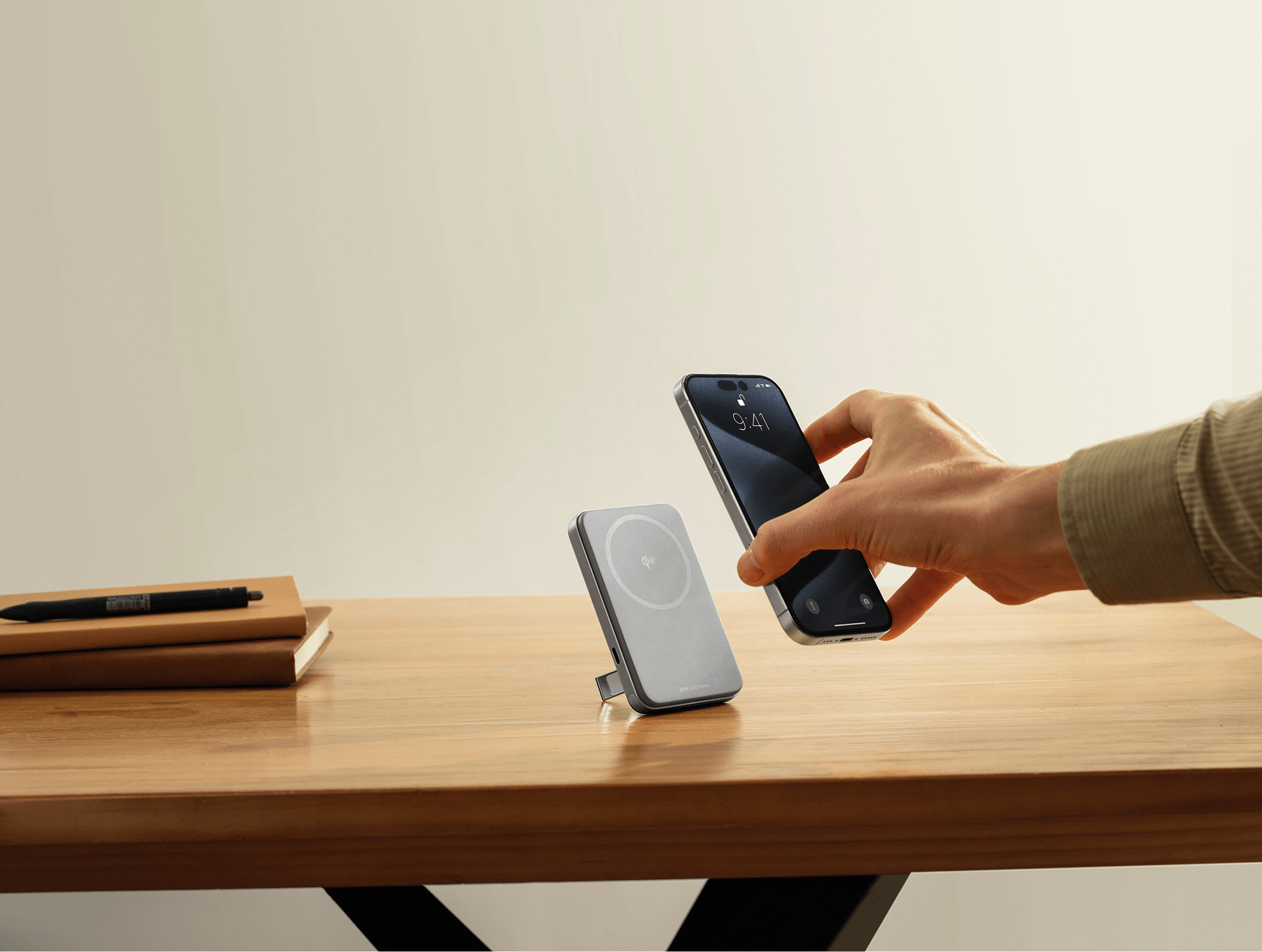
You want the peace that ANC provides, but you're constantly worried about running out of battery mid-commute or mid-flight. The EcoFlow RAPID Mag Power Bank changes this calculation. Instead of choosing between silence and battery life, you can use ANC freely knowing you have backup power ready.
Effortless charging: Magnetic wireless charging works while the power bank sits in your pocket or bag—no need to fish out cables during your commute.
Always prepared: Built-in USB-C cable means you're never caught without the right connector.
Real freedom: That six-hour flight with only five hours of ANC battery? No longer a problem.
You can finally use your AirPods the way they were designed to be used—with ANC on whenever you need it—without the constant battery anxiety.
Keep Your AirPods Powered
To keep both your listening experience and battery life uninterrupted, pair your Apple products with the EcoFlow RAPID Mag Power Bank (Built-in USB-C Cable). With the world's fastest 15W Qi2 wireless charging, an integrated cable for your AirPods, and intelligent safety features, it's the perfect companion for AirPods users who demand uncompromising performance.
FAQs
Q1: In Transparency Mode, Does the Battery Consumption Exceed the Battery Usage of ANC?
No. Both modes use about the same amount of power. Each mode works with the H2 internal chip in order to maintain sound processing and microphone functionality.
In fact, features like Adaptive Audio can be even more taxing as they constantly analyze environment acoustics to blend both modes.
To conserve battery life, place your AirPods back in their charging case when not in use.
Q2: Can I Charge the AirPods Pro With the 140W MacBook Charger?
Yes. The AirPods require only the power they need to function. When using a high-wattage charger, the AirPods will draw no more than 5W of power, which is a safe amount for the battery.
While using a high-wattage brick is safe, the total charging speed is capped by the AirPods' hardware, so you won't see a "fast charge" benefit over a standard 20W USB-C adapter.
Q3: Does Find My Drain the AirPods Case Battery?
Yes, but only minimally. There is a tiny amount of standby power usage that keeps the Bluetooth beacon active so that the Find My feature works. However, if the case is not in use for several weeks, the battery might go down by 5-10%.
Q4: Will a Power Bank Damage My AirPods?
Generally no. Good quality power banks equipped with intelligent temperature control and NTC sensors are responsible for managing heat and safety. Using a trusted power bank is much better for your battery compared to using a cheaper, non-certified charger.
For press requests or interview opportunities, reach out to our media team
media.na@ecoflow.com