How to Reset and Recalibrate Your AirPods: A Complete Guide to Fixing Battery Glitches
Have you ever opened your AirPods case only to see the battery percentage jump from 60% to 10% in a matter of seconds? Or perhaps your AirPods are not charging at all, despite being plugged in all night. When your AirPods' software loses track of the hardware's actual capacity, it's time to act.
To fix most issues, you need to perform a factory reset followed by a battery recalibration cycle. This process synchronizes the internal battery controller with the actual charge levels, effectively "cleaning" the digital communication between your earbuds and your iPhone.
How to Reset Your AirPods and AirPods Pro
If you are struggling with connectivity or phantom battery drains, a hard reset is the first line of defense. This process clears the "memory" of the Bluetooth connection and forces the firmware to reboot.
Step-by-Step: How to Reset AirPods (All Generations)
Place your AirPods in their charging case and close the lid. Wait 30 seconds.
Open the lid of your charging case and put the AirPods in your ears.
Go to Settings > Bluetooth on your iPhone. Find your AirPods, tap the "i" icon, and select "Forget This Device." Confirm your choice.
With the lid open, press and hold the setup button on the back of the case for about 15 seconds.
Watch the status light: it will flash amber, then white.
Reconnect your AirPods by keeping the lid open and holding them near your iPhone.
Knowing how to reset AirPods Pro follows the exact same logic, but ensure you are checking the light on the front of the case rather than inside the lid for newer models.
How to Calibrate Your AirPods Battery
While a reset fixes software "hangs," a recalibration fixes the "lying" battery meter. Lithium-ion batteries in AirPods can become uncalibrated over time, especially if they are frequently topped off for short periods rather than undergoing full cycles.
The Calibration Process
To accurately recalibrate, follow these three stages:
The Deep Discharge: Use your AirPods until they are completely dead. Ignore the low battery warnings. Keep playing music until they physically power off.
The Resting Period: Once they are at 0%, leave the AirPods outside of the charging case for about two hours. This allows any residual voltage in the cells to stabilize.
The Continuous Full Charge: Place the AirPods back in the case and plug the case into a power source. Crucial: You must charge them to 100% without unplugging or opening the lid. This "soak charge" allows the battery management system (BMS) to define the new "maximum" capacity.
When to Recalibrate Your AirPods Battery
You don't need to do this every week—in fact, doing it too often can slightly reduce AirPods battery health. However, you should consider a recalibration if you notice:
Uneven Drainage: One earbud dies while the other is still at 40%.
Sudden Shutdowns: The AirPods turn off despite the screen saying there is 20% power left.
Inaccurate Case Readings: The case percentage fluctuates wildly when you open and close the lid.
Monitoring your AirPods battery life involves more than just looking at the green icon; it's about observing how long they actually last during a Zoom call or a workout compared to their original specs.
Fixing Common AirPods Battery Issues
If a reset doesn't work, you might be facing the "AirPods not charging" dilemma. Before assuming the hardware is dead, try these experimental fixes often discussed by power users:
Clean the "Teeth"
The most common reason for AirPods not charging is debris. Sweat and lint accumulate on the silver contacts at the bottom of the AirPod stems. Use a dry Q-tip or a soft-bristled toothbrush to gently clean the contacts inside the case and on the buds.
Toggle Optimized Battery Charging
Apple's "Optimized Battery Charging" is designed to preserve AirPods battery health by waiting to charge past 80% until you need them. However, if your schedule is unpredictable, this can make the battery display seem "stuck." Try toggling this off in Bluetooth settings to see if it resolves charging stalls.
Charging AirPods on the Go with a Power Bank
The hardest part of recalibrating your AirPods is the final step: the uninterrupted, continuous 0-to-100% charge. If you are a traveler or a busy commuter, you likely don't have three hours to sit by a wall outlet while your "dead" AirPods revive.
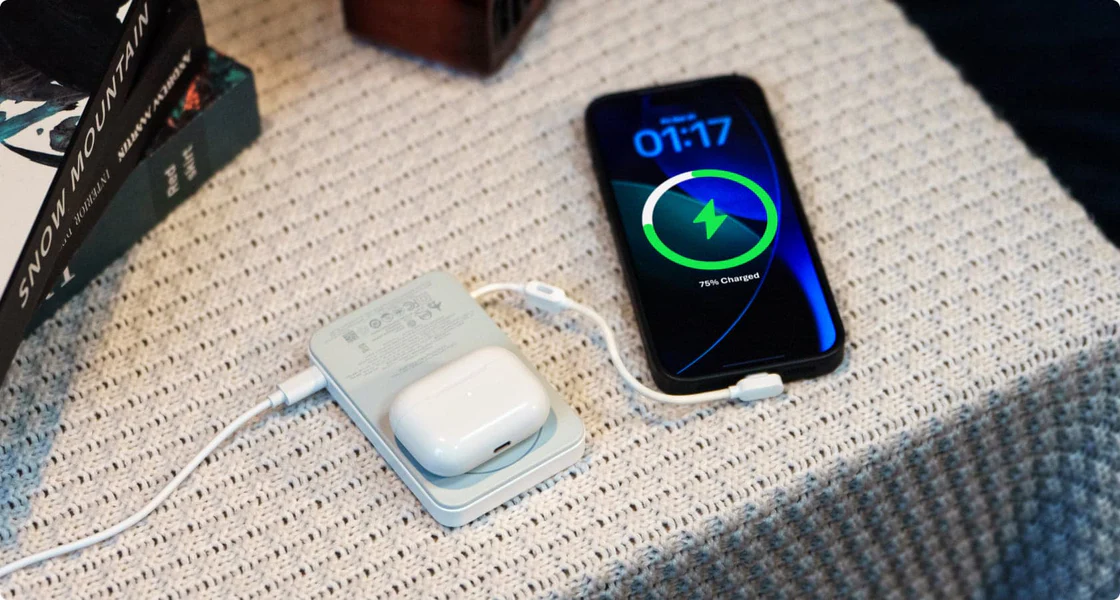
This is where having a dedicated, stable power source becomes a game-changer. The EcoFlow RAPID Mag Power Bank (Built-in USB-C Cable) is designed exactly for these moments. With its 10,000mAh capacity, it can charge your AirPods case dozens of times over, but its real value lies in the 36W wired fast charging.
When you're recalibrating, you need a power source that won't "sleep" or disconnect. This EcoFlow power bank features a built-in lanyard-style USB-C cable, so you never have to hunt for a cord in your bag. Whether you're on a cross-country flight or hiking a trail, you can tuck your AirPods and the RAPID Mag into a pocket, and the stable PD (Power Delivery) output ensures your calibration cycle completes perfectly. Plus, the high-definition screen lets you see exactly how much juice is going into your case, so you aren't left guessing if the "soak charge" is actually happening.
Extend Your AirPods’ Lifespan
Looking after your AirPods entails a combination of software resets and hardware handling. If you are able to reset your AirPods and manually calibrate the battery, many people find ways to extend their use by months, even years. This is often not due to a physical failure in the battery but is simply a communication issue between the earbuds and your phone.
If you are using your system away from home, EcoFlow has reliable, quick-charge options so that you can have your system up and running. Some upkeep now will prevent disruptions in music tomorrow.
FAQs
Q1: Why does one AirPod drain faster than the other?
This usually depends on which AirPod you are using as the microphone. One AirPod is set as the primary AirPod to work with Siri or calls, which increases the drain on the battery. To solve the problem, go to the AirPod settings and change the Microphone option from "Automatically Switch" to alternating between AirPods to balance battery usage.
Q2: Can any cable be used to charge the AirPods?
AirPods can be charged wirelessly or with a cable, though a wired connection works better for calibration. Use a good quality MFi-certified cable, or the cable that comes with a power station (like the EcoFlow RAPID). A quality power source maintains consistent voltage, which helps with accurate battery status on the battery controller.
Q3: How frequently do I need to check my AirPods' battery status?
The Maximum Capacity displayed on iPhones is not shown for AirPods. You will need to manually test your AirPods' battery performance by conducting a listening test every 3-6 months. You will need a reset/calibration if you are not getting 80 percent of the advertised listening time.
Q4: Can a reset solve AirPods not charging issues?
If the problem with the AirPods is a software bug with the case failing to detect the bud or vice versa, then a reset can solve the problem. If there is a physical problem involving lint in the charging port, you need to clean the lint from the charging port of the case to solve the problem.
Q5: Is it safe to charge AirPods at night?
Yes. Modern AirPods utilize Optimized Battery Charging to prevent remaining at 100% battery level for an extended period, which is beneficial for the lithium-ion battery. Having a smart charging accessory that regulates temperature effectively, such as the EcoFlow RAPID Mag Power Bank, adds another level of safety against overheating.
For press requests or interview opportunities, reach out to our media team
media.na@ecoflow.com