Cybersecurity Essentials for Working on Public Wi-Fi
These days, everyone is working from home. And, for some, home is actually on the go. At the coffee shop, in a store’s parking lot, or on vacation. The bottom line is that if you’re connecting to public Wi-Fi, you need to be aware of the risks and know how to protect yourself.
In this guide, we’ll discuss why you need to be cautious of public Wi-Fi, what a VPN is, steps to secure your data, and the best charging solutions while on the go.
Why Public Wi-Fi Is a Major Risk to Your Data
Public Wi-Fi is typically unencrypted, meaning that anyone on the same network can intercept your data. When the connection is encrypted, the information sent between your device and the Wi-Fi is scrambled, making it unreadable to outsiders. On public Wi-Fi, hackers can use tools to spy on activity, steal passwords, capture personal data, and even inject malicious content into websites you visit. On the other hand, while you’re on your home network, Wi-Fi connections are more secure.
Use a VPN: Your First Line of Defense
Since public Wi-Fi is usually unencrypted, your first line of defense should be using your own encrypted connection. A virtual private network (VPN) provides this protection by encrypting data leaving your device, making it unreadable to hackers. You can obtain a VPN by selecting a VPN service, creating an account, and downloading the corresponding app. Log in to the app and connect.
Just like a VPN protects your data, a whole-home backup power source protects your connection. During a power outage, the generator keeps internet, devices, and security systems running so you’re not accidentally forced onto public Wi-Fi just to stay online.

Secure Your Devices Before You Connect
You need to ensure your phone, laptop, or tablet is protected before joining a public Wi-Fi network. Here’s what you need to do while at home or right before connecting to the network.
Turn on VPN before connecting to public Wi-Fi—this is essential. You are most at risk when you first connect to a network. Some apps on your device may start sending data immediately, which can be intercepted before you switch on the VPN. Email, cloud storage, and messaging apps usually sync instantly.
Update device and apps. Software updates upgrade security and add patches to protect against new threats.
Enable firewall and security settings. A firewall blocks unauthorized access to your device. It protects against hackers and malicious software from connecting to your device.
Turn off auto-connect and file sharing. Many devices will automatically connect to free, public networks. You need to disable this setting. Otherwise, your device may connect to networks without your knowledge. Additionally, disable file-sharing and printer-sharing features.
Use your own hotspot and avoid public Wi-Fi. This way, you know your connection is safe and secure.
Set up strong passwords. Strong passwords should be 12 to 16 characters in length, with a mix of uppercase and lowercase letters, numbers, and symbols. It should be unpredictable, meaning no birthdays, names, or common words.
Enable Multi-Factor Authentication (MFA). For sensitive accounts, like banking and email, opt in for MFA. This adds a second layer of protection to a strong password. If your password is stolen, MFA stops hackers from accessing the account. MFA requires two or more proofs of identification.
Recognize Safe vs. Suspicious Wi-Fi Networks
Here’s how to spot a safe Wi-Fi network:
Look for the official name posted. If it’s not posted, ask staff.
Many free Wi-Fi networks still require a password to connect. The password is usually posted next to the name, or you may need to ask the staff for it.
Connecting to the network should take you to a branded login portal. The portal will display the company's name and possibly additional information.
Suspicious networks typically have no password requirements, duplicate names, generic names, unexpected pop-ups or downloads, and appear to be much stronger than other nearby networks. If it appears stronger, then it’s probably someone’s personal hotspot.
Powering and Securing Devices On-the-Go
When your device needs to be charged, finding a suitable outlet in public can be challenging, especially if you’re off the grid. Oftentimes, only a select number of seats and tables have an outlet nearby. Plugging your device into an outlet using your own charging cord and adapter is generally safe. However, plugging your charging cable into a public USB port can be risky. USB ports sometimes share data lines, which hackers can use for data theft, malware installation, and device access.
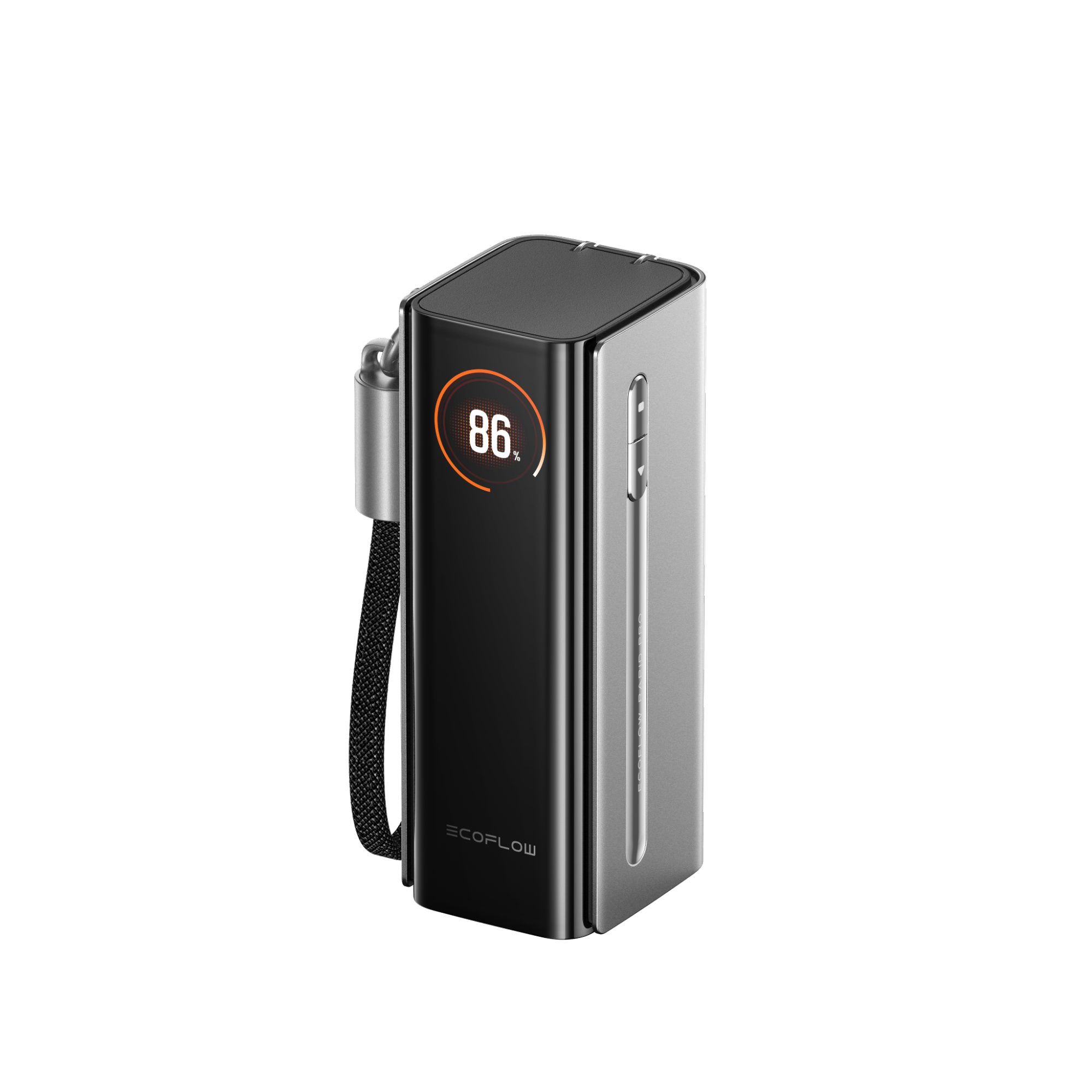
Use a power bank like the EcoFlow RAPID Pro X Power Bank (27,650mAh, 300W) for portable charging. This ensures you have access to a secure outlet wherever you go.
Frequently Asked Questions
Can My Device Be Hacked by Joining a Public Wi-Fi Network?
Yes, your device can easily be hacked by joining a public Wi-Fi network. Many public networks are not encrypted, so anyone with access can steal your data, passwords, and inject malware. This can happen all without you noticing.
Is Using a VPN on Public Wi-Fi Necessary?
For maximum security, always use a VPN with public Wi-Fi. It’s always your choice, but without a VPN, it's easier for hackers to steal your information. A VPN encrypts data leaving your laptop, so even if it’s captured, it can't be read or understood. Turn it on before connecting to the Wi-Fi.
Cyber Safety Precautions Protect Your Online Privacy
Public Wi-Fi is convenient when you’re working from a cafe or co-working space. It can be risky, though, if you haven’t taken the proper precautions to protect your data from hackers. You should set up a VPN before connecting to public Wi-Fi. A VPN encrypts data leaving your device so hackers can’t access it. You can further increase your data security by upgrading software on your device, setting strong passwords, enabling a firewall, and setting up MFA.
While on the go, don’t rely on public outlets or USB ports. Opt for a robust power bank like the EcoFlow RAPID Pro X. This small, portable charger reliably and quickly recharges devices, so you can keep working.
For press requests or interview opportunities, reach out to our media team
media.na@ecoflow.com