Best Backup Power Source for Home Security Systems
- Quick Answer: What Most Homes Should Use
- Why Home Security Fails During Extended Power Outages
- How Long Will a Backup Battery Run Security Cameras?
- Keeping Wi-Fi Routers, Modems, and NVRs Alive for Continuous Remote Monitoring
- How to Keep PoE Cameras Running During a Power Outage
- UPS vs. Portable Power Station: Which Is Better for Alarms and Security Gear?
- How to Connect Backup Power to Your Existing Security Network
- How the Example Runtime Numbers Were Calculated
- Make Sure Your Security System Stays Useful During an Outage
- FAQs
Important Safety Note: This content is general information only. It does not replace product manuals, local electrical codes, or advice from a licensed electrician. Before changing wiring, adding backup power, or connecting security equipment to new power sources, review the manufacturer's instructions and consult a qualified professional.
Quick Answer: What Most Homes Should Use
If you only need to keep an alarm panel and router alive during short outages, a UPS is usually enough. If you need to keep cameras, modem, router, PoE switch, and NVR running for several hours or longer, a portable power station is often a better backup power source for home security systems.
Use this quick summary to narrow the choice fast:
| Situation | Best Option | Why |
| Short outages, alarm panel, router, PoE switch | UPS | Fast switchover and simple setup |
| Multi-hour outages with cameras and network gear | Portable power station | Larger battery capacity and longer runtime |
| PoE camera system | Backup power for modem, router, PoE switch, and NVR | The cameras depend on upstream power |
| Multi-day outage planning | Larger battery plus reduced load | Runtime depends on total watts and battery size |
A lot of homeowners think the panel battery solves the whole problem. In practice, the weak point is often the network path. If the modem, router, switch, or recorder loses power, remote monitoring can fail even when part of the system is still on.
Why Home Security Fails During Extended Power Outages
A backup power source for home security systems only works when it supports the full chain behind the system. That includes the internet connection, the recording device, and the power path for the cameras.
Many systems fail in layers. The panel may stay alive for some time on its built-in battery, but the rest of the setup does not always follow. Once the router shuts down, app access can disappear. Once the recorder or PoE switch loses power, camera coverage may stop. That is why homeowners often discover too late that “backup” only applied to one device.
What Commonly Goes Offline First
Modem and router Remote viewing, app alerts, and cloud sync often fail once the internet equipment loses power.
PoE switch or NVR A wired camera system can go dark if the switch or recorder loses power.
Outdoor cameras with night vision These usually draw more power than simple sensors, especially at night.
Base stations with a limited battery mode Some systems cut nonessential features to preserve remaining charge.
The best backup power source for home security systems usually supports the essential stack as one group. In many homes, that means modem, router, base station, primary cameras, and the recorder or PoE switch.
How Long Will a Backup Battery Run Security Cameras?
This is the first number most buyers want, and it is also the easiest one to misunderstand. Runtime depends on battery size, usable output, camera power draw, and the number of devices connected to the battery.
A simple planning formula works well:
Runtime in hours = Battery capacity in Wh × usable output factor ÷ total device load in watts
To keep the math honest, the table below uses example calculations, not lab claims. The 85% figure is a planning assumption used to account for conversion losses and reserve margin. It is not a promise for every battery model or every environment.
Example Runtime Assumptions
Battery size examples: 500Wh and 1000Wh
Usable output factor: 85% for planning
Room temperature: normal indoor conditions
Battery condition: healthy battery, not heavily aged
Load type: continuous load under normal operation
Not included: extreme cold, battery aging, startup spikes, heavy motion activity, or extra floodlights
Example Calculation Table
| Example Setup | Input Load Assumption | 500Wh Example Battery | 1000Wh Example Battery |
| 1 indoor wired camera | 6W | about 70 hours | about 141 hours |
| 2 outdoor cameras with night vision | 20W | about 21 hours | about 42 hours |
| 4 outdoor cameras + modem/router + recorder or PoE switch | 60W | about 7 hours | about 14 hours |
These are example planning outputs only. Real runtime may be lower if the battery is older, the weather is cold, the cameras rely on infrared at night, or the system sees frequent motion-triggered recording.
How to Improve Runtime Without Buying the Largest Battery
You do not always need a huge battery to get useful outage protection. The smarter move is often to cut unnecessary load.
Here is where you usually gain runtime fastest:
Keep only entry-point cameras online
Back up the modem and router first
Put the PoE switch or NVR on backup power if you use wired cameras
Remove non-security smart devices from the backup circuit
Measure real watt draw if you want tighter runtime estimates
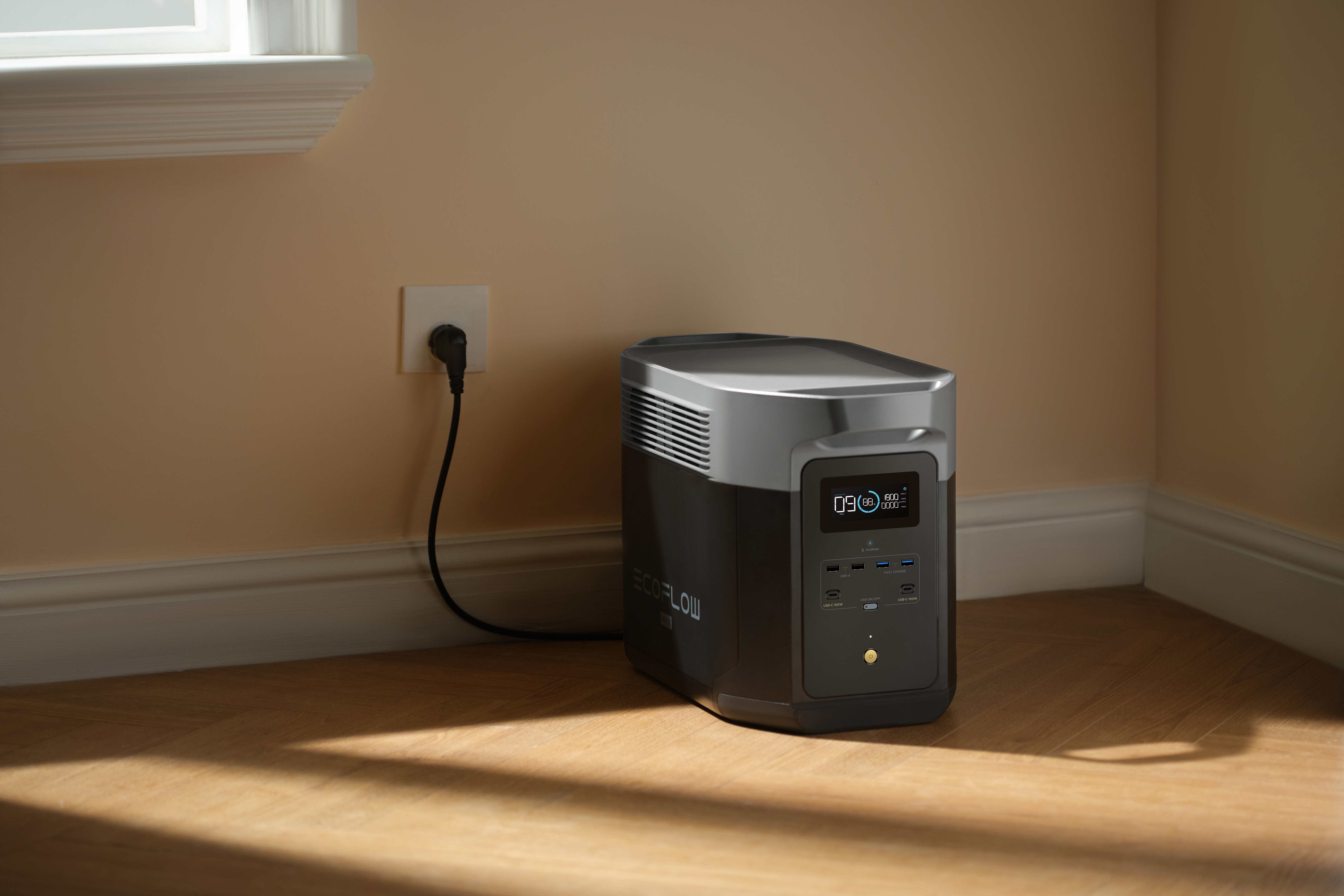
If you want a higher-capacity example that fits this use case, the EcoFlow DELTA 2 Max Portable Power Station offers 2048Wh capacity, 2400W AC output, expandable capacity up to 6kWh, and a less than 20 millisecond UPS auto-switch.
Keeping Wi-Fi Routers, Modems, and NVRs Alive for Continuous Remote Monitoring
For many homes, this is the real issue during an outage. The cameras may still have power for a while, yet the homeowner cannot see anything in the app because the network path is gone.
A backup power source for home security systems should protect the internet path as carefully as the cameras themselves. If the router shuts down, the system can look dead from your phone, even though local hardware is still running inside the house.
What to Back Up First for Remote Access
Modem
Router
PoE switch or NVR
Alarm base station
Primary cameras
This order solves a practical problem. A camera that still records locally is useful, but many users want to keep live view, push alerts, remote playback, and app access working during an outage. Those features depend on stable network hardware.
If your battery budget is limited, backing up the modem, router, and recorder often gives you a stronger real-world result than backing up every camera first.
How to Keep PoE Cameras Running During a Power Outage
PoE systems need a different backup plan because the camera gets both data and power through the Ethernet cable. That makes installation efficient, but it also means one upstream power failure can take down every camera on the run.
A backup power source for home security systems should match the actual layout of the PoE chain. In most homes, the critical power point is not the camera itself. It is the PoE switch or the NVR, plus the modem and router upstream.
Typical PoE Power Path
Wall power → modem → router → PoE switch or NVR → Ethernet cable → camera
This is why many PoE users do not need a separate battery for each camera. If the switch or recorder stays powered, the whole camera group can remain online through the same wiring.
Best Backup Options for PoE Setups
| PoE Setup Need | Recommended Backup Approach | Best Fit |
| Fast switchover for short outages | UPS on router and PoE switch | Homes with brief outages |
| Longer coverage for cameras and recorder | Portable power station for modem, router, NVR, and switch | Homes with storm or blackout risk |
| Greater resilience | UPS plus larger battery plan | Homes that want both clean transfer and longer runtime |
If your cameras record to an NVR, do not leave the NVR off the backup plan. Live streaming without local recording creates a big gap during outages. If your setup uses separate PoE injectors, include each injector in your watt calculation.
UPS vs. Portable Power Station: Which Is Better for Alarms and Security Gear?
This decision comes down to runtime, transfer speed, and total load.
A UPS works best when the priority is a fast handoff during short outages. That is common for alarm panels, routers, and smaller network equipment. A portable power station works better when the goal is to keep a larger mix of security devices online for longer periods.
Quick Comparison
| Option | Best For | Main Strength | Main Tradeoff |
| UPS | Alarm panel, router, PoE switch | Fast switchover, simple install | Limited runtime |
| Portable power station | Cameras, recorder, router, modem, alarm gear | Larger capacity, flexible runtime | Higher upfront cost |
| Built-in alarm battery | Panel-only protection | Keeps core alarm features active | Does not support the full system |
For many households, a UPS is enough for short interruptions, while a portable power station is a better backup power source for home security systems during long outages. If your outage risk is measured in hours, not minutes, battery capacity matters much more.
How to Connect Backup Power to Your Existing Security Network
A good product still fails if the setup is incomplete. Many backup problems come from simple mistakes: the wrong device was connected, the load was underestimated, or the system was never tested after installation.
A backup power source for home security systems should be connected with a clear plan, not by guesswork.
A Simple Setup Process
List the devices that must stay on In most homes, that means modem, router, alarm base station, NVR, PoE switch, and the most important cameras.
Add up the real watt load Use the power adapter label, device manual, or a plug-in watt meter. Add margin for nighttime camera use, motion recording, and alarm events.
Separate critical and optional devices Critical devices usually include the network path and entry-point cameras. Optional devices may include secondary cameras, screens, or unrelated smart home gear.
Keep the wiring path clean Connect the backup unit to wall power, then connect only the essential security devices to the backup outputs. For PoE systems, back up the switch or NVR, not every camera individually.
Test the system once a month Unplug the wall power briefly and confirm that the router stays online, cameras still record, the recorder still works, and app access behaves as expected.
Plan for outside internet failure Your local battery can keep the home network alive, but remote access may still fail if the service provider is down. In that case, local recording becomes the priority.
How the Example Runtime Numbers Were Calculated
The runtime table above is designed to be repeatable, so users can adapt it to their own equipment.
Inputs Used in the Table
500Wh and 1000Wh nominal battery examples
85% usable output factor for planning
6W example load for one indoor wired camera
20W example load for two outdoor cameras with night vision
60W example load for a small system using four outdoor cameras, plus supporting network and recording gear
Example Calculation
For a 1000Wh battery with a 20W load:
1000 × 0.85 ÷ 20 = 42.5 hours
Rounded result:
about 42 hours
For a 500Wh battery with a 60W load:
500 × 0.85 ÷ 60 = 7.08 hours
about 7 hours
What Can Change the Result
Battery aging
Higher camera load at night
Motion-triggered spikes
Additional accessories on the same battery
Inverter efficiency differences between models
If you want a tighter estimate, measure the actual watt draw of your modem, router, switch, recorder, and cameras under real operating conditions.
Make Sure Your Security System Stays Useful During an Outage
A reliable backup plan protects the whole security chain, not only the alarm panel. In most homes, the right priority is clear: keep the modem and router alive, support the PoE switch or recorder if you use wired cameras, and size the battery around the devices that truly matter during an outage. That approach gives you a backup power source for home security systems that stays useful when the grid does not.
Important Safety Note: Battery backup planning should always follow equipment manuals, local code requirements, and safe electrical practices. If you are unsure about load calculations, wiring, transfer behavior, or device compatibility, consult a licensed electrician or the equipment manufacturer before making changes.
FAQs
Q1. Do I need pure sine wave output for security equipment?
Yes, that is the safer choice for most networking and recording equipment. Routers, modems, NVRs, and PoE switches generally work best with stable output that matches normal household power quality. If a backup unit offers pure sine wave AC output, it is usually the better fit for sensitive electronics and reduces the chance of unstable operation.
Q2. Can I use a DC backup unit for my router and modem?
Yes, if the voltage and connector match your equipment. DC backup can be more efficient because it avoids some AC conversion loss. It works especially well for low-power devices such as modems and routers. Check polarity, voltage, and current requirements before connecting anything, and follow the device manual closely.
Q3. Does cold weather reduce battery runtime for security backup?
Yes. Cold temperatures can lower available battery output and shorten real runtime. Outdoor sheds, garages, and unconditioned utility spaces often produce weaker results than indoor rooms. If your battery is stored in a cold location, use conservative runtime expectations and test the system during winter conditions so your outage plan matches real performance.
Q4. Should I prioritize cloud cameras or local recording during a blackout?
Prioritize local recording first. Cloud access is useful, but it depends on both your home network and outside internet service staying available. Local recording gives you a stronger fallback when the provider network is down. If your budget is limited, keep the recorder, router, and key cameras on backup power before adding less critical devices.
Q5. Is it safe to plug a power strip into a backup battery?
Usually yes, but only within the output rating of the backup unit and the strip itself. Do not overload the circuit, and do not connect high-draw devices that were not part of your runtime plan. For permanent or more complex installations, use approved equipment and ask a qualified electrician to review the setup.
For press requests or interview opportunities, reach out to our media team
media.na@ecoflow.com