How to read a smart gas meter and understand your energy use
A smart meter is a digital device used to measure electricity, gas, or water consumption. It automatically tracks usage and transmits the information to the utility provider via a communication network. In contrast to older meters, it does not need to be read manually. It tracks usage in brief periods, such as every 15 or 30 minutes, and sends the information to a remote location.
By breaking energy use down into short intervals, a smart meter helps you see exactly when consumption is highest throughout the day. When combined with a home solar battery, these insights make it easier to store solar or low-cost electricity and use it later during peak hours—turning meter data into real, everyday energy savings.
Key difference from traditional meters
Below are some key differences between traditional meters and smart meters that highlight how technology has transformed energy monitoring and management:
Data collection
Traditional meters only track the overall amount of energy utilized during a billing cycle. Smart meters, on the other hand, record usage at frequent intervals, such as every 15 or 30 minutes, providing detailed and time-based consumption data for further study.
Meter reading
Traditional meters necessitate the presence of a technician who must manually record readings on-site. Smart meters automatically send measurements to the utility provider, reducing human labor and reading errors.
Communication
Regular meters allow information to flow in only one direction; they simply record and show how much is being used. Smart meters, on the other hand, support communication in both directions, so utilities can send instructions, updates, or pricing details and also get real-time information back from the meter.
Monitoring and control
Standard meters give a narrow view of how energy is used. Smart meters allow for monitoring almost instantly, which helps with managing energy loads, spotting outages, and enhancing programs that respond to demand.
How to read a smart electricity meter display
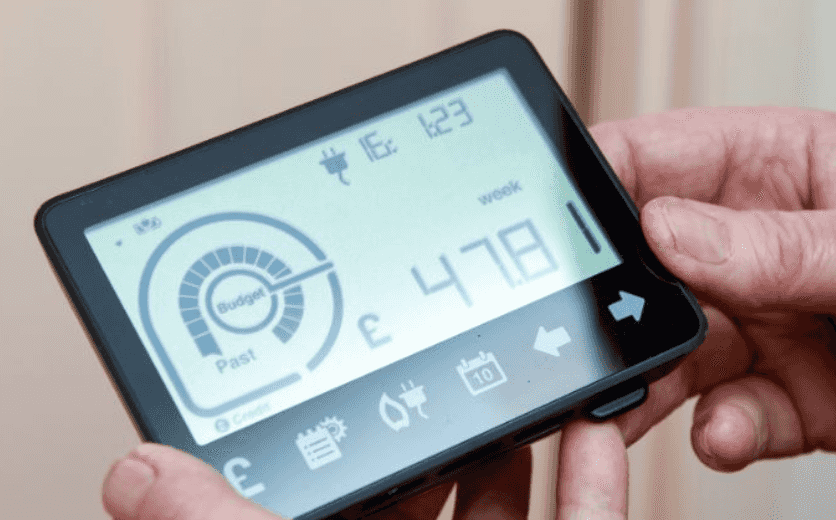
Understanding how to read a smart electric meter is easy when you know what the numbers and symbols mean. The digital display indicates how much electricity you are using, the rates you are being charged, and the current condition of the meter. To accurately read the display, just follow these steps.
Step-by-step instructions for interpreting numbers
Before learning how to get meter readings from a smart meter, follow these simple steps to ensure you record the correct electricity usage:
If the display is empty, press the main button to turn it on. When you repeatedly press the button on many smart meters, it will show different screens one after another.
Next, look for the screen that shows your electricity usage in kilowatt-hours, often labeled "Total," "Import," or "kWh. " Record the full number shown before the dot.
If there are several readings, continue pressing the button to see each one. Make sure to write down the right reading that matches your billing plan.
Lastly, do not pay attention to the figures that come after the dot unless your electricity company asks for them.
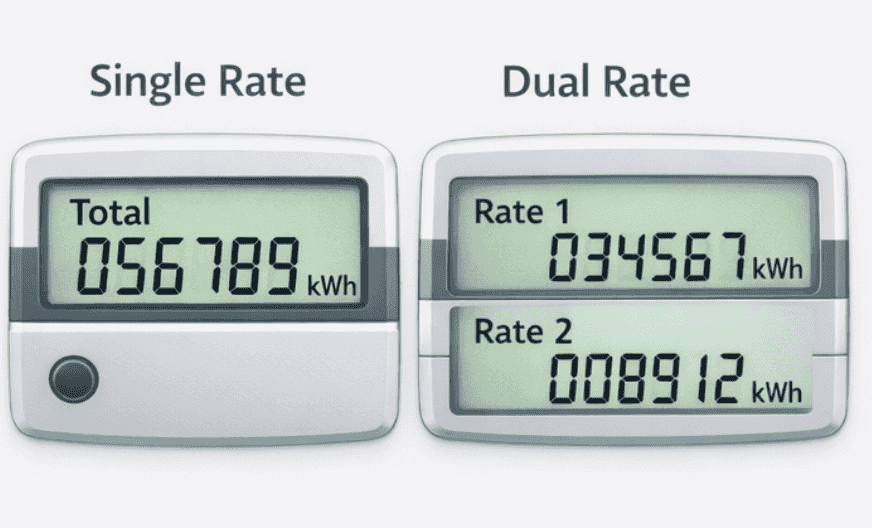
Single rate vs dual rate
A single-rate meter shows only one reading. This means you are charged the same price per kilowatt-hour regardless of the time of day. You only need to record one kWh value.
A dual-rate meter shows two separate readings, usually labeled as Rate 1 and Rate 2, or Day and Night. This means electricity costs different amounts depending on the time of use. You must record both readings for accurate billing.
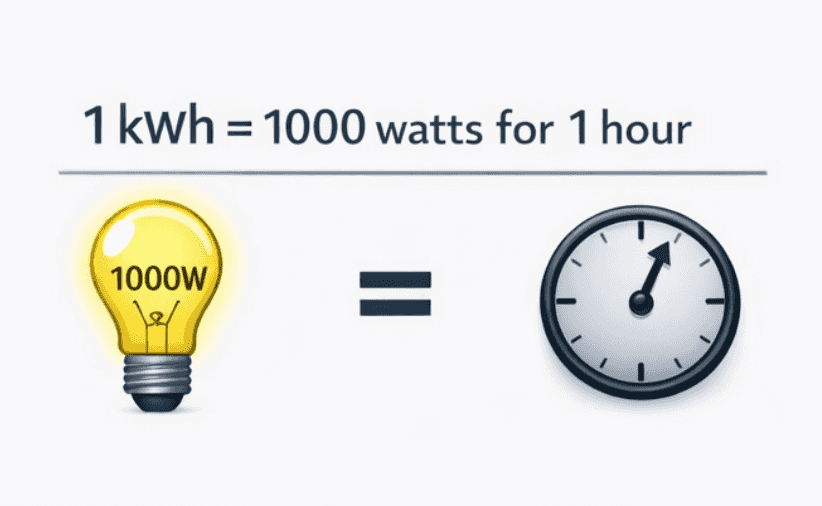
Electricity usage (kWh)
Electricity usage is measured in kilowatt-hours (kWh). One kWh means using 1,000 watts of power for one hour. For example, if you run a 1,000-watt appliance for one hour, you use 1 kWh of electricity.
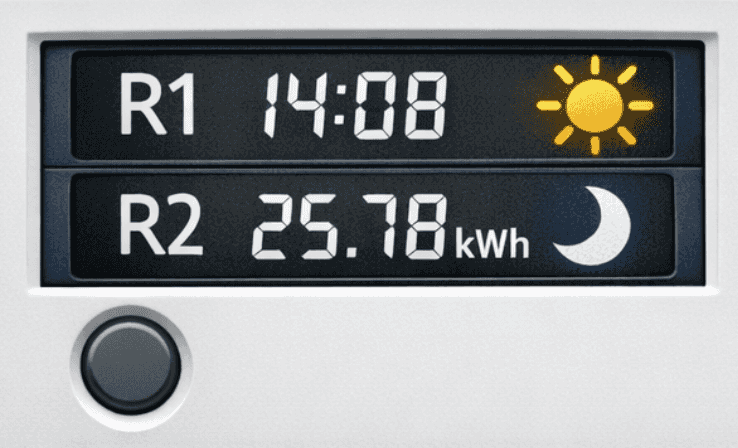
Tariff indicators and symbols
Smart meters often display small labels such as R1, R2, T1, T2, or symbols like a sun and a moon. These indicate different tariff periods. For example, a sun symbol may represent daytime usage, while a moon symbol may represent nighttime usage.
How to read a smart gas meter display
Here's how to read an electric smart meter display and understand the key numbers for accurate tracking of your gas usage:
Measurement units
Electricity is measured in kilowatt-hours (kWh), while gas is commonly measured in cubic meters (m³) and later converted into kWh for billing. This is the main technical difference when reading the displays.
Number of rates
Electricity meters may show single-rate or dual-rate readings, such as Day and Night tariffs. Gas meters almost always display a single total reading because gas pricing usually does not vary by time of day.
Display information
Electricity meters often show additional details such as tariff indicators, rate labels, and sometimes real-time consumption. Gas meters typically show simpler information, mainly total consumption and basic status indicators.
Usage pattern monitoring
Electricity meters may provide more detailed interval data due to time-based pricing models. Gas meters generally focus on cumulative usage, as gas consumption is not typically billed based on time-of-use tariffs.
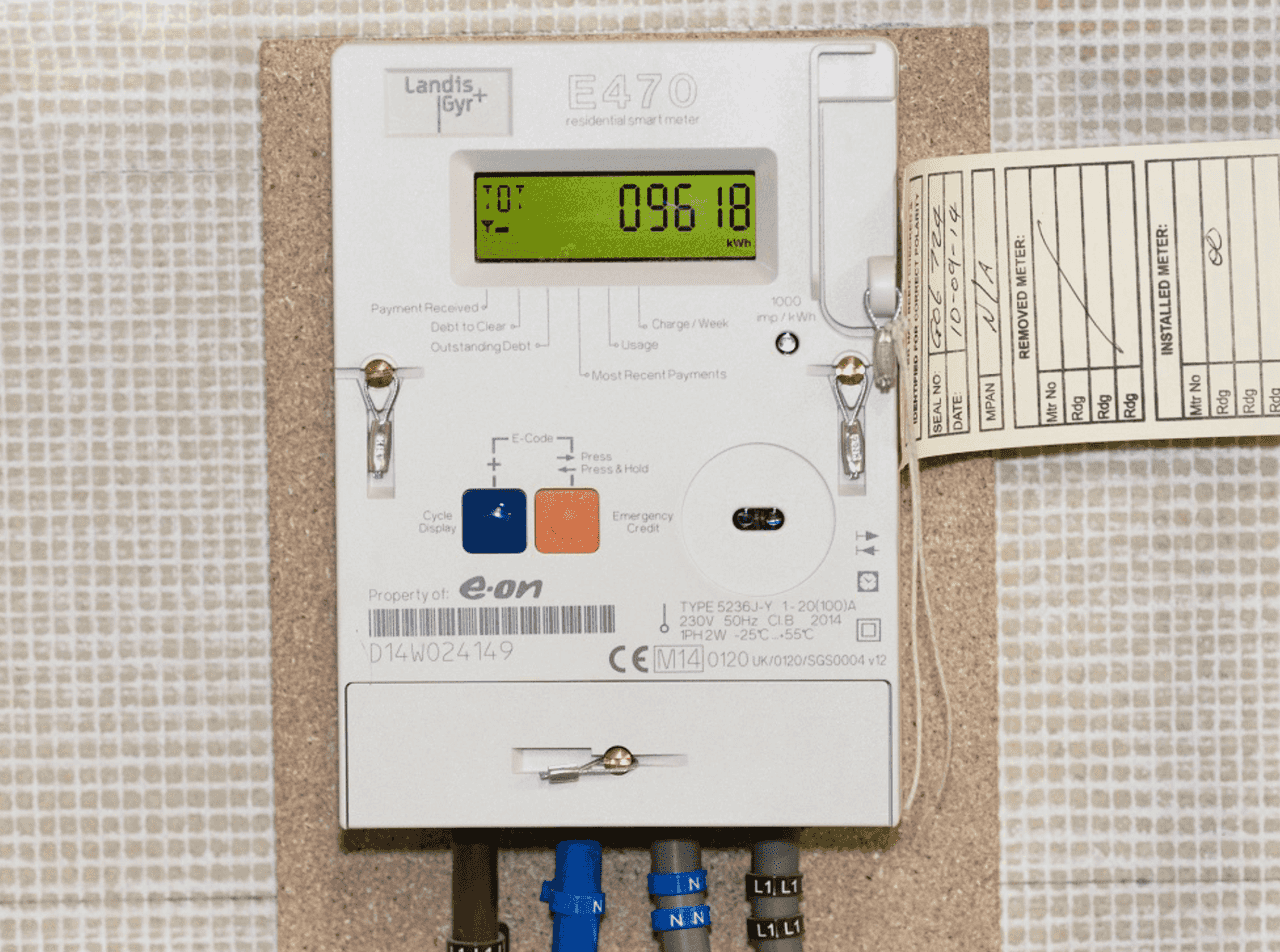
Common meter displays symbols and terms
Understanding the symbols and terms on your smart meter display helps you interpret your energy data correctly and avoid confusion during manual checks.
kWh, rate indicators, standby symbols
kWh (kilowatt-hour) is the standard unit of electricity measurement. It shows how much energy you have consumed over time and is the main figure used for billing.
Rate indicators such as R1, R2, T1, or T2 represent different tariff periods. For dual-rate meters, these usually correspond to day and night pricing. You must record the correct rate based on your tariff plan. Standby or network symbols often appear as signal bars, antenna icons, or small connection indicators. These confirm that the meter is powered and communicating with the utility provider.
What blinking or toggling numbers mean
Blinking numbers typically indicate that the meter is actively recording consumption. On some models, flashing digits may highlight the current rate or the screen being selected. A blinking light, often labeled as an impulse indicator, flashes faster when electricity usage increases. This provides a quick visual cue that energy is being consumed at a higher rate.
How to use the display to check your usage trend
You can check your usage trend by recording the kWh reading at regular intervals, such as weekly or monthly. Comparing these readings shows whether your consumption is increasing or decreasing over time. Some smart meters also allow you to scroll through historical data screens, showing previous usage totals. By reviewing these values, you can identify seasonal changes, peak usage patterns, and opportunities to reduce energy consumption.
Why knowing your meter readings matters
Knowing your meter readings is important because it gives you control over your energy usage and helps you manage costs more effectively. Here's why keeping track matters:
Helps you understand personal usage
Recording your meter readings regularly lets you see exactly how much energy your household consumes. This is especially useful for tracking your bills and planning your energy use more efficiently.
Allows you to catch unusual spikes
Monitoring your readings can help you spot sudden increases in electricity or gas usage. Early detection of unusual spikes can indicate leaks, faulty appliances, or other issues that may need attention.
Useful for comparing tariffs or identifying waste
By keeping an eye on your consumption, you can compare different energy tariffs to find the most cost-effective option. It also helps identify areas where energy is being wasted, allowing you to make changes and reduce your bills.
Upgrade your energy insights with EcoFlow Smart Meter
While ordinary meters only tell you how much electricity you've used, EcoFlow smart meters also display the time and speed of electricity consumption, making it easier to spot waste and avoid unnecessary expenses. With high-precision real-time monitoring, even minor energy waste can be detected before it escalates into a hefty bill.
Key features at a glance:
Feature | What does it mean for your home |
±1% measurement accuracy | More reliable data to understand real consumption changes |
Real-time power monitoring | See usage spikes as they happen, not days later |
Whole-home electricity tracking | Monitors total household load, not just individual devices |
App-based visibility | View usage trends clearly through the EcoFlow app |
Compact DIN-rail design | Neat installation inside standard electrical cabinets |
EcoFlow smart meters truly shine when used with the EcoFlow app and the OASIS platform. They transform electricity data into clear, easy-to-read information, helping you understand your electricity usage in real time. You can identify unusual peak usage, understand daily electricity patterns, and make simple adjustments to avoid energy waste.
Smart meters are not just an add-on; they are the core of the OASIS system, helping households manage their electricity consumption and effectively control their electricity bills.
Smarter energy management at home
After learning how to take a smart meter reading and understanding why it matters, you can use this information to manage your energy more intelligently. Tracking both electricity and gas usage helps you spot patterns, reduce waste, and make informed decisions for a more efficient home.
Smart energy systems that work with your smart meter
Integrating your smart meter with a smart energy system is the next step toward efficient home energy management. EcoFlow provides practical solutions that help households capture solar energy, store it, and use it during peak periods or when grid electricity is expensive. These systems work seamlessly with your smart meter to give you full control over energy consumption, reduce bills, and improve overall efficiency.
Balanced energy storage for everyday household needs
For households with average daily energy needs, the 450W Rigid Solar Panel + STREAM Ultra X is an ideal solution. This setup captures solar energy or off-peak electricity and stores it for use during high-demand periods, helping reduce peak grid dependency. The STREAM Ultra X unit offers 3.84 kWh of built-in battery capacity and up to 1,200 W continuous output, making it ideal for supporting everyday essential loads such as refrigerators, lighting circuits, Wi-Fi routers, televisions, laptops, fans, and phone charging—covering core household power needs without running high-draw appliances simultaneously.
The 450W rigid solar panel features a high conversion efficiency of around 23%, generating more electricity per square metre, which is perfect for homes with limited roof space. Solar energy captured during the day is stored in the battery for later use, particularly during peak pricing periods or power outages. With the ability to connect up to six batteries in parallel without stacking, you can place units in garages, utility rooms, or other well-ventilated areas, improving safety and space efficiency.
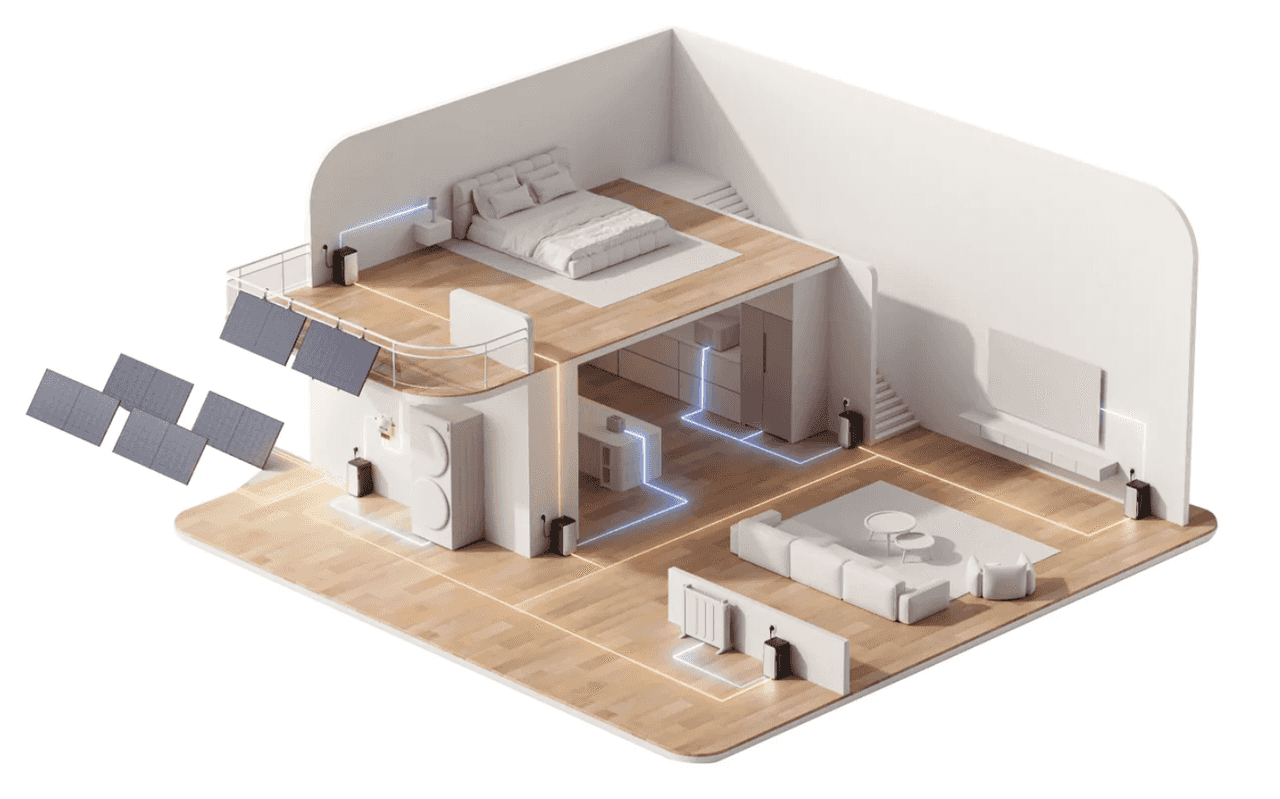
Energy management is handled through EcoFlow's OASIS Home Energy Management System, providing real-time monitoring of solar generation, battery charge, and household consumption. Users can schedule charging during off-peak hours, automate discharges during peak tariffs, review historical data, and receive system alerts, ensuring full control over home energy use.
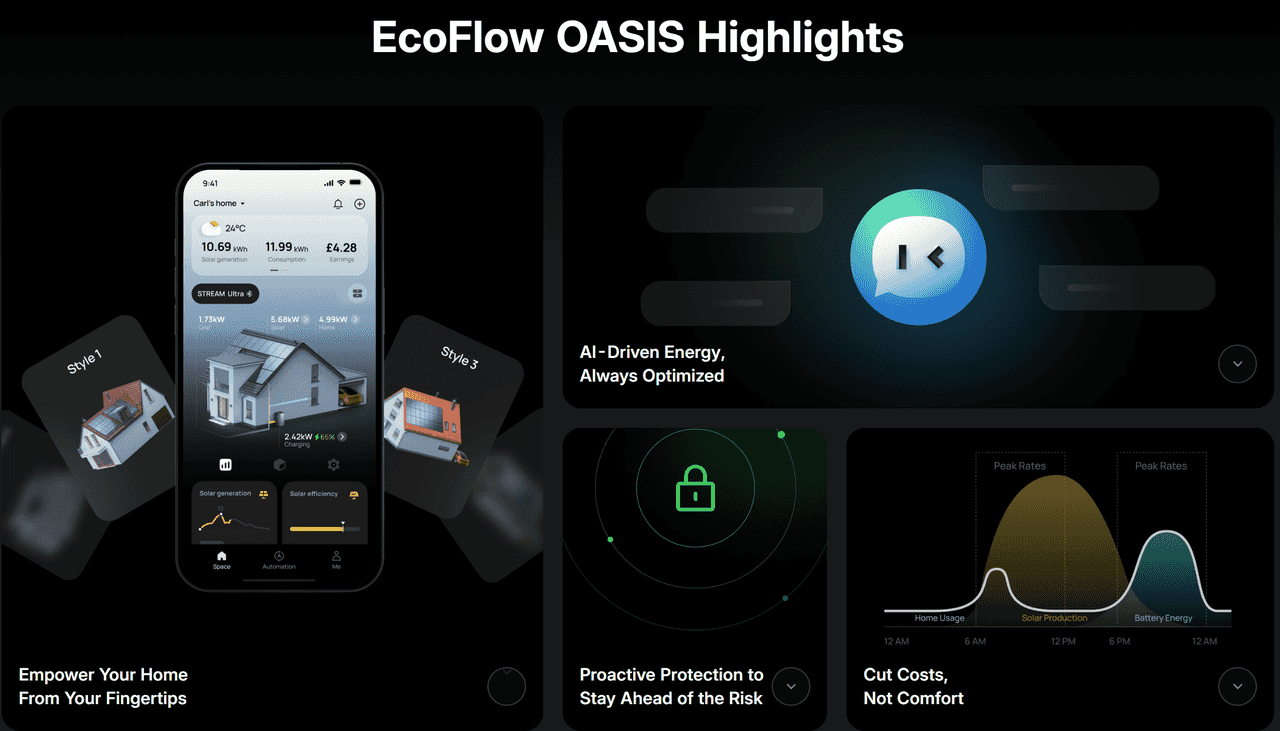
High-capacity power support for larger or high-demand homes
For larger or high-demand households, the 450W Rigid Solar Panel + STREAM AC Pro + STREAM Ultra bundle delivers higher storage capacity, stronger output, and more flexible use of stored or renewable energy
The STREAM Ultra operates as the intelligent core battery with integrated inverter support, while the STREAM AC Pro enhances storage capacity and AC output capability. Together, they provide stronger performance and more flexible energy distribution throughout the home. The system offers a combined storage capacity of 3.84 kWh and up to 2,300W output, allowing it to support larger electrical loads without overloading. At this power level, it can comfortably run everyday high-demand appliances such as refrigerators, washing machines, microwaves, televisions, lighting circuits, Wi-Fi routers, and multiple small kitchen appliances at the same time.
Like other STREAM configurations, up to six units can operate in parallel without vertical stacking, allowing flexible placement in spaces such as a garage or utility room. Using the EcoFlow app, the system automatically charges during low-cost periods and discharges during peak pricing hours. This approach helps high-demand households cut energy costs, reduce reliance on standard grid supply, and build a more resilient and scalable home energy system.
How often should I provide meter readings?
The frequency of submitting meter readings depends on your meter type and whether it's sending data automatically. Knowing how to get a smart meter reading helps ensure accurate billing and better energy tracking.
Smart meter working
If your smart meter is connected and communicating with your utility provider, you usually don't need to submit readings manually. Bills are generated from actual usage, so the process is automatic.
Smart meter not sending data
If your smart meter isn't transmitting properly, you may need to provide manual readings temporarily. Submitting readings once a month helps prevent estimated bills and avoids billing errors.
Traditional meter
With a traditional meter, manual readings are always required. It's recommended to submit them at least once a month to ensure your bills reflect actual consumption and to track energy usage effectively.
Monthly check
Even with automatic smart meter readings, checking your meter once a month is a good habit. It allows you to monitor consumption patterns and spot unusual increases early, helping you manage energy efficiently.
Conclusion
Understanding how to take a meter reading from a smart meter and take regular readings is the first step toward smarter energy management at home. By knowing how to take a smart meter reading, tracking electricity and gas usage becomes simple, helping you spot unusual spikes, monitor consumption patterns, and make informed decisions to reduce bills.
Integrating smart energy solutions like EcoFlow's STREAM Ultra X, Ultra, and STREAM AC Pro systems takes this a step further, allowing households to capture solar energy, store it efficiently, and use it when grid electricity is most expensive. With these tools, you can enjoy greater control, lower energy costs, and a more sustainable, efficient home.
FAQs
How to read a smart meter with an A and B button?
To understand how to get a meter reading from a smart meter, start by reading a smart meter with the A and B buttons. Press the A button to wake up the screen. Keep pressing A to scroll through the display options until you see the reading labeled kWh or "Total"/"Import." The number shown before the decimal point is your electricity reading. The B button is usually used to go back or access additional menu options, depending on the meter model.
What number do you press to read a smart meter?
To read a smart meter, you usually press the main display or menu button, which may be labeled as A, Menu, or shown as a number such as 9, depending on the meter model. Press the button repeatedly to scroll through the screens until you see the reading labeled kWh for electricity or m³ for gas. Record the full number shown before the decimal point.
What do the symbols on my smart mean?
The symbols on your smart meter display indicate tariff periods, energy flow, and connection status. Labels such as R1, R2, T1, or T2 usually represent different tariff rates, such as day and night usage. Icons like a sun or moon may also indicate time-of-use periods. Signal bars show network connectivity, while arrows or supply icons can indicate whether energy is being imported from the grid or exported.