How to Make Your Phone Charge Faster
- The Key Factors That Influence Your Phone’s Charging Speed
- Fast-Charging Technologies Explained
- Troubleshooting Slow-Charging Issues
- Essential Charging Habits That Make Your Phone Charge Faster
- System Settings That Improve Charging Efficiency
- Battery Health Practices That Keep Your Phone Charging Fast
- Conclusion
- FAQ
We’ve all felt it, the battery drops fast just as you’re lining up a photo in the Canadian Rockies or trying to find the right TTC route in Toronto. When your phone charges slowly, it doesn’t just waste time, it disrupts your day. The good news is that faster charging isn’t about guesswork or expensive upgrades. It comes down to how well your charger, cable, phone settings, and daily habits work together.
This guide walks through the real reasons phones charge slowly and the practical steps you can take to speed things up, so your device spends less time plugged in and more time ready when you need it.
The Key Factors That Influence Your Phone’s Charging Speed
Phone charging isn’t random or mysterious. It’s shaped by a few practical factors that all work together in the background. Once you understand what actually controls charging speed, it becomes much easier to fix slow charging and get better results from the gear you already own.
1. Charger Wattage and Power Delivery Output
The charger itself plays the biggest role. Power output is measured in watts (W), and older low wattage chargers, like the 5W blocks many of us still have in a drawer, simply can’t keep up with modern phones. Most newer iPhones charge best with around 20W, while many Android models can take 30W, 45W, or more. If your charger can’t meet what your phone is designed to accept, charging will be slow no matter what cable you use.
2. Cable Quality and Supported Charging Standards
Not all cables are created equal. A worn or low quality cable can restrict power flow, wasting energy as heat before it ever reaches your battery. More importantly, fast charging depends on communication between the phone and the charger. If the cable doesn’t support the right standard, such as USB Power Delivery or Quick Charge, it can quietly cap your charging speed. Using certified, well-built cables makes a noticeable difference over time.
3. Battery Health and Overall Age
As your phone gets older, its battery naturally loses efficiency. A battery that has been through hundreds of charge cycles won’t accept power as quickly as it once did. Phones are designed to slow charging when battery health declines to prevent excess heat and long term damage. If your device is a few years old and charging feels slower than it used to, battery wear is often part of the reason.
4. Phone Temperature While Charging
Heat is one of the biggest enemies of fast charging. When a phone warms up, whether from heavy use, a thick case, or direct sunlight, it automatically reduces charging speed to protect the battery. Even mild warmth can trigger this slowdown. Charging in a cool, shaded space and letting the phone rest can noticeably improve charging performance.
5. Background Apps and System Activity
If your phone is working hard while it’s plugged in, charging will suffer. Streaming video, gaming, navigation apps, or large downloads all draw power at the same time the battery is trying to recharge. That split workload slows everything down. Letting your phone sit idle, or at least closing demanding apps, helps direct more energy into the battery instead of burning it in the background.
Fast-Charging Technologies Explained
Fast charging technology comes with its own set of terms and standards, and understanding them makes it much easier to choose the right charger and cable. When everything is compatible, your phone can safely pull more power and charge far quicker than with older setups.
1. USB Power Delivery (PD)
USB Power Delivery, often shortened to USB-PD, is the most common fast-charging standard today. It’s widely used across smartphones, tablets, laptops, and even power banks. What makes PD so effective is its ability to “talk” to your device and deliver exactly the amount of power it can safely handle, whether that’s 18W, 30W, or much more. This smart negotiation is why PD chargers tend to work well across many brands and devices.
2. Quick Charge and Other Fast-Charge Systems
Quick Charge (QC) is Qualcomm’s fast-charging technology and is still common on many Android phones. While it aims for the same result as USB-PD, faster charging, it uses a different method to control voltage and current. On top of that, some manufacturers rely on their own systems, such as Samsung’s Adaptive Fast Charging or OnePlus Warp Charge. These can be very fast, but they usually work best when paired with the brand’s own charger and cable.
3. MagSafe and Qi2 Wireless Charging
Wireless charging has improved significantly in recent years. Apple’s MagSafe system, along with the newer Qi2 standard, brings magnetic alignment into the mix, allowing for more stable and efficient wireless charging. When the coils line up perfectly, less energy is wasted as heat, making wireless charging both faster and more reliable, up to 15W for supported phones.
4. Why Charging Speeds Slow Near Full Battery
No matter the technology, all phone batteries follow a charging curve. They charge quickly up to around 70-80 percent, then gradually slow down as they approach full capacity. This slowdown is intentional and protects the battery over time. More advanced fast-charging systems are simply better at holding those higher speeds longer before the final slowdown kicks in.
Troubleshooting Slow-Charging Issues
When a phone charges slowly, the problem isn’t always a setting or a bad habit. Quite often, it comes down to worn out accessories or a simple hardware issue. Before spending money on a new charger, it’s worth running through a few easy checks.
1. Check Your Cable and Power Adapter
Charging cables wear out faster than most people realize. If your phone suddenly starts charging slowly, try swapping the cable first. If that doesn’t help, test a different wall adapter. Visible signs like fraying, sharp bends, or discoloured connectors usually mean the cable can no longer deliver power efficiently.
2. Cleaning the Charging Port
Over time, dust, lint, and pocket debris can build up inside the charging port. Even a small amount can prevent the cable from making a solid connection, leading to unreliable or very slow charging. Use a wooden toothpick or a short blast of compressed air to gently clear the port. Avoid metal tools, which can damage the contacts.
3. Rule Out Software Issues
Occasionally, a misbehaving app or background process can interfere with charging. A simple restart can fix more problems than you might expect. If slow charging started after a system update, it’s also worth checking user forums to see if others are experiencing the same issue and whether a fix is available.
4. Watch for Battery or Hardware Problems
If none of these steps help and your battery health is already low, the slowdown may be permanent. A phone that gets unusually hot while doing nothing, or one with a slightly bulging back, can be showing signs of battery failure. In these cases, professional repair or battery replacement is the safest option.
Essential Charging Habits That Make Your Phone Charge Faster
Having the right charger and cable helps, but everyday habits matter just as much. Small changes in how and when you charge your phone can noticeably reduce the time it spends plugged in.
1. Plug In Before the Battery Hits Empty
When a phone drops to very low levels (around 5% or less), it often switches to a slower, safer charging mode to protect the battery. Plugging in earlier, ideally once you’re still above 20%, lets the phone enter its fastest charging phase right away instead of easing in slowly.
2. Use Airplane Mode When You Need a Quick Boost
Turning on Airplane Mode shuts off cellular, Wi-Fi, and Bluetooth connections. With fewer background demands, more of the incoming power goes straight into charging the battery. This can make a noticeable difference when you’re in a rush.
3. Avoid Heavy Use While Charging
Streaming video, gaming, or using navigation while charging creates heat and pulls power away from the battery. That combination forces the phone to slow down charging. For the fastest results, leave the phone idle or stick to light tasks like messaging.
4. Choose High Output Power Banks When You’re On the Move
On long commutes, whether you’re riding the Vancouver SkyTrain or driving between cities, power banks are essential. The problem is that many older or budget models can’t deliver enough wattage for modern fast charging.
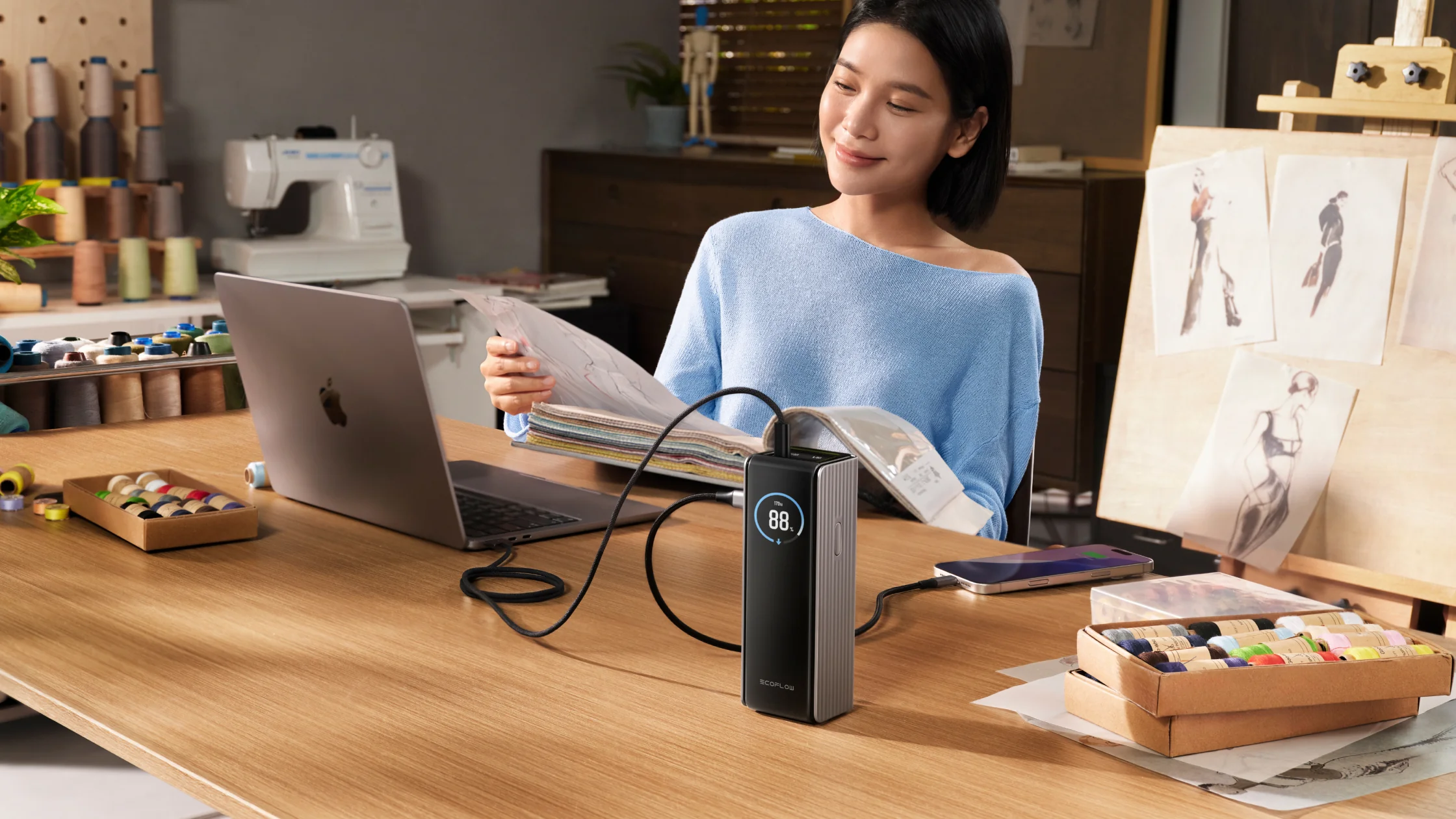
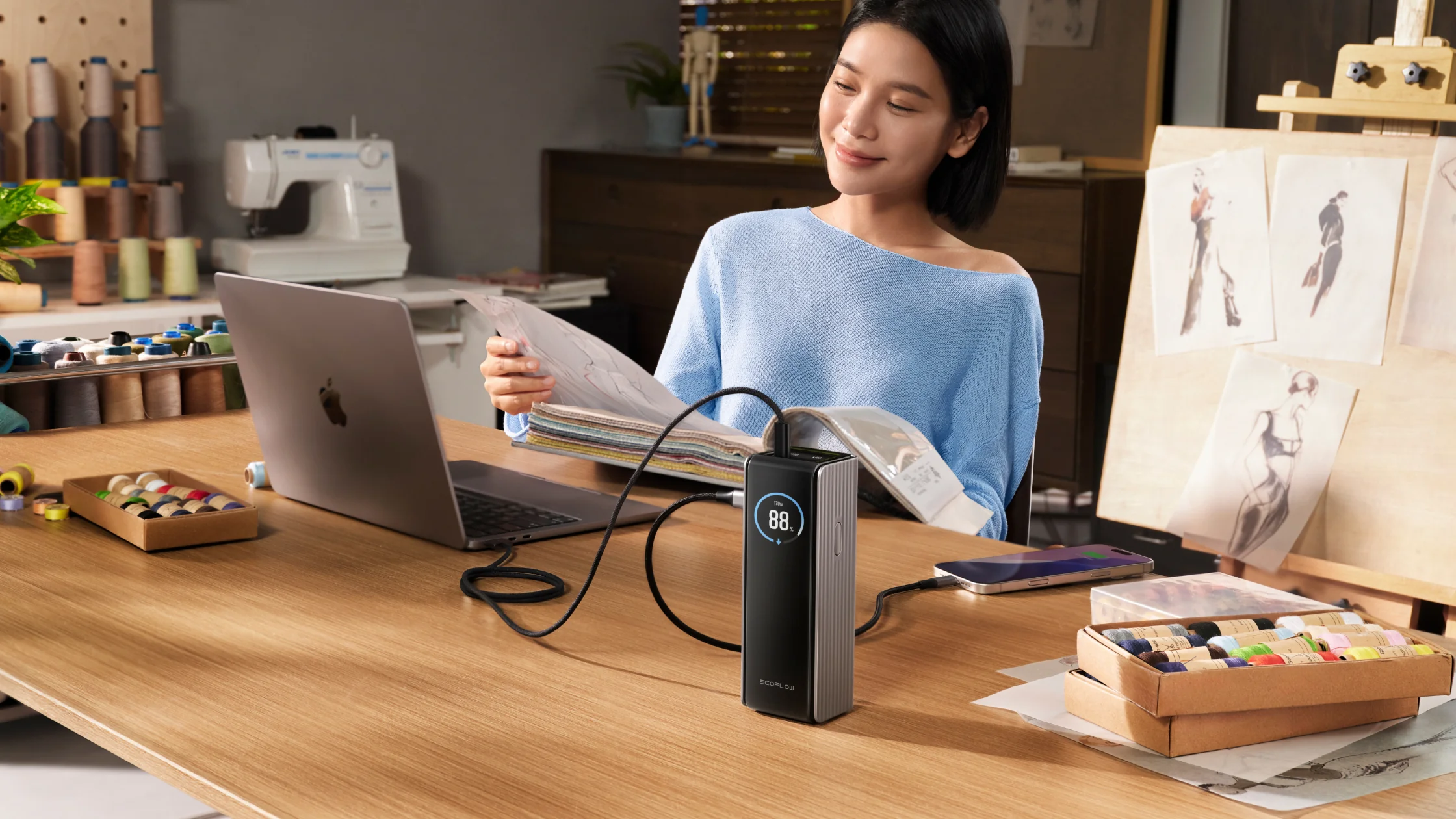
High output power banks, such as EcoFlow RAPID Power Bank (25,000mAh, 170W), are designed to keep up with newer phones that expect 20W,45W or more. That means even short charging stops can actually add meaningful battery life instead of barely holding the line.
EcoFlow RAPID Power Bank (25,000mAh, 170W)
5. Make Overnight Charging More Efficient
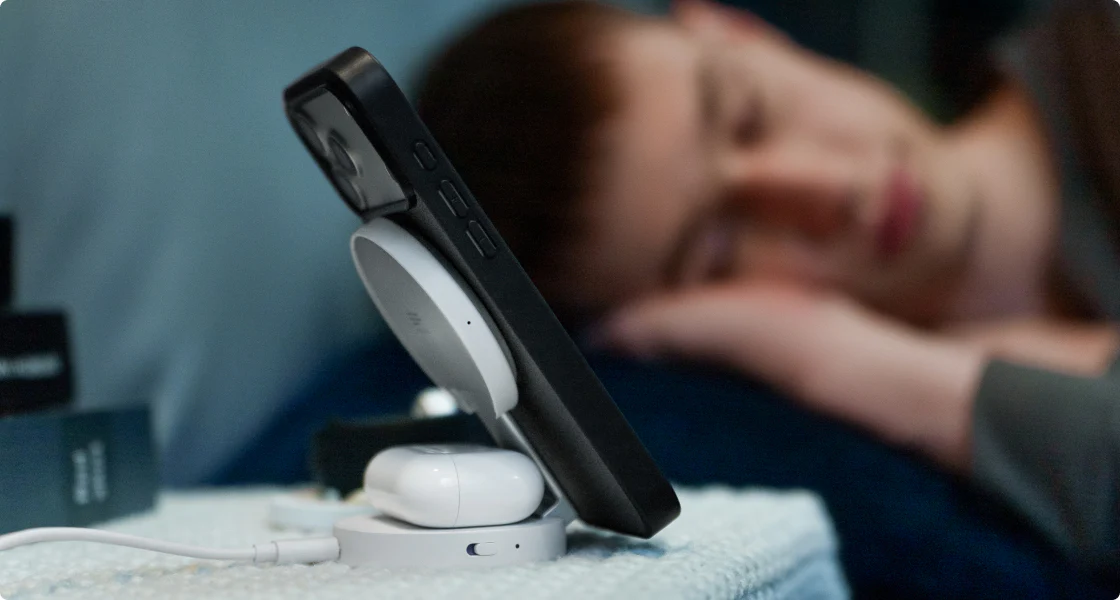
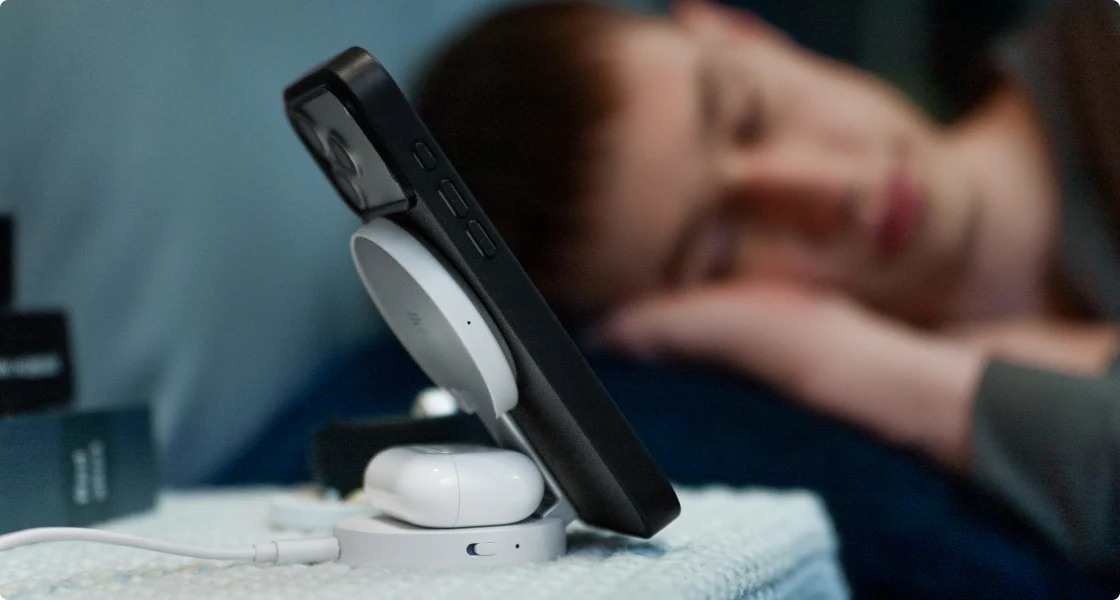
Charging your phone, earbuds, and watch overnight is convenient, but basic wireless pads often suffer from poor alignment and inconsistent charging. That can lead to wasted energy and partially charged devices in the morning.
A smart solution like the EcoFlow RAPID Mag Wireless Charging Station (3-in-1 Foldable) uses precise magnetic alignment to keep devices properly positioned all night. The result is steadier charging and fewer surprises when you wake up.
6. Keep Your Phone Cool While Charging
Heat slows everything down. Charge your phone on a hard, open surface so heat can dissipate properly. If you’re using a thick or insulating case, removing it temporarily can help the phone stay cooler and maintain its fastest charging speed for longer.
System Settings That Improve Charging Efficiency
Your phone’s software plays a bigger role in charging speed than many people realize. A few quick adjustments in your settings can help your device charge faster when time matters.
1. Make Sure Fast Charging Is Turned On
On many Android phones, fast charging isn’t always enabled by default. It may also switch itself off after certain software updates. Take a moment to check your Battery or Charging settings and confirm that options like “Fast Charging” or “Super Fast Charging” are turned on.
2. Temporarily Disable Optimized Charging
Features such as Apple’s Optimized Battery Charging, or similar tools on Android, are designed to protect battery health by slowing charging once the battery reaches around 80%. If you need a full charge quickly, before heading out, for example, you can temporarily turn this feature off to allow the phone to reach 100% faster.
3. Turn Off Power Hungry System Features
Always On Display, location services, and high screen brightness all pull power even while your phone is plugged in. When charging speed is the priority, switching these features off for a short time helps more of the incoming power go directly into the battery.
4. Close Background Apps
Apps running quietly in the background still use processing power and generate heat. Closing heavy apps, especially navigation, fitness tracking, or games you used earlier, reduces system load and helps your phone charge more efficiently.
Battery Health Practices That Keep Your Phone Charging Fast
A phone that charges quickly over the long term almost always has one thing in common: a healthy battery. These habits help preserve charging speed and overall performance as your device ages.
1. Try to Stay Between 20% and 80%
Lithium-ion batteries experience the least stress when they operate in the middle of their charge range. Constantly draining your phone to near zero or keeping it plugged in at 100% for long periods accelerates wear and gradually reduces how fast the battery can accept power.
2. Protect Your Phone From Extreme Temperatures
Heat and cold both damage battery chemistry. Avoid charging your phone in a hot car, and limit extended use outdoors during extreme Canadian winter cold. Temperature stress reduces long-term capacity and forces the phone to charge more slowly as a safety measure. If you’ve ever wondered why your phone gets so hot, it’s often because it’s working harder in challenging environments or running resource-heavy apps. Overheating can not only affect charging speed but also impact overall performance and battery lifespan.
3. Use Scheduled or Optimized Charging Wisely
If your phone supports scheduled charging, take advantage of it. This feature slows charging overnight and finishes just before you wake up, reducing the time the battery sits at full voltage. Over months and years, this helps preserve charging speed and battery health.
4. Keep an Eye on Battery Health
Check your phone’s battery health periodically in the system settings. Once capacity drops below about 80%, often after two to three years, you’ll likely notice slower charging and shorter daily battery life. Replacing the battery at this stage can dramatically restore both speed and usability.
Conclusion
Fast phone charging comes down to using the right hardware, understanding how your device manages power, and building better daily habits. With a high wattage charger, a reliable cable, and smart system settings, you can dramatically reduce charging time without stressing your battery. When you add efficient portable solutions like EcoFlow’s RAPID series, fast charging doesn’t stop when you leave home. To choose the best fast charging portable phone charger for your needs, look for one that matches your device’s power requirements and offers quick charging without sacrificing safety. Whether you’re commuting, travelling, or spending time outdoors, your phone stays ready when you need it most, so you can focus on what you’re doing, not your battery percentage.
FAQ
1. How do I increase my phone charging speed?
To charge your phone faster, focus on three areas at the same time: use a high wattage charger and a certified fast-charging cable, make sure fast charging features are enabled and unnecessary background apps are closed, and build better habits such as charging in a cool place and using Airplane Mode when speed matters most.
2. Does removing the phone case really help charging speed?
Yes. Thicker cases trap heat, and excess heat forces your phone to slow charging. Removing the case allows better heat dissipation, helping the phone maintain higher charging speeds.
3. How to make your Android phone charge faster overnight?
Use a stable, high quality charger or a magnetic wireless station to ensure proper alignment. Confirm that “Fast Charging” or “Super Fast Charging” is enabled in settings, and always use a cable rated for your phone’s maximum wattage.
4. Can I fast charge while using the phone?
You can, but it’s not ideal. Using the phone, especially for gaming or streaming, creates heat and draws power, which slows charging. For the fastest results, leave the phone idle or switch to Airplane Mode.
5. Is it better to charge to 80% or 100%?
For long term battery health, stopping around 80% is better. Charging to 100% occasionally is perfectly fine when you need the extra power for a long day or trip.
6. How do I turn on fast charging?
On most Android phones, go to Settings > Battery > Charging (or similar) and enable Fast or Super Fast Charging. iPhones don’t have a manual toggle, they automatically fast-charge when connected to a compatible 20W (or higher) PD charger.