Canoe Camping in Algonquin: How to Keep GPS and Emergency Beacons Charged
- Why GPS and Emergency Beacons Drain Fast on Multi-Day Trips
- Solar Charging Solutions for Your Algonquin Park Trip
- Charging GPS Devices on Algonquin Park Canoe Routes
- Protecting GPS and Emergency Beacons from Water Damage
- Power Management Strategies for Camping Algonquin Park Canada
- Keeping Weight Down for Portaging
- Seasonal Considerations for Algonquin Park Camping
- Backup Power for GPS and Emergency Devices
- Start Planning Your Power Setup
- Frequently Asked Questions
Algonquin Park offers some of Canada's most stunning canoe camping experiences. Paddling through its vast waterways means venturing far from cell towers and power outlets. Your GPS device and emergency beacon become critical lifelines. Keeping them charged presents a real challenge when you're days away from civilization.
Why GPS and Emergency Beacons Drain Fast on Multi-Day Trips
A typical GPS unit runs for 15 to 20 hours before dying. Satellite communicators last slightly longer with minimal use. These numbers sound reasonable until you calculate actual trip needs. Most Algonquin Park camping adventures span three to seven days. Some paddlers extend this to two weeks on remote routes.
Your devices consume power even when idle. GPS units ping satellites periodically to maintain position locks. Emergency beacons run background checks to stay ready. A device switched off still drains slowly. Within 48 hours, you've often used half your battery capacity just maintaining basic functions.
Weather tracking adds another power drain. Checking conditions before crossing large lakes or planning portages pulls data continuously. Sending a simple "all okay" message to family consumes battery life. Recording waypoints, marking campsites, and logging your route all deplete your reserves.
The math gets worse during camping Algonquin Park Canada excursions in spring or fall. Cold temperatures reduce lithium battery efficiency by 20-30%. A device that lasts 20 hours in summer might die after 14 hours when temperatures drop. Morning frost can surprise you with unexpected shutdowns.
Solar Charging Solutions for Your Algonquin Park Trip
Choosing the Right Solar Panel
Modern panels fold into compact packages that fit easily in your gear. They weigh less than a water bottle. The sun becomes your charging station, available every day you're on the water.
A decent solar setup can generate enough power to keep your GPS and emergency beacon running. You won't get the same output as a wall charger. But you get consistent, renewable energy that doesn't run out. The panel works while you paddle, while you portage, and while you relax at camp.
Quality matters when choosing solar equipment. Cheaper panels often fail in humid conditions or can't handle the bumps of portaging. Look for weather-resistant construction with reinforced corners. The panel should fold down to at least half its open size. Attachment points or grommets help secure it to your gear.
A 100-watt foldable solar panel works well for most canoe camping scenarios. These panels typically measure around 20 x 28 inches when opened and fold to roughly half that size. The compact design fits alongside other gear without dominating your pack space.
Pairing Solar Panels with a Mobile Power Portable Charger
A solar panel alone won't solve your power problems. You need a mobile power portable charger to store the energy you collect. This combination gives you flexibility. Charge the power bank during sunny periods. Use that stored power whenever your GPS or emergency beacon needs it, regardless of weather or time of day.
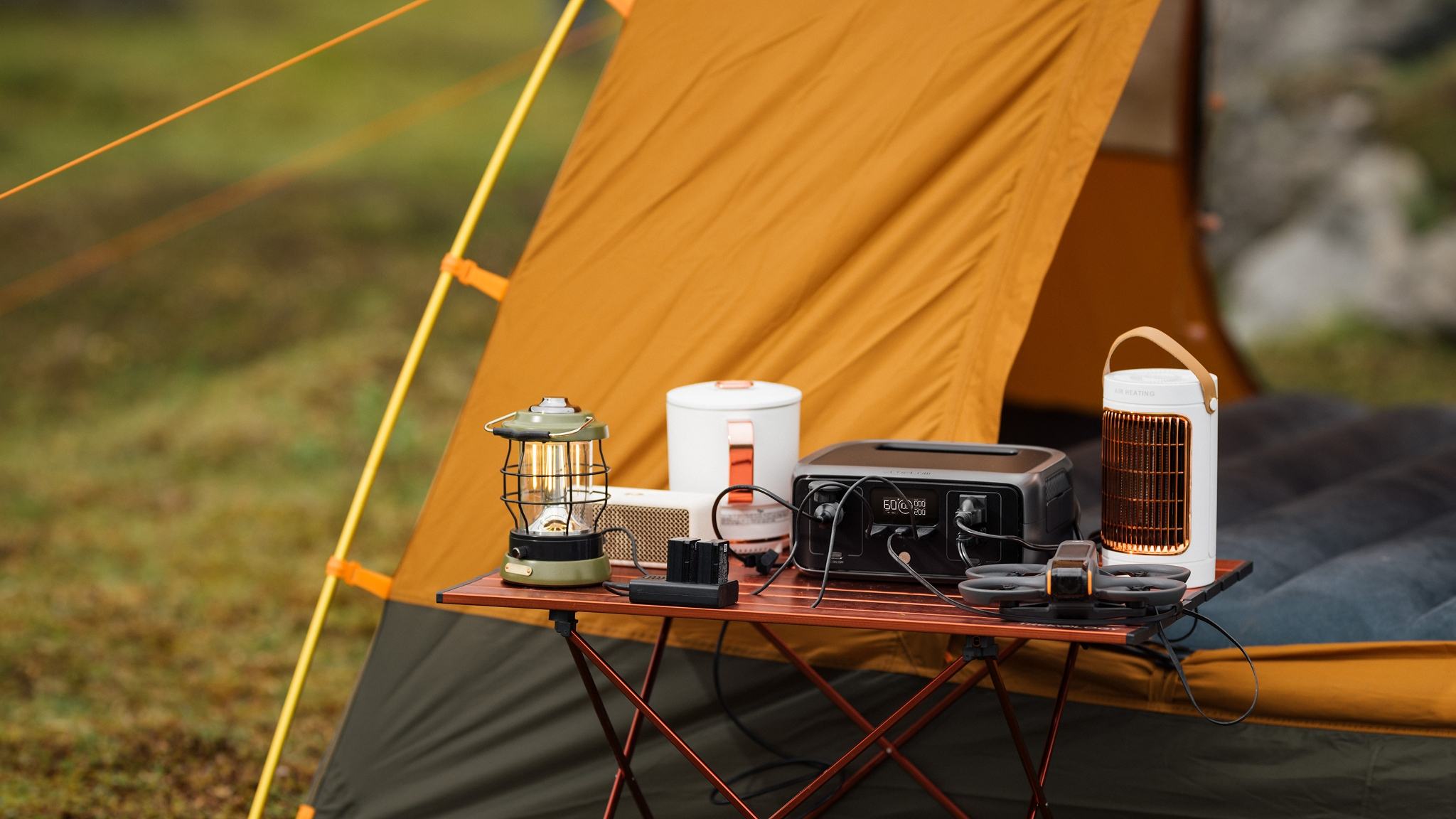
The EcoFlow RIVER 3 represents an excellent option for canoe camping. This portable power station offers 245Wh capacity while weighing just 7.8 pounds. The unit provides multiple charging ports including USB-C and USB-A outputs. You can charge your GPS, emergency beacon, and even a smartphone simultaneously.
The RIVER 3's compact size makes it manageable during portages. At roughly 10 x 7 x 5 inches, it fits into most dry bags or pack compartments. The unit can recharge from a solar panel in 3-4 hours under good conditions. This fast charging time means you maximize your daily solar collection window.
Choose a power bank with enough capacity for your trip length. For shorter weekend trips, smaller 10,000 to 20,000 mAh units work fine. Longer Algonquin Park trip adventures benefit from larger capacity stations like the RIVER 3. Consider how many devices you're charging and how often. Your satellite communicator uses less power than a smartphone. A dedicated GPS unit falls somewhere in between.
The power bank should have multiple output ports. This lets you charge your GPS and emergency beacon simultaneously. Look for models with built-in solar charging capabilities as backup. While slower than a panel, this feature provides insurance if your main panel gets damaged.
Charging GPS Devices on Algonquin Park Canoe Routes
Mounting Panels on Your Canoe
The beauty of solar charging is that you can generate power while moving. Your canoe provides an excellent platform. Attach the panel to the deck using bungee cords or carabiners. Position it where it won't interfere with paddling or getting in and out of the boat. The stern deck works well for solo paddlers. Tandem crews often place it on the front deck.
Keep the panel angled toward the sun as much as possible. This isn't always practical while navigating Algonquin Park canoe routes. But even partial sunlight generates some power. A panel lying flat still produces 60-70% of its optimal output on clear days.
Charging During Portages
Attach the panel to the outside of your pack during carries between lakes. Use the shoulder strap mounting points or lash it to the top. The panel stays exposed to sunlight while you carry your gear. This approach maximizes charging time throughout the day.
Some paddlers prefer charging only at camp. Set up the panel in a sunny spot while you prepare meals or explore the area. This method protects your panel from water splashes and impacts during travel. However, you lose several hours of potential charging time each day.
With a power station like the EcoFlow RIVER 3, you can leave it at camp connected to your solar panel while you explore nearby areas. The unit charges automatically as long as the panel receives sunlight. Return to camp with a fully charged power station ready to top off all your devices.
Protecting GPS and Emergency Beacons from Water Damage
Everything in a canoe eventually gets wet. Rain happens. Waves splash over the gunwales. Portaging through wet vegetation soaks your gear. Your GPS, emergency beacon, and charging equipment need protection from moisture.
Use dry bags for your power bank and devices while charging. Partially seal the bag to allow cable access while keeping water out. Clear dry bags let you monitor charging status without opening them. Keep the solar panel exposed, as most quality panels handle rain and splashes without problems.
The EcoFlow RIVER 3 features water-resistant construction but isn't fully waterproof. Store it in a dry bag during paddling and portaging. Only remove it for charging sessions at camp or in protected locations. A flooded power station ends your charging capabilities immediately.
Store all electronics in waterproof containers when not in use. Double-bagging provides extra insurance. A flooded power bank, GPS unit, or emergency beacon can end your trip prematurely. Prevention takes minimal effort compared to dealing with ruined gear.
Consider getting a panel with a waterproof rating of IPX6 or higher. This level protects against heavy rain and accidental submersion. The investment pays off when weather turns nasty.
Power Management Strategies for Camping Algonquin Park Canada
Extending GPS Battery Life
Turn off your GPS when you don't need it. The device doesn't need to run continuously. Check your position every 30 minutes instead of leaving the screen on. Use airplane mode on satellite communicators except when sending messages.
Reduce screen brightness on all devices. The display uses more power than any other component. Many GPS units have battery-saver modes that ping satellites less frequently. Enable these features for everyday paddling. Switch to normal mode only when navigating tricky sections.
Prioritizing Emergency Beacon Readiness
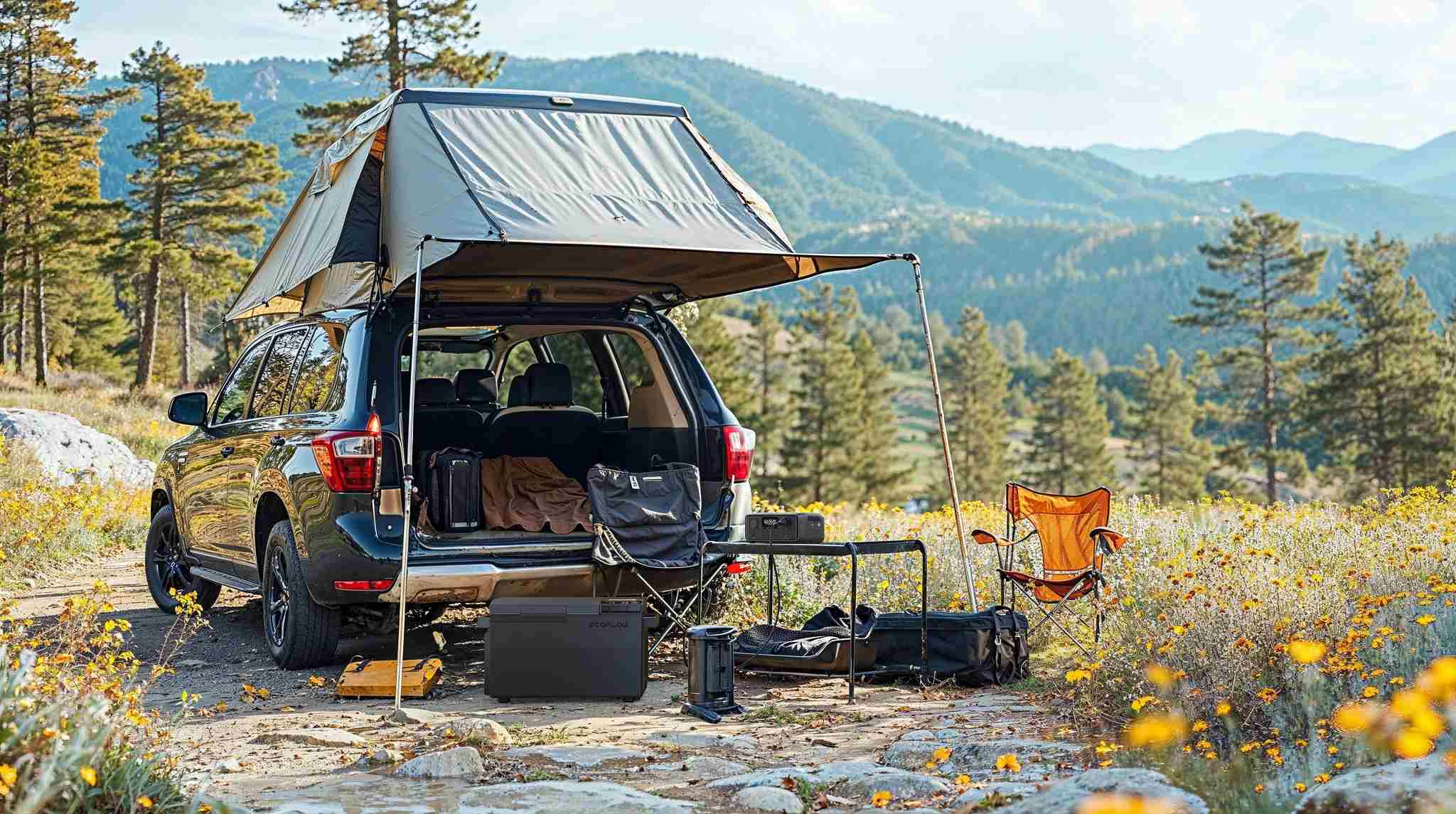
Charge your most critical devices first. Your emergency beacon takes priority over everything else. GPS comes second. Entertainment devices come last. This hierarchy ensures you maintain safety capabilities even if you can't charge everything.
Morning sun often provides the best charging conditions. Set up your panel while making breakfast. Afternoon clouds frequently roll in across the park. Take advantage of clear morning skies to power up your emergency beacon and GPS.
The EcoFlow RIVER 3's display shows remaining battery percentage and estimated runtime. Monitor these numbers to plan your charging schedule. When the unit drops below 30%, prioritize solar charging over device charging to maintain your reserve power.
Keeping Weight Down for Portaging
Every ounce matters when carrying gear over rugged portages. Algonquin features some challenging carries that test your packing decisions. The longest official portage stretches nearly 5 kilometers. Poorly distributed weight makes these hauls miserable.
A compact solar panel and the EcoFlow RIVER 3 add roughly 8-9 pounds total to your load. This weight is comparable to a water filter, stove, and fuel combined. The benefit outweighs the burden for trips longer than two days. Your GPS and emergency beacon stay operational throughout the journey.
Balance your pack carefully. Place the power station and charged devices in easily accessible pockets. You want to check battery levels without unpacking everything. Position heavier items close to your back for better weight distribution.
Some paddlers split charging gear between partners on tandem trips. One person carries the panel, the other takes the power station. This division lightens individual loads slightly. Just keep the components together during the day so you can maintain your charging setup.
Seasonal Considerations for Algonquin Park Camping
Summer Advantages for GPS Charging
Summer trips offer the most reliable solar charging. Long daylight hours and frequent sunshine provide ample charging opportunities. Even overcast days generate usable power. June through August represents the sweet spot for solar-dependent paddlers.
A 100-watt solar panel in direct sunlight can fully charge the EcoFlow RIVER 3 in 3-4 hours. Your typical camping Algonquin Park Canada day offers 8-12 hours of useful sunlight during summer. You won't capture all of it while paddling and portaging. Expect to collect 4-6 hours of good charging time on an active day.
Cold Weather Effects on Emergency Beacons
Spring and autumn see more issues. Daylight is shorter. Weather patterns are not reliable. There can be multiple consecutive cloudy days. Pack additional battery capacity for the spring and fall. A large battery bank is helpful when solar generation is limited.
It will affect the performance of your GPS and emergency beacon. Batteries made of lithium aren't effective in freeze temperatures. Make sure your power station is insulated on cold nights. It will stay warmer if it is inside your sleeping bag when it is very cold.
EcoFlow RIVER 3 operates within a temperature range of -20°C to 45°C. Though, charging will not be efficient in low temperatures, especially during spring and autumn camping trips.
Backup Power for GPS and Emergency Devices
Solar is reliable but not foolproof. You can get stranded by a storm for days. Things can go wrong. Always have a backup plan for your GPS and your emergency beacon.
If your GPS unit has replaceable batteries, carry a spare set of batteries with you. Use a water-tight container other than your main pack to store such batteries. Having a power source ensures you are not caught with drained power.
A few satellite tracking devices use AA or AAA batteries as a back-up. It is a good thing to carry some with you, even if you have solar chargers. It is not much of a burden, considering being cut off in communication.
Understand how they function. There are GPS devices that can last more than 20 hours when fully charged. There are also others that don’t last more than 10 hours or so. Understand this before heading out. Plan your journey accordingly.
The EcoFlow RIVER 3 has a power delivery of 245Wh. This will provide you with good backup. The power will allow you to recharge a typical GPS device at least 15-20 times. The power capacity will run your emergency beacon for a period of weeks.
Start Planning Your Power Setup
Your safety in Algonquin's backcountry depends on reliable power for your GPS and emergency beacon. Solar panels paired with portable power stations like the EcoFlow RIVER 3 provide the independence you need. They keep your navigation accurate and your emergency communication ready without adding excessive weight. Start planning your power strategy before your next Algonquin Park trip. Test your equipment at home first to understand its capabilities and limitations.
Frequently Asked Questions
Q1: How Long Does a Fully Charged GPS Unit Last in Algonquin Park?
The battery life for most GPS devices will operate for 15-20 hours with a complete charge. The presence of cold weather will reduce this to a range of 10-14 hours. A solar power system will make sure you have a charged GPS for multi-day excursions.
Q2: Can Emergency Beacons Run Continuously on Solar Power?
The standby power consumption of emergency beacons is low. Additionally, a 100 watt solar panel coupled with the EcoFlow RIVER 3 has enough power to sustain an emergency beacon for a period of a week, considering several check-ins.
Q3: What Happens if My GPS Dies in the Middle of a Canoe Route?
Always carry maps and a compass as a back-up. Most experienced paddlers also carry extra batteries for their GPS. With a good solar charging system in place and careful use of power, a complete GPS failure is highly unlikely.
Q4: How Do I Know When My Emergency Beacon Needs Charging?
In most emergency location beacon models, battery power is indicated on the screen or using LEDs. This is something you should check each day when on your journey. Charge the battery if it is below 50%.
Q5: Should I Charge My GPS or Emergency Beacon First After a Cloudy Day?
You should always charge your emergency beacon first. It is your lifeline in an actual situation. Charge the GPS next. You can survive for a period using a map and compass, but you can’t replace an emergency communication device.