Why Should You Only Charge Your Phone to 80%? The Truth Behind Battery Health
You have probably heard of or practiced the golden rule of charging: to cut off at 80%. You may also have noticed your smartphone halting its own charging procedure while you sleep.
But is this specific number—the 80%—truly founded on engineering reality or simply a modern tech myth? Is it really worth the effort to limit your device's potential capacity? It is high time to split facts from fiction.
The Science: Why 100% Can Be Too Much
In order to comprehend why charging to 100% may harm your battery, it is necessary to examine the chemistry at work inside your smartphone battery. Smartphones contain lithium-ion batteries or Li-ion batteries for short. Think of your Li-ion battery like a sponge. A sponge is rigid and hard if it is dry (0%). Conversely, if your sponge is full of water (100%), it's under tremendous pressure.
The "sweet spot" for Li-ion batteries ranges between 20% and 80%. This is because at this point, Li ions are freely moving between the cathode and anode without causing stress to the battery's components.
When you compel your battery to charge the last 20%—charging from 80 to 100% full—the voltage required becomes even higher. This voltage produces heat and accelerates chemical aging processes. This stress degrades your battery's capacity to retain power as it did when you first received it new. Charging your battery no higher than 80% or ensuring your phone does not remain at 100% for too long helps to avoid this voltage stress on your "chemical sponge," keeping it strong.
What Is Optimized Battery Charging?
But if you have already dug through your settings, you have probably already wondered: what is optimized battery charging?
"Optimized Battery Charging" is a clever functionality offered by smartphones these days to maintain battery health through machine learning algorithms. Unlike your smartphone charging to 100 percent battery and trickling power all night (wherein the battery stays at high stress and heat levels all night long), this software optimizes energy flow.
Usually, it will charge quickly to 80% and then pause. It then waits for your alarm to go off or for you to unplug it. It will predict your waking time based on your daily activities and alarm settings. It will quickly charge the last 20% before this time. This is intended to make sure you wake up with a full battery but for only a few minutes instead of several hours at full voltage.
Master Your Settings: How to Enable Battery Protection
Each manufacturer gives its features different names, but all of them have the same purpose. Below is how to implement battery protection settings for each of the main flagship smartphones.
iPhone: Optimized Battery Charging
Apple is at the forefront of optimizing battery health features as part of its overall iOS experience. When it comes to your iPhone settings for battery optimization, use these options to your advantage:
For iPhone 14 and Earlier
Apple defaults to using the delay method.
- Tap Settings.
- Tap on Battery
- Select Battery Health & Charging.
- Toggle on Optimized Battery Charging.
When your iPhone is actively charging, it displays a notification on its lock screen telling you when it will complete charging. If you want to have your full charge earlier, you can click and hold on the notification to choose "Charge Now."
For iPhone 15 or Later Models
Apple started enforcing a tougher standard for all users seeking maximum battery protection. "Optimized Battery Charging" (delay technique) or "80% Limit" is your choice.
- Go to Settings > Battery > Battery Health & Charging.
- Select Charging Optimization.
- Choose 80% Limit: This option will automatically make your iPhone cease charging at around 80% and never go beyond it again, thus extending your battery's lifespan.
Google Pixel: Adaptive Charging
Google makes use of its AI capabilities to control your battery through a functionality called "Adaptive Charging." This is only found on Pixel devices and is most effective if your daily routine is fixed or if you have alarms to go off at particular times of the day.
How it works: This feature gets activated if you charge your phone between 9:00 pm and 4:00 am, and also if your alarm is set between 3:00 am and 10:00 am. Your phone will charge to 80% and then stop. It also calculates how fast it should charge to reach 100% just at the time your alarm is supposed to go off.
How to set it up:
- Open your phone's Settings app.
- Tap Battery
- Select Battery Saver
- Toggle on Adaptive Charging.
This is a great feature because it is "set it and forget it." But unlike the iPhone 15's strict limit, it still tries to get you to 100% by morning, just safely.
Samsung Galaxy: Battery Protection
One of the most detailed settings for controlling charging behavior is provided by Samsung's One UI software. This particular feature is simply referred to as Battery Protection and comes with three different settings for various types of users.
- Click on Settings.
- Tap Battery
- Select Battery Protection.
The Three Modes:
• Basic: Once it reaches 100 percent of its charge, battery charging stops until its level falls to 95 percent but afterward resumes. This is to avoid constantly charging the battery to 100 percent at all times.
• Adaptive: This cycles between Maximum and Basic. It will charge to 80% while you're sleeping and complete the charge to 100% just before you're supposed to wake up (just like Pixel and iPhone).
• Maximum: This is the most conservative charging option. It stops charging once your battery reaches 80%. This is the option to use if you're serious about adhering to the 80% rule for extending battery life.
Heat: The Silent Battery Killer
While controlling charge percentages is crucial, voltage is not the only nemesis but heat is possibly even worse. Lithium-ion batteries have shorter lifetimes if they are exposed to high temperatures.
Charging produces heat automatically. This is why stopping charging at 80% is very significant, because it simply gives the battery a chance to cool down. But there are some factors to deal with:
• Minimize Usage While Charging: Charging your smartphone while gaming or watching high-quality videos is equivalent to applying "double heat" to your battery because your smartphone's processor and battery start to heat at the same time.
• Remove Thick Cases: Some cases designed to protect smartphones may retain heat. When your smartphone is overheating during charging at night, consider removing the case.
• Avoid Misalignment While Using Wireless Charging: Misaligned coils cause unwanted heat generation while using normal wireless charging because power is wasted in heat form. Magnetic charging techniques such as Qi2 or MagSafe overcome this hurdle by ensuring perfect alignment of coils each time.
The Myth of "Calibrating" Your Battery
The battery needed to run down before being "taught" its capacity in the days of nickel-cadmium batteries because of "memory effect". This is no longer required for smartphones.
In reality, though, letting your lithium-ion battery run down to 0% is damaging to it. It is much healthier to charge your phone incrementally throughout the day, between 40% and 70%. It is also much healthier to do this than to run your battery down to 0% and charge it all the way to full. This is because you want to maintain a constant voltage for your battery between empty and full but not at either point.
Charging on the Go: A User-Centric Approach
While software preferences are helpful for managing battery performance at home, it is easy to lose these good habits while traveling or on your daily commute. What you need is a charger that is fast and also complies with safety and temperature specifications of your device.
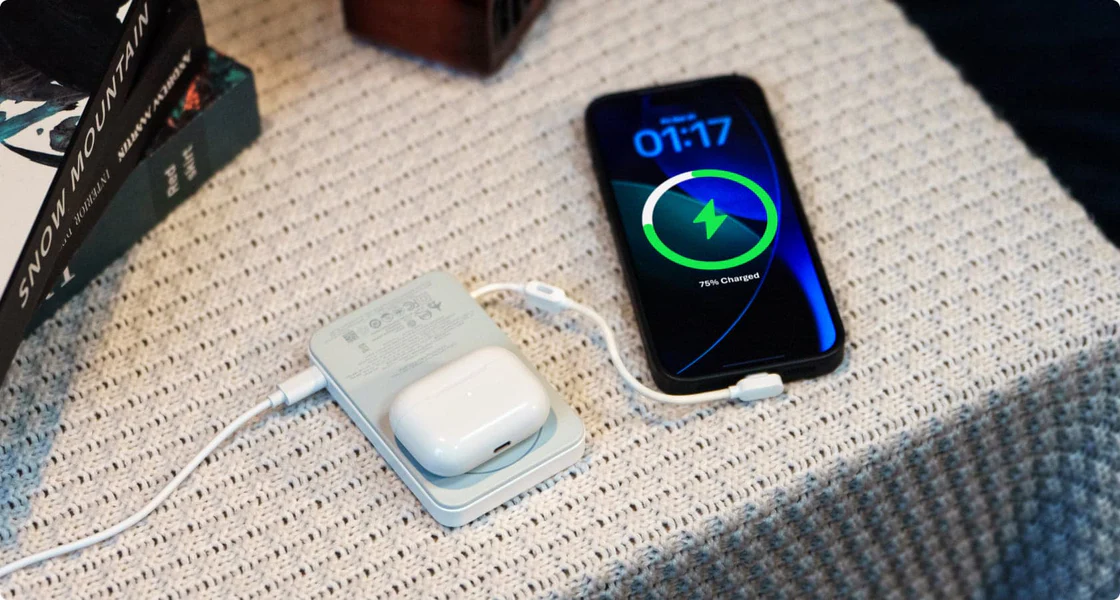
The EcoFlow RAPID Mag Power Bank (Built-in USB-C Cable) is developed to tackle all these very same problems. It is very convenient for both travel or daily commuting because it comes with an integrated braided cable so that you don't have to deal with cable clutter. What's more significant is its emphasis on safety through its X-Cooling technology. Your power bank will monitor temperatures no less than 5,000,000 times each day to guarantee your device is never overheated while being charged.
It is strong enough to charge your iPhone to 50% power wirelessly in just 44 minutes, but safe for your hardware as well. With its adjustable stand, you can use your smartphone hands-free for portrait or landscape viewing while charging it. Using the EcoFlow RAPID Mag charger gives you the liberty to enjoy powerful and reliable battery power for your smartphone while being actively safeguarded against overheating or any harm whatsoever to your smartphone's performance and functionality.
Conclusion
Maintaining your smartphone battery does not necessarily require you to become a tech expert but just involves lifestyle changes. By avoiding the stress associated with charging your battery to 100% and employing features such as optimized battery charging capabilities, you will be able to maintain your smartphone at its peak performance for several years to come. The key is to maintain your battery between extremes: keep it cool, at the preferred level, and use smart devices such as EcoFlow to control your battery away from home.
FAQ
Q1: Can I Leave My Phone to Charge Overnight?
Yes, but only if "Optimized Battery Charging" or "Adaptive Charging" is turned on. This helps to keep the battery from sitting at 100% for several hours at a time, which is stressful for it. However, for maximum battery longevity, setting an 80% charge limit provides even better protection for the battery's chemical structure.
Q2: Does Fast Charging Damage Battery Health?
Fast charging itself doesn't harm the battery, but the heat it generates can be problematic. Modern phones and quality chargers communicate to reduce charging speed if temperatures rise too high. Using certified chargers with proper thermal management is essential for safe fast charging.
Q3: What Is the Ideal Charge Range for Lithium-Ion Batteries?
The optimal range is typically 20% to 80%. This range is often called the "Goldilocks zone" because it reduces voltage stress and prevents battery aging associated with full charge cycles. Try to plug in before the battery drops below 20%, and unplug (or set a limit) at 80%.
Q4: Will I Have Enough Battery for the Day if I Only Charge to 80%?
For most users with average daily usage, 80% is sufficient for daily use. However, if you have a very long day planned away from charger points, it is acceptable to charge to 100% from time to time. The goal is to reduce frequent full charges, not eliminate them entirely.
Q5: Can I Use My Phone While It's Charging?
Yes, but avoid demanding tasks like gaming or video rendering. Both phone usage and charging generate heat, and combining them can cause excessive temperatures that accelerate battery degradation. Light activities like texting or web browsing are generally fine.
For press requests or interview opportunities, reach out to our media team
media.na@ecoflow.com