Calculating Kilowatt-Hours and Cost of Electricity: Step-by-Step Guide 2026
Electricity rates are rising across Canada. Whether you’re dealing with the tiered pricing in Ontario or the fluctuating Hydro bills in British Columbia, understanding your home’s energy consumption has never been more critical. Managing a household budget in 2026 requires more than just glancing at your monthly statement. You need a clear grasp of how much power each appliance pulls and how that translates to what you see in your bill. This guide provides a comprehensive, step-by-step process to help you calculate your kilowatt-hour (kWh) usage and demystify local utility rates. It also shows how to implement smart hardware solutions to keep more of your hard-earned money for more fun things.
How Are Kilowatt-Hours Calculated in 3 Simple Steps?
Calculating your energy usage is more straightforward than it appears to understand how your energy usage can be calculated. In the Canadian context, where we rely heavily on everything from space heaters in the winter to portable ACs during humid Ontario summers, mastering these three steps is a good foundation for energy independence.
Identify Device Wattage Ratings
The first step is to locate the “nameplate” wattage on your appliances. This is usually found on a sticker or nameplate near the power cord or on the back of the unit. For instance, a standard Canadian coffee maker might run at 1,000 watts, while a high-end gaming PC could pull 600 watts. If the label only shows Amps and Volts, simply multiply the two. For most Canadian power outlets, wattage will be Amps X 120 volts, but for heavy-duty appliances like dryers or stoves, use 240V. At this stage, some homeowners also start using portable power stations to better manage peak loads once they understand their consumption patterns.
Record Actual Daily Run Time
After you total up wattage for each device, you will know the power draw for each. To get kWh’s you need to assign how many hours each is used and accurately track the actual duration of use. Many families are often surprised by how much energy an average house uses once they begin logging the hours for “always-on” appliances. While a toaster only runs for a few minutes, devices like your WiFi router or a sump pump in a rainy Vancouver basement may operate 24/7. Tracking these hours over a typical week will give you a realistic average of your daily consumption.
Compute Total Kilowatt-Hour Usage
To find the total kWh, you simply multiply the wattage by the hours used per day and divide by 1,000. Learning how to calculate kWh usage is the most effective way to identify which devices are driving up your monthly expenses.
The Basic kWh Formula:
kWh = Watts × Hours Used ÷ 1000
For example, a 1,500W heater running for 4 hours uses:
kWh = 1500 × 4 ÷ 1000 = 6kWh
At an Ontario electricity rate of CAD $0.18 per kWh:
6 × 0.18 = CAD $1.08 per day
This estimate reflects energy usage costs only and excludes fixed monthly utility charges.
Real-World Electricity Cost Examples in Canada
| Appliance | Wattage | Daily Use | Daily kWh | Monthly Cost (Ontario Avg.) |
|---|---|---|---|---|
| Space Heater | 1500W | 4 hrs | 6 kWh | ~$32/month |
| Window AC | 1200W | 6 hrs | 7.2 kWh | ~$38/month |
| Gaming PC | 600W | 5 hrs | 3 kWh | ~$16/month |
| LED TV | 100W | 4 hrs | 0.4 kWh | ~$2/month |
| Mini Fridge | 150W | 24 hrs | 3.6 kWh | ~$19/month |
Note: Appliances with compressors, like fridges, cycle on and off; their actual kWh is typically 30-50% of the theoretical maximum.
At Ontario’s average all-in electricity cost of approximately CAD $0.18 per kWh, high-wattage heating and cooling devices can dramatically increase monthly Hydro bills during extreme seasons.
How Do You Calculate Your Total Electricity Costs?
Knowing your kWh usage is only half the battle. The real trick is understanding how your local “Hydro” provider charges you for those units. Across Canada, pricing structures vary wildly, making it essential to look closely at the fine print on your statement.
Total All-In Rate and Delivery Fees
Your bill isn’t just the cost of energy; it’s a combination of regulatory charges, transmission fees, and delivery costs. In many provinces, the “Delivery” portion of the bill can sometimes be as high as the electricity usage itself. Make sure you add these “per kWh” fees to your base rate to get a true “all-in” price per unit.
Identify Peak Versus Off-Peak Timing
Many Canadians are now on Time-of-Use (TOU) or Ultra-Low Overnight (ULO) plans. This means running your dishwasher at 6:00 PM when everyone is home can cost significantly more than running it at midnight. Know when your highest and lowest rates are in effect. Identifying these windows is the fastest way to slash your bill without changing your lifestyle.
Multiply Usage by Local Utility Rates
Take your computed daily kWh and multiply it by your all-in rate. Actual rates vary from Quebec with lower rates (approx. $0.07/kWh) to Ontario or PEI where rates can climb much higher. This final calculation using daily rate schedule and individual kWh’s will show you exactly which appliances are “energy vampires” draining your bank account.
Which Tools Help You Reduce Monthly Energy Costs?
Once you’ve done the math, you might realize that saving energy is more than just turning off the lights. You need to look at managing the timing and source of your power.
Manage Small Loads with Compact Batteries
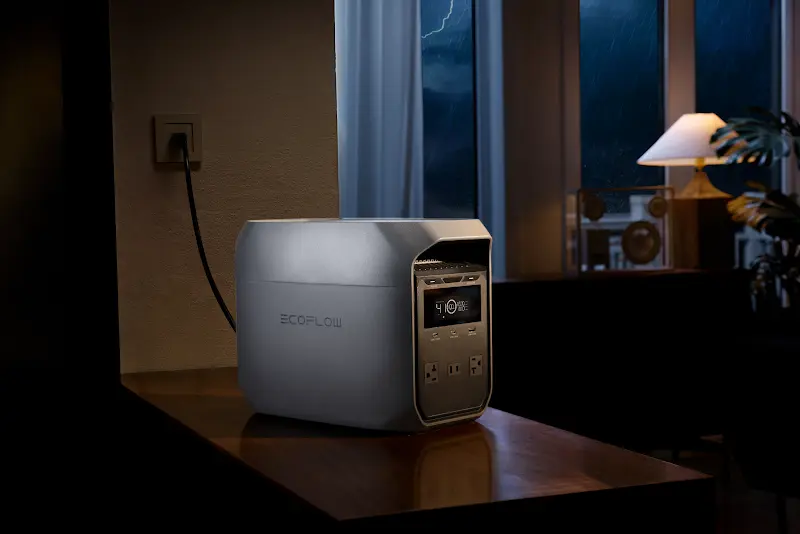
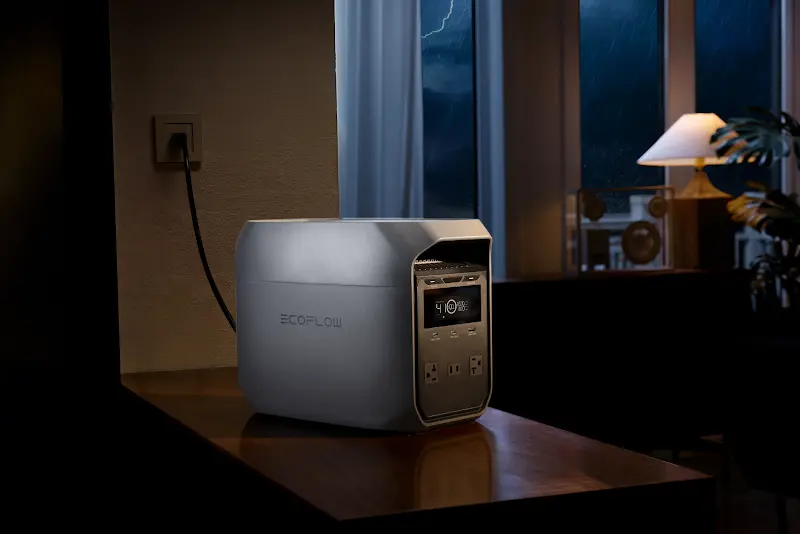
If your calculations reveal that 24/7 devices, like your router, home server, fish tank heater, or fridge, are costing more than expected, the issue is their cumulative “always-on” nature. The EcoFlow DELTA 3 Classic Portable Power Station is designed and built for this exact scenario. Using its Smart app, you can schedule it to charge from the grid during the “Off-Peak” hours (like 2:00 AM when rates are lowest). While you sleep, it stores cheap energy. Then during the day when rates spike, it can automatically switch to power your essential electronics. Not only does this shift your load to save money, but it also acts as a seamless UPS. If a sudden ice storm knocks out the grid, your PC and NAS won’t even notice it. This will protect your work and data without you lifting a finger.
Offset Heavy Usage with Solar Kits
Beyond small electronics, your math will likely highlight the big users, such as air conditioners, electric water heaters, or high-power shop tools. These high-draw appliances can easily push you into a higher price tier. For these big users just cutting back isn’t enough. You need to generate your own power. The EcoFlow DELTA Pro 3 + 400W Portable Solar Panel bundle offers a robust solution for the Canadian homeowner. By setting up the panels on your deck or in the yard, you can harvest free Canadian sunshine and store it for use during peak-price hours. This combo is powerful enough to run window AC units or heavy-duty tools. Plus, its rugged design is built to handle the move from the patio to the living room for a rock-solid backup during thunderstorms or blackouts.
Measure Usage with Plug-In Power Meters
For those appliances with no nameplate, a simple plug-in power meter, like Kill-A-Watt, is an invaluable tool. It sits between the wall and the device, showing you the real-time power draw and cumulative kWh. This really helps you verify if older appliances with higher standby losses need to go.
Upgrade to More Efficient Appliances
If the math you did shows an appliance is costing $200 a year just to stay plugged in, it might be time for an upgrade. Look for the Energy Star rating, which is the gold standard in Canada for appliances that use significantly less electricity than standard models.


How Can You Put Your Calculations into Action?
Data is only useful when it leads to change. Now that you have your summary of energy users, you can try optimizing daily use of your home’s devices to align with the cheapest power available.
Automate Load Shifting for Peak Savings
Use the “Delay Start” feature on your laundry machines and dishwashers to move their operation to off-peak hours. By automating these heavy loads, you ensure that the bulk of your home’s energy consumption happens when the grid is under-utilized and prices are at their lowest.
Calibrate Battery Discharge for High Rate Hours
If you’re using a system like the Delta 3 Classic, set up the usage cycle to overlap with your utility’s peak hours. This “peak shaving” helps you minimize buying electricity at its most expensive price, and can effectively flat-line your energy costs.
Update Energy Math with Seasonal Adjustments
In Canada, energy usage summaries will change with the seasons. Your summer calculations will be dominated by cooling, while your winter math will revolve around heating and lighting. Re-run your audit every six months to stay ahead of seasonal utility rate changes and usage spikes.
Audit Home Efficiency Using Real-Time Data
Don’t let your audit be a one-time event. By tracking real-time generation and consumption through smart home apps and utility company portals, you can maintain continuous visibility of your energy usage. Some solar generator systems can also integrate with companion apps to provide additional monitoring of energy production and storage, helping you identify unexpected spikes in baseload before your next bill arrives.
What Common Mistakes Can Distort Your Results?
Try to be as accurate as possible when calculating your energy summary and costs. Small errors in your initial assumptions can lead to massive distortion in costs when scaled over an entire year.
Confuse Kilowatts with Kilowatts Hours
A common misunderstanding is confusing “Capacity” (kW) with “Usage” (kWh). A kilowatt is a measure of power at a single moment, while a kilowatt-hour is that power used over time. Always make sure you are multiplying watts by hours to get the total kWh’s that appear on your bill.
Ignore Battery and Inverter Losses
No system is 100% efficient. When using backup batteries or inverters, there is usually a 10-15% energy loss during the conversion process. Factor this 10% loss into your math to ensure your savings estimates remain realistic.
Use Incorrect Operating Hours
It’s hard to estimate just how long the coffee maker is on, or how long the kids leave the gaming console running. When in doubt, use a timer or a smart plug to get an objective measurement of “on-time.”
Misread Tiered Utility Rates
Some provinces use “Block Pricing,” where the first 600 kWh are cheap, and everything after is at a higher rate. If you assume all your power is at the “cheap” rate, your final bill will be an unexpectedly high bill. Always calculate your savings based on your highest-tier rate, which is where your reductions will be.
Conclusion
Mastering your home’s energy math is the first step toward a more sustainable and affordable Canadian lifestyle. First, identify your heaviest loads and understand the nuances of your local Hydro bill. Then by utilizing smart technology like the Delta 3 and DELTA Pro 3 series, you can take control of your utility costs. Start with a simple audit today, which reduces total household cost.
FAQ
What Is the Formula for Calculating KWh?
The formula for calculating kWh is Wattage × Hours Used Per Day ÷ 1,000. This simple calculation converts the raw power draw of any appliance into the standard unit of measurement used by utility companies.
How to Calculate kWh from Meter Readings?
To calculate usage from your meter, subtract your previous reading from the current reading shown on the display. The resulting number represents the total kWh consumed between those two readings. Then you can compare this amount against your daily appliance estimates.
How Much Does it Cost to Run 1 kW for an Hour?
The cost to run 1 kW for one hour is simply equal to your local utility’s “all-in” price per kWh. In Canada, this typically ranges from 7 cents in Quebec to over 17 cents in parts of Ontario and the Maritimes, including delivery fees.
How to Calculate Power Consumption of Multiple Devices?
To find the total consumption, calculate the daily kWh for each individual device and then add them all together. This cumulative total gives you an estimate of your household’s daily energy usage. This is essential for sizing backup battery systems.
How Much Does It Cost to Have a TV on for 4 Hours?
A modern 100W LED TV running for 4 hours uses 0.4 kWh, which costs between 3 to 7 cents depending on your local Canadian electricity rate. While a single TV seems inexpensive, multiple TVs running throughout a house can add up to several dollars over the course of a month.