A Comprehensive Guide to PC Power Supply
- What is a PC power supply (PSU)?
- How a PC power supply works
- Types of PC power supplies
- Why stable power is critical for your PC
- Power backup and protection for PCs
- Advanced power solutions for PC setups
- How to check the power supply on a PC (Quick checks)
- How to choose the best PC power supply
- Conclusion
- FAQs
A PC power supply is one of the most important components of a computer, responsible for delivering stable and reliable power to all internal parts. Choosing the right PSU ensures better performance, safety, and system longevity. While most computers rely on grid electricity, some users also pair their setups with backup solutions such as solar batteries to maintain power during outages. From wattage ratings to efficiency standards, understanding how a PSU works can help you build or upgrade your PC more effectively. This guide will help you understand everything about PC power supplies simply and practically.
What is a PC power supply (PSU)?
A PC power supply (PSU) is a hardware component that converts electricity from your wall outlet into usable power for your computer. It delivers stable energy to parts like the motherboard, CPU, GPU, and storage devices. Without a reliable PSU, a system cannot function properly or safely. It is a key part of any power supply PC setup, ensuring consistent performance and protection from power fluctuations.
How a PC power supply works
A PC power supply works by converting electricity from your wall outlet into usable power for your computer's internal components. It ensures every part of your system receives the correct amount of energy safely and efficiently. Here is how a power supply PC operates step by step.
1. Converting AC to DC power
The power supply PC takes alternating current (AC) from the wall and converts it into direct current (DC). Computer components cannot use AC power directly, so this conversion is essential. It ensures the electricity is usable and safe for internal hardware.
2. Distributing power to components
After conversion, the PSU distributes power to different parts like the motherboard, CPU, GPU, and storage drives. Each component receives a specific voltage level depending on its requirement. This controlled distribution keeps the system running smoothly.
3. Maintaining stable voltage output
A pc power supply constantly regulates voltage to prevent fluctuations that could damage components. It ensures stable and consistent power delivery even during load changes. This stability is crucial for system performance and hardware safety.
Types of PC power supplies
A pc power supply comes in different types based on size, efficiency, and cable design. Each type is designed for specific computer builds, from standard desktops to compact systems and gaming setups. Understanding these types helps you choose the right power supply PC for your needs.
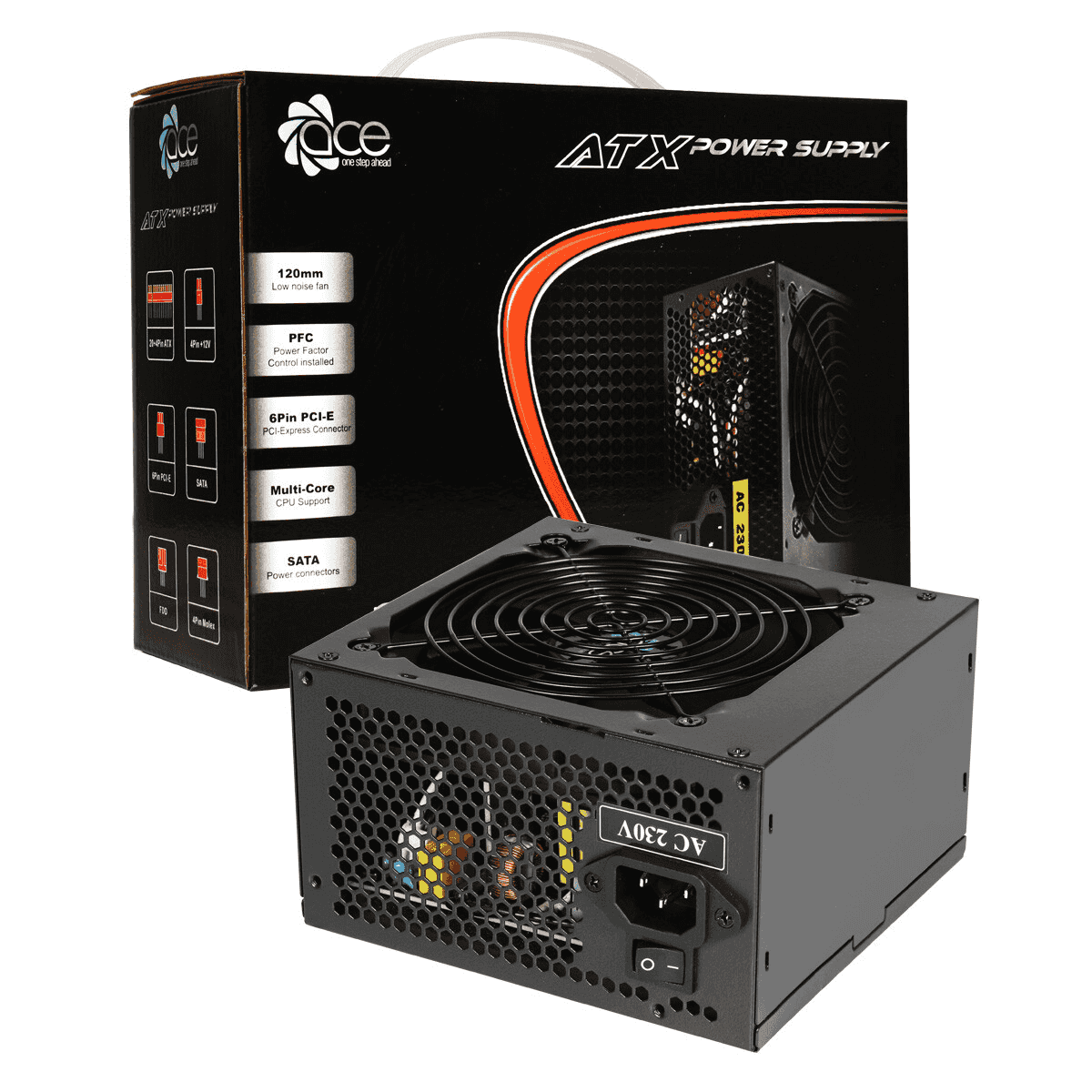
1. ATX power supplies
ATX power supplies are the most common type used in standard desktop computers. They offer reliable performance and support a wide range of components, making them suitable for everyday and gaming use. A good power supply PC in ATX form provides stable power delivery and easy compatibility with most cases. They are ideal for mid to high-performance builds.
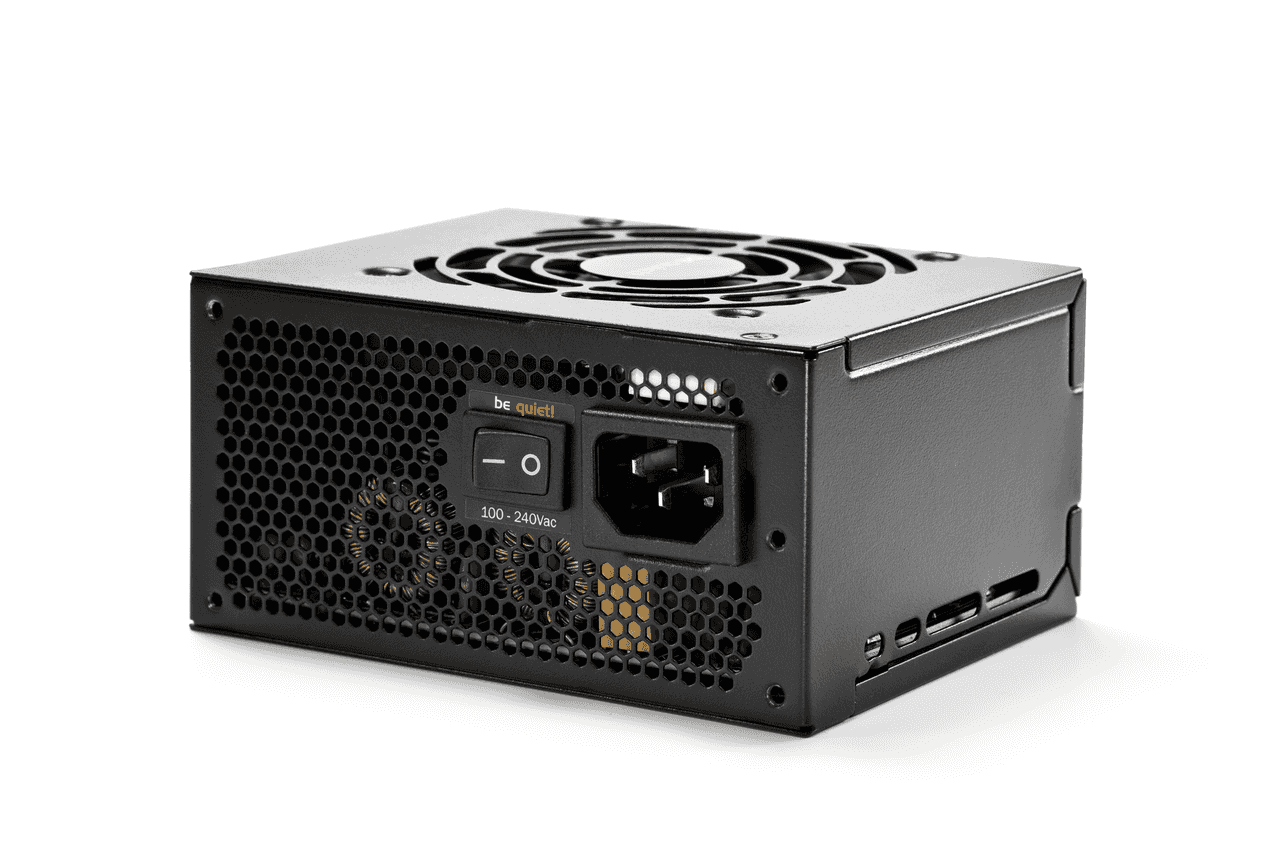
2. SFX and compact PSUs
SFX power supplies are smaller units designed for compact and mini-PC builds. Despite their small size, they can still deliver strong performance for efficient systems. These are ideal for users who want a space-saving setup without sacrificing too much power. They are commonly used in small form factor gaming or office PCs.
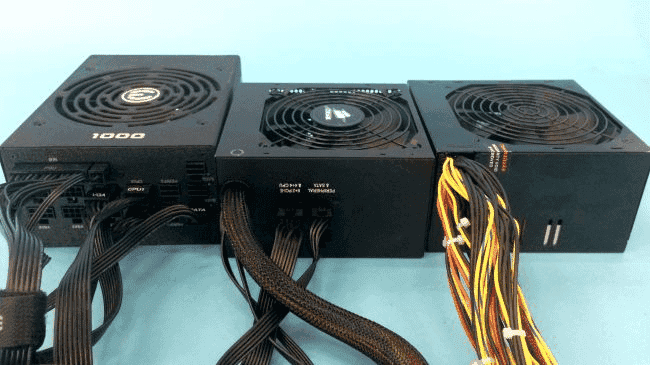
3. Modular vs non-modular PSUs
Modular PSUs allow you to connect only the cables you need, improving airflow and cable management. Non-modular PSUs come with all cables attached, which can make installation simpler but less tidy. Choosing between them depends on your building preference and the organization's needs. The best PC power supply often comes in modular form for better efficiency and cleaner setups.
Why stable power is critical for your PC
A PC power supply plays a crucial role in delivering stable and consistent electricity to your system. Without stable power, even high-end components can fail or perform poorly. A reliable power supply PC ensures your computer runs safely and efficiently under all conditions.
Preventing hardware damage
Stable power protects sensitive components like the CPU, GPU, and motherboard from voltage spikes or drops. Unstable electricity can cause permanent damage or reduce hardware lifespan. A good PSU acts as a safeguard against electrical issues.
Ensuring system performance
Consistent power delivery helps your system run at optimal performance, especially during heavy workloads or gaming. Fluctuations can cause slowdowns or instability in demanding tasks. A reliable PSU ensures smooth and steady operation.
Avoiding crashes and data loss
Unstable power can lead to sudden shutdowns or system crashes. This may result in unsaved work or even corrupted files. A stable PC power supply helps maintain system reliability and protects important data.
Power backup and protection for PCs
Backup power and protection are essential for keeping a PC's power supply and connected components safe from unexpected electrical issues. Sudden power outages, voltage spikes, or surges can damage sensitive parts like the CPU, GPU, and storage devices, or even cause permanent data loss. Using backup solutions like UPS systems ensures your power supply to the PC continues to deliver stable energy during interruptions.
Surge protectors add another layer of safety by blocking excess voltage before it reaches your system. This combination of backup power and protection helps maintain uninterrupted performance, prevents hardware failure, and protects important files. In short, it keeps your PC safe, stable, and reliable during any power disturbance.
Advanced power solutions for PC setups
To ensure stable performance and protect your system from power interruptions, advanced energy solutions are becoming essential for modern PC setups. These systems provide backup power, improve efficiency, and support high-demand usage like gaming or professional workloads. EcoFlow offers reliable energy storage and backup solutions designed to maintain consistent power delivery, helping safeguard sensitive PC components during outages or voltage fluctuations. Below are two reliable solutions from EcoFlow that can enhance your PC power supply setup and overall system stability.
EcoFlow STREAM Ultra X – High-capacity solar backup for PCs
The STREAM Ultra X is a powerful home battery system designed to store solar energy and provide reliable backup power for essential devices, including PC setups. With expandable capacity starting from 3.84 kWh and scalable to larger configurations, it supports extended usage during outages. A single unit delivers 1200W AC output, providing stable power that helps keep gaming PCs or workstation systems running smoothly without interruptions.
This system features up to 2000W solar input with 4 MPPT trackers, allowing efficient energy capture throughout the day. It also performs well in low-light conditions, ensuring consistent charging even when sunlight is limited. With built-in Wi-Fi and Bluetooth, users can easily monitor and manage power usage through a dedicated app.
The STREAM Ultra X also includes smart energy management features such as AI-based optimization and compatibility with smart meters. It integrates seamlessly with third-party smart devices using Tiber, Matter, and Shelly protocols, ensuring your smart plugs and home automation system work together smoothly. Designed for long-term reliability, the system features a 15-year lifespan, offering consistent performance, safety, and reduced maintenance needs over time. Its plug-and-play design makes installation simple, while its dependable backup capability helps protect PC systems from sudden shutdowns and power-related risks.
STREAM Ultra + AC Pro – Flexible backup and scalable power solution
The STREAM Ultra + AC Pro system combines two modular units to deliver a flexible and scalable backup solution for PC users who need stable and uninterrupted power. By pairing the STREAM Ultra battery with the AC Pro module, the system can deliver up to 2300W total output, making it suitable for powering demanding PC setups, gaming rigs, and multiple connected devices at the same time.
STREAM Ultra key parameters:
Battery capacity: 3.84 kWh
Single-unit AC output: 1200W
Expandable storage: Supports additional units for larger capacity needs
Solar input: Supports solar charging for energy storage and backup use
STREAM AC Pro key parameters:
Additional battery capacity: 3.84 kWh
Boosted total output (with STREAM Ultra): Up to 2300W
Scalability: Supports multi-unit expansion for larger power demands
Flexible configuration: Works in single, distributed, or parallel modes
Together, the STREAM Ultra + AC Pro system supports multiple operating modes, allowing users to adjust their setup based on changing energy needs. This flexibility makes it suitable for both everyday computing and high-performance tasks, especially for users who require reliable backup during extended outages.
With intelligent energy management, the system helps monitor and optimize energy usage in real time. By combining solar input with battery storage, it reduces dependence on grid electricity while ensuring uninterrupted PC operation. This added reliability helps protect systems from unexpected shutdowns, supporting long-term stability for any PC power supply setup.
How to check the power supply on a PC (Quick checks)
Checking your PC power supply is important to identify basic issues before considering repairs or replacements. These quick checks can help you understand if the problem is related to power delivery or another component.
1. Check power cables and connections
Start by ensuring all power cables are securely connected to your PC and wall outlet. Loose or damaged cables can interrupt power flow and prevent the system from turning on. Inspect the PSU cable, internal connectors, and power switch. This is the first step to check the power supply of the PC safely.
2. Test with a different power outlet
Sometimes the issue is not the PSU but the power source itself. Try plugging your PC into a different wall outlet or power strip to rule out external faults. This simple step helps confirm if your power supply PC is receiving proper electricity. It can quickly eliminate common power issues.
3. Observe fan and LED activity
Turn on your PC and check if the PSU fan spins or if any LEDs light up. These signs indicate that power is reaching the system. If there is no activity, it may suggest a faulty PSU or connection issue. This is a quick way to understand basic PSU functionality.
How to choose the best PC power supply
Choosing the right PC power supply is essential for system stability, safety, and long-term performance. A good PSU not only powers your components but also protects them from electrical issues and ensures smooth operation under load. Here are the key factors to consider when selecting the best PC power supply.
1. Build quality and reliability
A high-quality PSU uses durable components like Japanese capacitors and a solid internal design for long-term reliability. A good power supply PC ensures consistent power delivery and reduces the risk of failure over time. Investing in build quality helps protect expensive components like GPUs and CPUs. Reliable PSUs are especially important for gaming and high-performance systems.
2. Cooling and noise levels
Efficient cooling systems, such as large low-noise fans and smart fan control, help maintain optimal temperatures. Many modern PSUs operate quietly under low loads and only increase fan speed when needed. This improves overall system comfort, especially for gaming or work setups. A quiet PSU enhances user experience without compromising performance.
3. Protection features (OVP, UVP, SCP)
Safety features like Over Voltage Protection (OVP), Under Voltage Protection (UVP), and Short Circuit Protection (SCP) are essential in any power supply PC. These features protect your system from electrical damage caused by fluctuations or faults. They act as a safeguard for all connected components. A PSU with strong protection ensures long-term system safety.
4. Brand and warranty
Choosing a trusted brand increases the chances of getting a reliable and efficient PSU. Well-known manufacturers often provide better quality control and performance standards. A longer warranty also reflects product confidence and durability. Selecting a reputable brand is key when investing in the best PC power supply.
Conclusion
A PC power supply is a critical component that ensures your system runs safely, efficiently, and without interruptions. From understanding how it works to choosing the right type and features, every step plays a role in maintaining performance and protecting your hardware. Investing in the best PC power supply helps prevent damage, improve stability, and support demanding tasks like gaming or professional workloads.
For added reliability, especially during power outages or fluctuations, advanced backup solutions can make a big difference. EcoFlow products like the STREAM Ultra X and STREAM Ultra + AC Pro provide dependable backup power and energy management, helping keep your PC running smoothly and protecting it from unexpected disruptions.
FAQs
Which power supply is best for a PC?
The best PC power supply depends on your system requirements, including components and usage. A high-quality PSU with good efficiency ratings (like 80 PLUS Gold) and reliable protection features is ideal. Trusted brands and modular designs are often preferred for better performance. Always choose a PSU that matches your build's power needs.
What should my power supply be for my PC?
Your power supply PC should match the total power requirement of your components with some extra headroom. Most standard PCs work well with 500W–650W, while gaming systems may need more. It is important to calculate PC power usage before selecting a PSU. This ensures stable performance and future upgrade flexibility.
Is 750W enough for a high-end PC?
A 750W PSU is often enough for many high-end PCs, including systems with powerful GPUs. However, it depends on the exact components and their power consumption. For more demanding setups, especially with overclocking, you may need higher wattage, like a power supply for PC 1000W. Always check system requirements before deciding.