Milliamps into Amps Conversion: Easy mA to A Calculator & Formula Guide
Ever looked at a phone charger or a backup battery and gotten confused by all those mA and A labels? You do not need an engineering degree to understand electrical current. This quick guide breaks down the simple math for converting milliamps (mA) to amps (A). We will walk through real world examples for small gadgets and whole house backup systems. You will also get practical tips to manage your power safely without overloading your circuits.
What Is the Simple Formula to Convert mA to Amps?
Amps and milliamps measure the exact same thing—the flow of electrical current—just at different scales. Think of it like meters and millimeters, the prefix “milli” always means one-thousandth. Mastering a fast milliamps to amps conversion is essential when evaluating total system capacities for both pocket devices and emergency home batteries.
Divide Total Milliamps by One Thousand
The base formula for this conversion is straightforward: to find the total amperage, you simply divide your milliamp value by 1,000.
Amps (A) = Milliamps (mA) / 1,000
For instance, if a small device pulls 500 mA, doing the math (500 ÷ 1,000) shows it uses exactly 0.5 A of current.
Shift Decimal Points Three Places Left
If you want to skip the calculator entirely, you can do this conversion in your head using a simple visual trick. Because you are dividing by 1,000, all you have to do is convert it in your head using a simple shortcut: just move the decimal point three places to the left. For example, 2500.0 mA becomes 2.5 A after shifting the decimal point three places left.
Read Final Amperage Values Correctly
Once you’ve done the quick shift, make sure you interpret the result accurately to prevent mistakes. A common slip-up is misplacing a zero: 50 mA becomes 0.05 A, not 0.5 A. Double-checking these small values ensures you choose compatible power blocks and cords for your hardware.
How Do You Convert Small Device Current Labels Safely?
Walk around any typical Canadian home, and you will find dozens of small electronics labelled with varying electrical units. Making sure you know what these numbers mean keeps your everyday devices running smoothly without unexpected performance drops.
Read Smartphone Battery Labels in Milliamps
Most compact tech items specify their capacity or consumption rates using smaller metrics. Handheld devices, wireless earbuds, and standard smartphones use mAh to show exactly how much juice their internal batteries can store.
Check USB Wall Charger Amperage Ratings
While older legacy USB-A power blocks capped their output at 1A, 2A, or 2.4A, modern USB-C fast-charging bricks typically deliver higher currents of 3A to 5A. Flip over any contemporary charger, and its technical label will outline these amp ratings alongside varying voltage steps to tell you the maximum power output the block can safely deliver.
| Device Type | Typical Charging Current (mA) | Converted Amps (A) | Common Charging / Power Interface |
|---|---|---|---|
| Wireless Earbuds / Wearables | 50 mA - 500 mA | 0.05 A - 0.5 A | Legacy USB-A / Low-Current Mode |
| Smartphone (Standard) | 1,000 mA - 2,000 mA | 1.0 A - 2.0 A | Legacy 5V USB Power Blocks |
| Smartphone (PD Fast Charge) | 3,000 mA | 3.0 A | USB-C Power Delivery (9V / 3A Profile) |
| iPad / Modern Tablet | 3,000 mA | 3.0 A | High-Output Type-C PD Port (15V / 3A) |
| Laptop (Standard PD) | 3,250 mA - 5,000 mA | 3.25 A - 5.0 A | USB-C SPR (Up to 100W Max) |
| Gaming Laptop (EPR) | 5,000 mA | 5.0 A | USB-C PD 3.1 EPR (Up to 240W via 48V) |
Match Device Milliamp Rating With Power Source
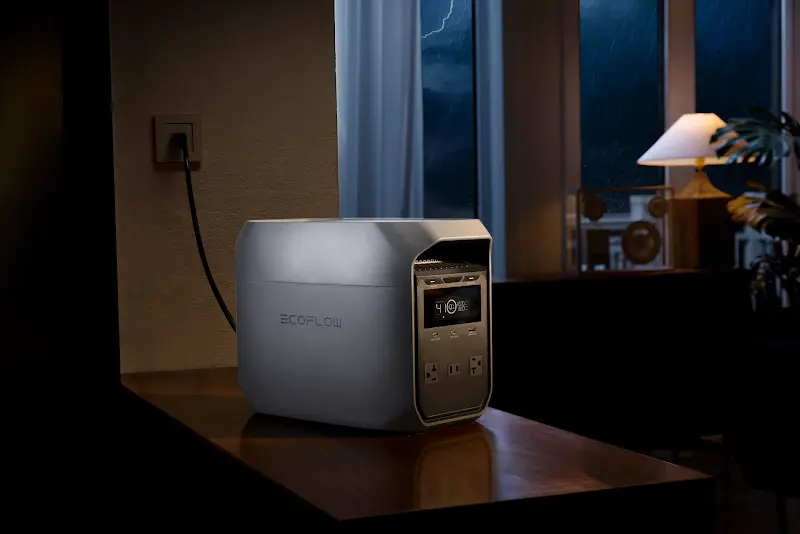
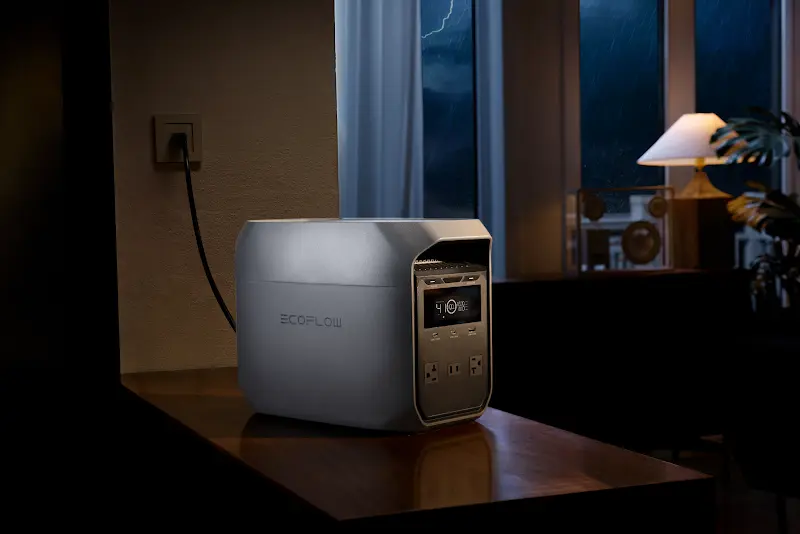
If you connect hardware without verifying the input range first, you might run into slow charging, unstable power delivery, or mismatched ports. When you plug multiple devices into a portable power source simultaneously, knowing the mA to A relationship makes it easy to see if a device fits a specific output port. For instance, a portable power station such as the EcoFlow DELTA 3 Classic Portable Power Station can handle this kind of multi-device setup, especially for phones, laptops, and small appliances. While its smart USB-A and USB-C ports automatically negotiate the safest, fastest speed for your devices, knowing the mA to A conversion helps you better understand your charging efficiency. By tracking how much current your devices draw, you can easily map out your off-grid power budget and keep everything running smoothly.
Why Should You Upgrade to Big Amp Calculations for Home Power?
When you scale up from desktop accessories to larger household environments, managing your power requires a shift in perspective. Small milliamps give way to massive amperage demands that can easily strain a home’s infrastructure if not monitored properly.
Estimate Whole House Emergency Amp Needs
When configuration needs move from pocket gadgets to major appliances, current calculations become much more critical. Calculating your total amperage load across every room lets you map out your home’s power envelope before an unexpected ice storm, severe weather, or sudden grid outage hits your neighborhood. This information also helps determine whether a portable power station can adequately support your most essential circuits during an outage, such as routers and mobile devices.
Calculate High Load Air Conditioner Current Draw
Heavy-duty cooling and heating systems are notorious for their massive electricity demands. Running multiple high-power units at the same time causes the total amperage load to climb rapidly, requiring thick wires and dedicated circuits to safely manage the flow. In such scenarios, an off-grid solar generator system can help supply supplemental power to reduce strain on the main electrical circuit during peak demand periods.
Connect Heavy Smart Home EV Backup Systems
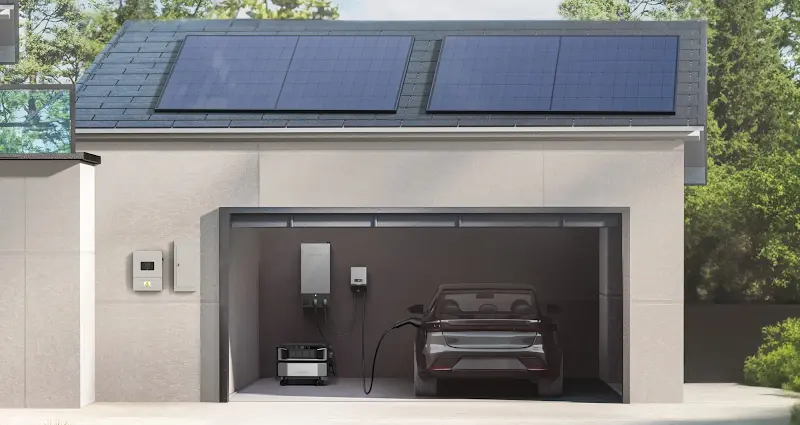
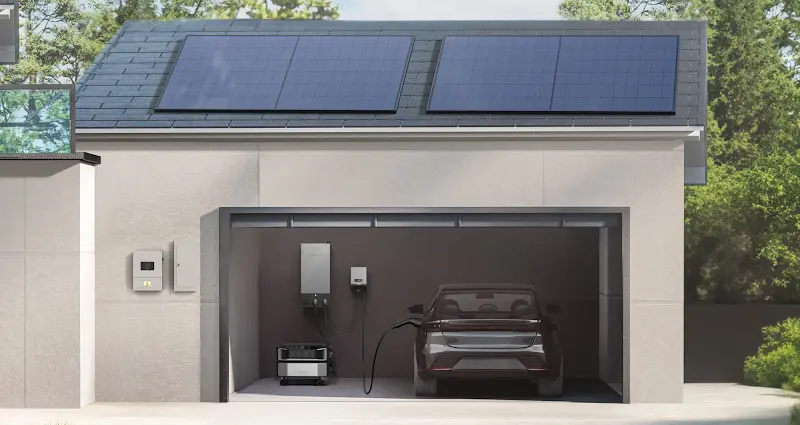
When configuring a comprehensive home emergency backup setup, many homeowners calculate the total current draw of essential appliances first. This helps you prioritize essential circuits and avoid overloading breakers. If you look at robust, comprehensive home backup solutions like the EcoFlow DELTA Pro Ultra + Smart Home Panel 2 + EcoFlow Power Pulse EV Charger, you are dealing with a system built for heavy smart home backup and electric vehicle charging. Understanding how current measurements translate helps you accurately evaluate your household’s total power load and choose the right backup power capacity.
What Tools Help You Measure Current More Accurately?
While math and formulas give you an excellent baseline estimate, real-world electrical systems can vary. Utilizing specialized tools allows you to observe actual energy consumption as it happens.
Use Clamp Meters for Fast Testing: These tools allow you to measure current safely by clamping right around a live wire, reading the active electrical field without cutting lines.
Read Digital Multimeter Current Settings: A classic multimeter offers highly precise metrics for small electronics bench work, provided you switch the dial over to the correct mA or A setting and wire it in-series.
Monitor Current Draw with a Power Meter: Simple plug-in display monitors sit directly between your wall outlet and appliance plug, giving you a live look at real-time energy use.
Use Online mA to A Calculators: When you are multi-tasking, typing numbers into an instant online conversion script eliminates human error and keeps your project moving.
How Can You Avoid Current Overload Problems at Home?
Keeping your property safe involves basic preventative habits. Once you know how much current your home electronics pull, you can implement easy strategies to protect your breakers.
Check Circuit Amperage Limits on Breaker Panel
Every breaker toggle switch in your garage, basement, or utility area has a clear stamp indicating its threshold—usually 15A or 20A. Never allow the combined load of devices on that loop to exceed that maximum value. Crossing this structural safety limit can instantly overload electrical circuit loops, causing immediate power disruption and potential hardware stress.
Spread High Power Devices Across Circuits
Avoid plugging a space heater, a microwave, and a toaster oven into the same outlet wall box. Distributing high-load appliances across separate room zones prevents localized spikes that snap breakers offline.
Keep Extension Cords Within Amp Limits
Extension leads have strict maximum load capacities based on wire thickness. Running a heavy appliance through a cheap, thin utility cord creates resistance, causing dangerous heat buildup.
Replace Old Flickering Breakers Quickly
If a switch panel trips repeatedly or makes faint humming sounds when appliances turn on, it is wearing down. Hiring an electrician to swap out aging hardware maintains your home’s safety system.
Conclusion
Converting milliamps to amps is simple. Just divide by 1,000 or move the decimal three places to the left. Whether you are looking at small phone charging cubes or planning whole house backup power, tracking these numbers helps your gear run efficiently. Check your device labels, use the right measuring tools, and respect your circuit panel limits. That keeps your home’s power smooth, safe, and reliable.
FAQ
What Does "mA" Mean on a Charger?
It stands for milliamps, a unit that measures electrical current in thousandths of an amp. A higher milliamp rating implies the charger is capable of supplying a larger volume of continuous current. While actual charging speed depends on total wattage (voltage multiplied by amperage), a higher mA ceiling provides the baseline flow needed to support fast-charging electronics efficiently.
Is It Okay to Use a Charger with Higher Amperage?
Yes, it is entirely safe to use a charger with a higher amperage rating because devices only pull the amount of current they actually need. The power source provides an available ceiling, but the internal charging circuit of your smartphone or tablet controls the actual flow.
What Happens If I Use a 100W Charger for a 65W Laptop?
Your laptop will charge safely and efficiently at its maximum supported rate of 65W without any damage. Modern USB Power Delivery technology negotiates the exact power requirements automatically between the block and the machine.
Is 1A or 2A Better for Charging?
A 2A rating is generally better because it delivers current faster, reducing the time your device needs to stay plugged into the wall. However, this speed advantage only applies if your specific gadget is built to support higher current inputs.
Why Do Some Chargers Charge Slower?
Slower charging occurs when either the power block has a low maximum amperage output or the cable cannot handle higher currents efficiently. Additionally, older hardware or safety protocols within a hot device can automatically restrict current intake to protect battery health.