Origin Energy Pay Bill: Payment Options & Bill Management Guide in Australia
If you need to pay an Origin Energy bill, the last thing you want is a maze of half-useful links. You may be trying to make a quick card payment, log in to My Account, find the BPAY details, or work out what to do if the bill is harder to manage this month. The steps below keep those jobs separate, so you can choose the right payment path first, then consider future billing habits and energy use.
Key Takeaways
Use guest payment for a quick one-off transaction, but use My Account or the Origin app when you need billing history, account settings or payment support.
Choose a payment method based on the due date, possible fees and processing time, rather than convenience alone.
If you cannot pay the full amount, look for an extension, payment plan or financial support before making an unplanned partial payment.
How to Pay Your Origin Energy Bill Online
You can pay your Origin Energy bill online by card, through My Account or the Origin app, or by BPAY through your bank. Choose the option that best matches how you want to access the account and how soon the payment is due.
Pay Online Without Logging In by Card
Use Origin’s official payment page when you need to pay an Origin electricity bill by card without logging in. Follow the service-specific instructions if the bill relates to natural gas, LPG or another Origin account.
Enter the account or customer number shown on your bill.
Confirm the service account and payment amount.
Enter your debit or credit card details.
Check the details and submit the payment.
Save the receipt or transaction number.
Check that you are using Origin’s official website before entering your account or card details.
Pay Through My Account or the Origin App
Log in to My Account or the Origin app when you want to pay your Origin Energy bill and review the account at the same time. You can use My Account in a browser or open the Origin app on your phone.
To pay:
Log in and select the correct service account.
Open the billing or payment section.
Check the amount due and choose a payment method.
Confirm the payment and save the receipt.
You can also view previous bills, payment history and account details before paying.
Pay by BPAY Through Your Bank
BPAY lets you pay through your bank’s app, online banking or phone banking. For electricity and natural gas accounts, Origin currently lists 130112 as its BPAY biller code. You also need the BPAY reference number shown on your bill, in My Account or in the Origin app.
Check the reference against your current bill rather than relying on an older saved payee, especially if you manage several Origin accounts.
Origin Energy Payment Options Compared
Origin offers different payment options depending on whether you want to make a one-off payment, automate future bills, pay through your bank or visit Australia Post. The table below compares when each option may suit you and what to check before paying.
Payment option | Best for | What to check |
My Account or Origin app | Paying a bill and checking your balance, billing history or account details in one place | Select the correct service account if you manage several properties or Origin services |
Pay online without logging in | Making a quick one-off payment with your current bill | Use the account or customer number from the latest bill and save the payment confirmation |
BPAY | Paying through your bank’s app or online banking | Confirm the biller code and BPAY reference number, and allow time for bank processing |
Direct debit | Paying future bills automatically | Check the payment date, nominated account, available funds and any card fees |
Australia Post | Paying in person | Bring your current bill and check whether a fee or processing delay may apply |
Centrepay | Making regular deductions from an eligible Centrelink payment | Confirm your eligibility, deduction amount and Centrepay reference details |
Cheque | Paying without an online or card-based method | Follow the instructions on your current bill and allow enough time for postage and processing |
For most one-off payments, the quickest way to pay your Origin bill will be through the official payment page, My Account, the Origin app or BPAY. Direct debit suits ongoing payments, while Australia Post, Centrepay and cheque cover more specific circumstances.
How to Manage Your Origin Energy Bill and Payments
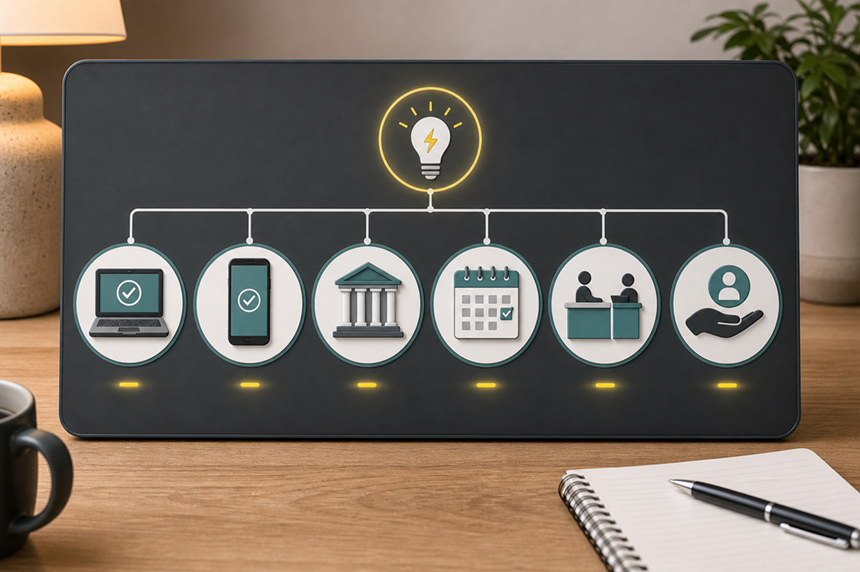
My Account and the Origin app do more than process payments. You can use them to check your current balance, review previous bills, update payment settings and investigate an amount that looks different from usual.
View Bills and Payment History
If you are wondering how to view your Origin Energy bill, open My Account or the Origin app. You can check your current bill, previous bills, payment history, balance, due date and account details in one place.
When reviewing a bill, check:
The service address and billing period
The amount due and payment date
Whether the meter read is actual or estimated
Usage and supply charges
Previous balances and payments received
Concessions, rebates or solar feed-in credits, where applicable
You can also compare previous bills and payment records without switching between separate service accounts. This helps when you manage more than one property or have several Origin services.
Set Up and Manage Direct Debit
You can set up Direct Debit through My Account or the Origin app using a bank account, debit card or credit card. Open the payment settings, select the account you want to use, enter the payment details and confirm the scheduled payment date. Paying from a bank account may help you avoid card payment fees, although you should check Origin’s current fee information before choosing a method.
Direct Debit pays the amount due on each bill. If you have come across references to the Origin Predictable Plan, check Origin’s current ongoing payment-plan options instead, as these may spread predicted energy costs across weekly, fortnightly or monthly instalments.
Direct Debit reduces the risk of missing a due date, but you should still review each bill before Origin takes the payment.
Check an Unexpected Bill
If a bill looks higher than expected, compare it with the previous billing period before focusing only on household energy use.
Start by checking whether:
A previous payment has appeared on the account
An unpaid balance has carried over
The billing period contains more days than usual
Origin used an estimated meter read
Your tariff or plan details have changed
Your daily usage has increased
If you are on a time-of-use tariff, check the Origin energy peak and off-peak times shown on your bill. Using more electricity during peak periods can increase the usage portion of the bill, although these time periods only apply when your meter is set to a time-of-use tariff.
If you have solar, compare the electricity imported from the grid with your exported energy and feed-in credits.
If these checks do not explain the difference, contact Origin and keep your current bill, previous bill and payment records available for review.
Planning for Backup Power
Reviewing your bill and usage history can help you see which appliances draw the most power and which essentials you may want to prioritise during an outage. Paying your energy bill keeps your account up to date, but it cannot prevent a grid interruption or keep devices running when the power goes out. If outages are a concern in your area, a portable power station can keep selected essentials running until grid power returns.
For households that need more than basic phone and router backup, the EcoFlow DELTA 3 Ultra Plus Portable Power Station offers a more flexible setup. Its strong output and expandable battery setup give you more flexibility to prioritise essential loads or extend backup time as your needs grow. Fast UPS switching helps compatible devices stay powered when the grid fails, and multiple charging options make recharging more flexible.
The EcoFlow DELTA Pro Ultra Whole-home Backup Battery suits households planning a broader whole-home backup setup for longer outages. Its expandable battery setup and high solar input make it easier to cover selected circuits and recharge from rooftop solar when grid power remains unavailable. Paired with the EcoFlow Transfer Switch, it can direct backup power to the household circuits you rely on most.
What to Do If You Have Trouble Paying or Tracking a Payment
Your Payment Has Not Appeared
A missing payment does not always mean the transaction failed. It may still be processing or may need to be matched to the correct account. First, check My Account or the Origin app. Then gather:
The payment date and amount
The method you used
The account or reference number entered
Your receipt, bank transaction number or confirmation email
Allow for the normal processing time of the payment method before trying again. If the payment still does not appear, contact Origin and provide the transaction details. Keep your BPAY record, Australia Post receipt or online confirmation so Origin can trace the payment.
Avoid making a second payment until you have checked the first one, as this may leave your account in credit and delay any refund.
You Cannot Pay by the Due Date
If you cannot pay the full bill on time, check your options before the account becomes overdue. Depending on your circumstances, Origin may offer a payment extension, payment plan, part-payment arrangement or financial support.
Start by:
Checking My Account or the Origin app for available payment options.
Reviewing Origin’s financial support information.
Contacting Origin before the due date where possible.
Asking whether any concessions or rebates apply to your account.
Keeping a record of any arrangement you agree to.
Have your current bill, recent payment history and preferred payment dates ready when you contact Origin. If your payday falls after the bill is due, explain the timing clearly so the arrangement can reflect when you can pay.
Eligibility can vary by account type, state, concession status and individual circumstances.
Before You Pay: A 60-Second Final Check
Before confirming an Origin Energy bill payment, use this quick check to catch details that could cause delays or send the payment to the wrong account.
Check | Why it matters |
Service address | Confirms that you are paying the correct property or account |
Account type | Payment instructions can differ across electricity, natural gas, LPG, internet and business services |
Amount to pay | Confirms whether you are paying the full balance or a selected part payment |
Due date | Helps you allow enough time for the payment method to process |
Account or BPAY reference | Helps Origin allocate the payment correctly when a reference is required |
Payment method | Lets you check possible fees and processing times |
Receipt or confirmation | Provides proof if the payment does not appear on your account |
Keep the receipt or confirmation until the payment appears in My Account or the Origin app.
Conclusion
Paying an Origin Energy bill is straightforward once you choose the right channel. Use the official payment page for a one-off card payment, My Account or the app when you also need to check your account, and BPAY when you prefer to pay through your bank. Confirm the account details, amount and due date before submitting the payment, then keep the receipt. If a payment is missing or the bill is difficult to manage, contact Origin early and review the support options available.
FAQs
How do I contact Origin by phone?
Call 13 24 61 for electricity and natural gas support from Monday to Friday, 8 am to 6 pm AEST. Internet customers can call 1300 980 711, and LPG customers can reach support at 13 35 74. For interpreter services, call 1300 137 427.
Can I make a part payment on an Origin Energy bill?
Yes. Eligible electricity, natural gas, embedded energy and residential LPG accounts can make part payments through My Account, the Origin app or the online payment page. You can also ask about a payment plan if you need to spread the balance across regular instalments.
What happens if I overpay my Origin Energy bill?
Any extra payment remains on your account as credit and can reduce a future bill. Eligible electricity and natural gas customers can also request a refund or transfer the credit through My Account or the Origin app. The refund method and processing time depend on how you made the original payment.
*Disclaimer: Origin Energy payment methods, fees, processing times and support options can vary by account type, service, location and individual eligibility, and Origin may change them over time. Always check your current bill and Origin’s official website before making a payment or setting up an arrangement.